Key Takeaways
- File tracking for banks means recording every physical file handover (who, to whom, where, when) so the bank can prove custody at any moment.
- Risk concentrates at the handover, not in storage. Loan files, KYC folders and account-opening packets are most exposed while they move between desks.
- A USB check-in / check-out scanner turns each handover into a timestamped, signed transaction, with single-file or batch processing.
- Passive RFID portals show that a file moved; the USB scanner records who was accountable and why. Strong programs use both.
What Is File Tracking for Banks?
File tracking for banks is a system that records the location and custodian of every physical record, such as loan files, KYC folders, account-opening documents and credit committee packets. Using RFID tags and scanners, each issue and return is logged automatically, replacing paper registers and manual spreadsheets.
- Tracks: the file, the person who issued it, the person who received it, the destination and the timestamp
- Replaces: paper sign-out sheets, spreadsheet logs, memory and email requests
- Produces: an audit trail that can be pulled in seconds
Why Do Banks Need Document Tracking?
Banks hold a high volume of sensitive paper that must be retained, retrievable and accountable for years. Even in digitized operations, originals, signed agreements and supporting documents are often physical.
- Loan and mortgage files: originals move between underwriting, legal, credit committee and servicing.
- KYC and account-opening records: needed on demand for compliance reviews and regulatory examinations.
- Trust, wealth and safe-deposit records: access must be restricted and attributable to a named person.
- Audit and exam requests: examiners ask for specific files, and a missing or untraceable file is a finding.
Retention obligations (for example, Bank Secrecy Act record-keeping, typically five years for many records) and privacy duties under GLBA make “we can’t locate it” a costly answer. Confirm the specific rules that apply to your institution with your compliance team.
How we make IoTFileTracker solution work in a Bank?
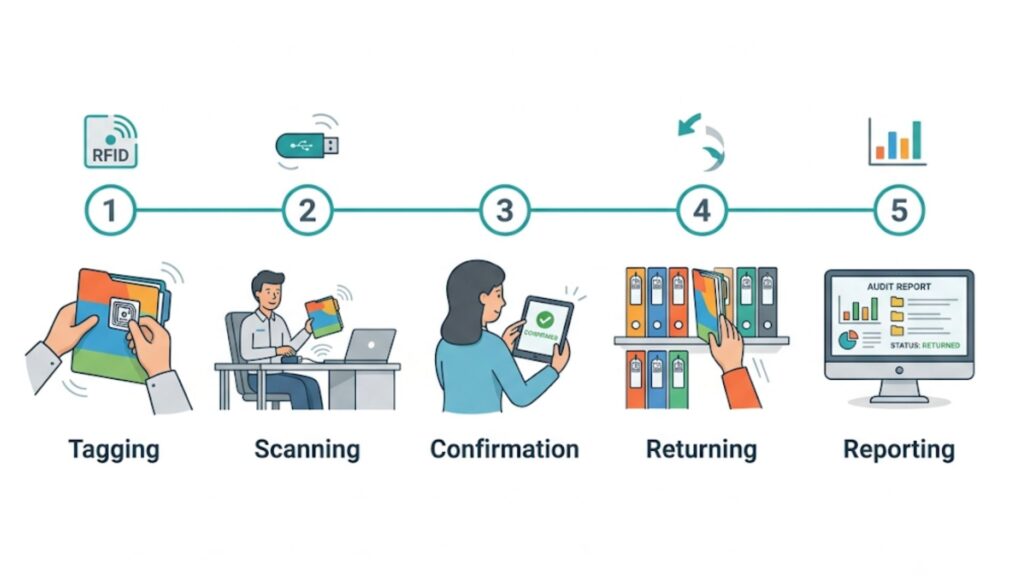
Each folder carries a passive RFID tag with a unique identifier. When a file is issued or returned, staff scan it, and the IoTFileTracker database updates instantly.
- Commission: link the tag’s identifier to the file record (customer, loan number, branch).
- Issue: scan the file at a USB check-in / check-out station and select who receives it and where it is going.
- Confirm: the recipient acknowledges receipt, by signature or a software prompt.
- Return: scanning the file back switches its status to Available and can direct it to a shelf or re-file queue.
- Report: every step is stored as a timestamped transaction.
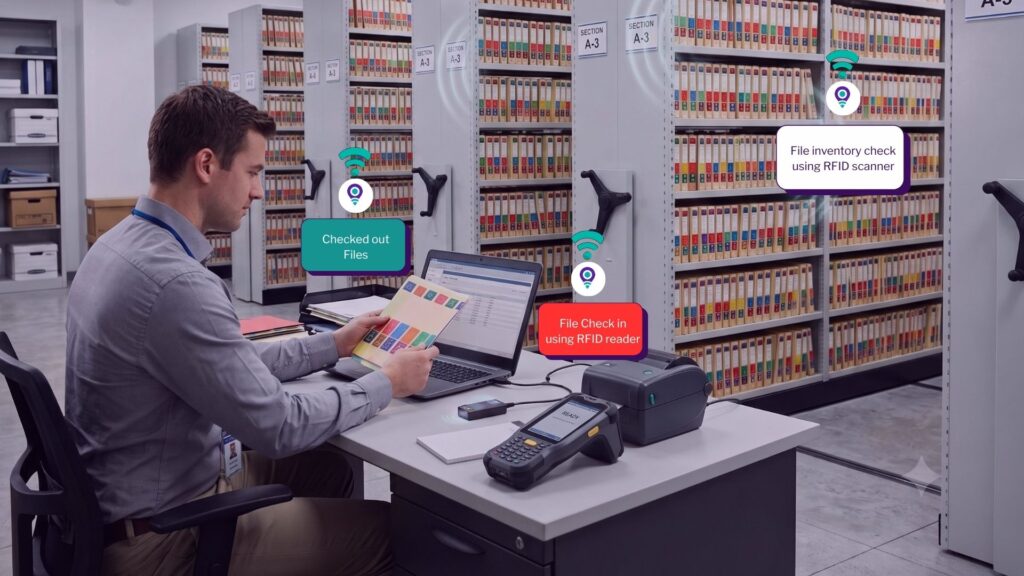
What Is a USB Check-In / Check-Out Scanner?
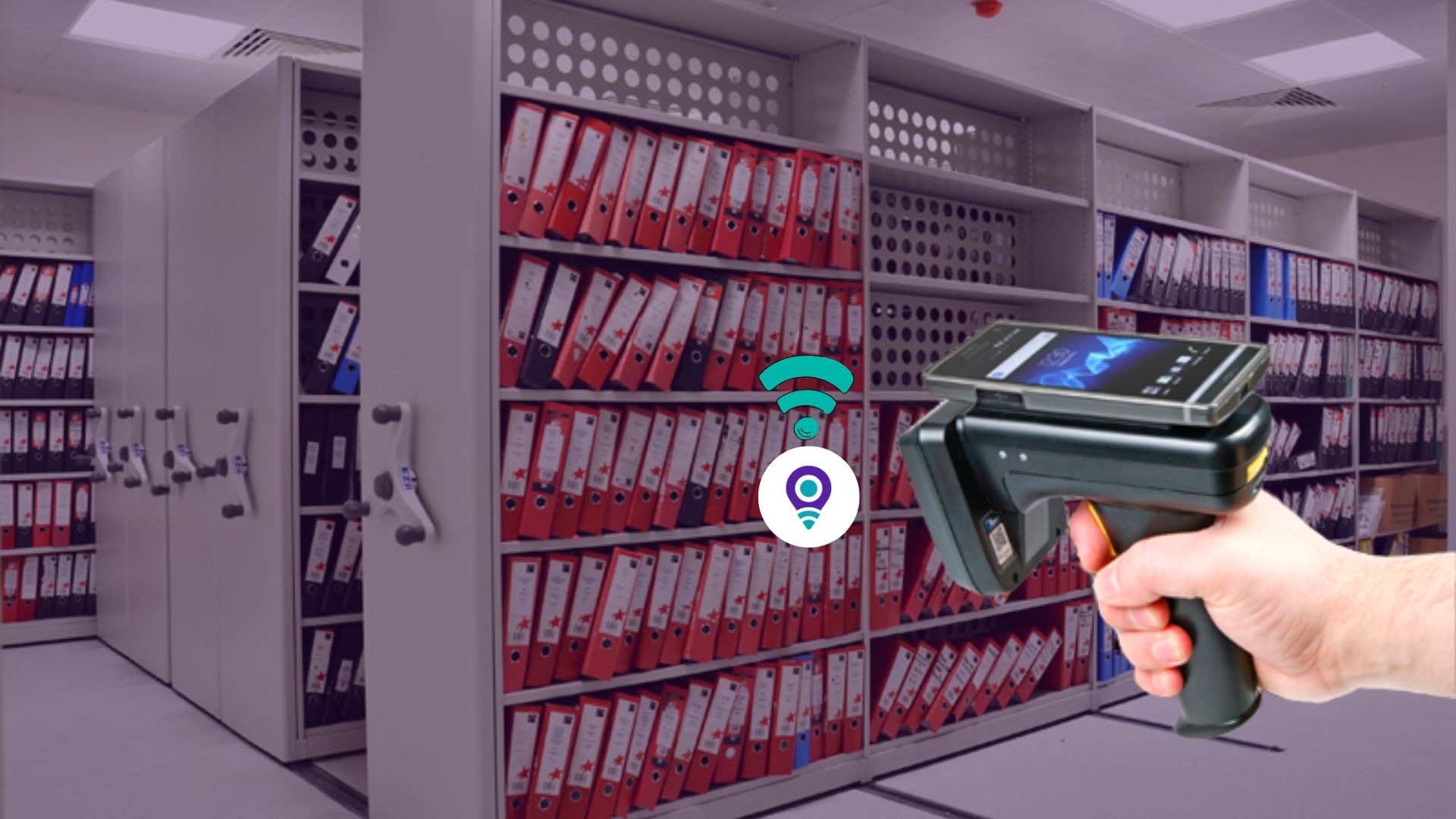
A USB check-in / check-out scanner is a compact RFID reader connected to a staff workstation. It is built for stationary, transactional use, like a point of sale for records: the file is placed on or near the reader, and the system captures its identifier and updates the central database with no manual typing.
In a bank, it sits at the records room window, the loan operations desk or the branch back office, where a clerk acts as gatekeeper for controlled circulation.
Which Features Matter Most for Bank Records Management?
| Feature | What it does | Why it matters in a bank |
|---|---|---|
| Controlled circulation | A records clerk issues and receives every file | Clear gatekeeper and named accountability |
| Single-file issuance | One scan, confirm recipient, done in seconds | Fast response to urgent loan or compliance requests |
| Batch processing | Reads a whole stack or cart at once, no line of sight needed | Daily deliveries to branches or underwriting without typing errors |
| Real-time visibility | Status updates enterprise-wide immediately | Staff see “checked out five minutes ago to [person]” instead of “In File Room” |
| Destination assignment | Person, office number or departmental outbox on issue | Shows where a file physically is, not just that it left |
| Predefined destination lists | Dropdowns replace free typing | Consistent data, cleaner reports |
| Barcode-assisted destinations | Scan a person or department barcode, then the RFID files | Faster, more accurate high-volume handovers |
| Electronic signatures | Signature pad or software prompt confirms receipt | Proof of custody for sensitive files |
| Tag commissioning | USB scanner links each tag to a file record | Fast tagging of legacy archives and new customer files |
How Does Real-Time Tracking Help During Audits?
It replaces reconstruction with retrieval. When an auditor or examiner asks for a file, the bank can show its current location, current custodian and full movement history from one screen.
- Who issued it and who received it
- When each handover happened
- Where it was sent, from a predefined destination list
- Proof of receipt captured by electronic signature
The “I never received that file” dispute is replaced by objective, timestamped data.

Where Should Banks Deploy File Tracking systems?
| Department | Typical files | Recommended setup |
|---|---|---|
| Central records room | Archived loan, account and KYC files | USB check-in / check-out station plus batch processing |
| Loan operations / underwriting | Active loan packets and originals | USB station, destination barcodes, e-signature |
| Compliance and internal audit | Files pulled for review | Controlled circulation with signed receipt |
| Branch back office | Account-opening and customer files | USB station for issue and return |
| Trust and wealth services | Restricted client records | E-signature custody confirmation |
What Do Most File Tracking Comparisons Leave Out?
Most comparisons rank tools on feature grids. In practice, three things decide whether a bank program holds up.
- Custody breaks at the handover. Files are rarely lost in the cabinet. They go missing when passed between desks, so the checkpoint matters more than the shelf.
- Passive and deliberate tracking solve different problems. An RFID portal tells you a file passed a door. It does not capture who carried it or why. A USB scanner captures intent and forces a moment of accountability. Use portals for general movement and USB stations for high-value handovers.
- Commissioning is the real project. Tagging legacy files is where schedules slip. Start with the highest-risk files (open loans, files under review) and phase the rest.
Key Banking companies trusted IoTFileTracker

Bank United
RFID/Barcode file labeling and tracking system for over 500,000 loan files utilized by BankUnited
representing over $90 billion in assets, including commercial and residential loans:
- Has been successfully utilizing the system for approximately fifteen (15) years.
- Replaced legacy file tracking system within four weeks, including importing over 500,000 records.
- System integrates with backend core processing system for bi-directional data interchange.
- Core to the solution is check-in and check-out of records and complete history of all files.
Provident Bank
For 185 years, Provident Bank has served individuals, families, and businesses in its local communities
with personal and business banking services.
- Has been successfully utilizing the system for approximately eleven (11) years.
- Includes color-coded, side tab filing system in numeric sequence for file folders in open shelving.
- Barcode and RFID check-in / check-out solution utilizing USB scanner.
- Mobile barcode-RFID scanner to inventory files-in-circulation and in filing system.

Canvas Credit Union
Canvas Credit Union, located in Englewood, CO, provides financial services for over 300,000 members.
- File management system has been successfully utilized for approximately twelve (12) years.
- Pre-printed numeric color-coded labels for existing files, applied the labels to conversion tabs to
migrate folder front labeling to side tab color-coded labeling and open-shelf filing system. - USB Barcode-RFID scanner for check-out and check-in.
- Mobile Barcode-RFID scanner for inventories and audits.
What Are the Operational Benefits for Banks?
- Improved accountability: staff know every handover is recorded and signed for.
- Fewer lost or disputed files: manual logs are replaced by time-stamped data.
- Faster circulation: batch processing moves files in and out in a fraction of the time.
- Stronger compliance posture: automated tracking supports audit and exam readiness and helps demonstrate controls around sensitive customer information.
Frequently Asked Questions (FAQs)
The best system records every handover with who, to whom, where and when, supports batch processing, and offers signed custody confirmation. RFID-based systems with USB check-in / check-out stations meet all three without manual data entry.
No. Document management software organizes digital files. Document tracking for banks follows the physical location and custody of paper originals and folders, and the two work well together.
Yes. RFID does not need line of sight, so a stack of folders on a USB reader is identified in one pass. This is the batch processing workflow.
By logging each transfer with the issuer, recipient, destination and timestamp, and capturing the recipient’s electronic signature or ID as proof of receipt.
Through commissioning. Staff use the USB scanner to read each tag’s identifier and link it to the file’s record, then track it from that point forward.
Conclusion
For a bank, the question is never only where a file is stored, but who is responsible for it right now. A USB check-in / check-out scanner makes each handover deliberate, recorded and provable. With single and batch processing, destination control, barcode assistance and electronic signatures, IoTFileTracker gives records teams a defensible chain of custody and an audit trail that is ready when examiners ask.
Ready to see it in a bank workflow?