File Tracking Software for Secure File Management & Real-Time Document Tracking
Track every file’s location, movement, and access history in real time – with barcode and RFID file tracking software built for government, legal, healthcare, and corporate records.
Most organizations that lose control of their files don’t lose them all at once – they lose them one “we’ll find it later” at a time. Manual logs and spreadsheets can tell you a file exists. They can’t tell you where it is right now, who has it, or who accessed it last. That gap becomes a real problem the moment a critical document is needed for a meeting, an audit, or a compliance review and no one can locate it under pressure.
The underlying cause is usually the same: Teams are still running file folder tracking off spreadsheets and paper logs. Files get misplaced. Sensitive records move between people with no record of the handoff. Staff spend hours searching for documents instead of doing their jobs – and none of it shows up until an audit or an emergency forces the question.
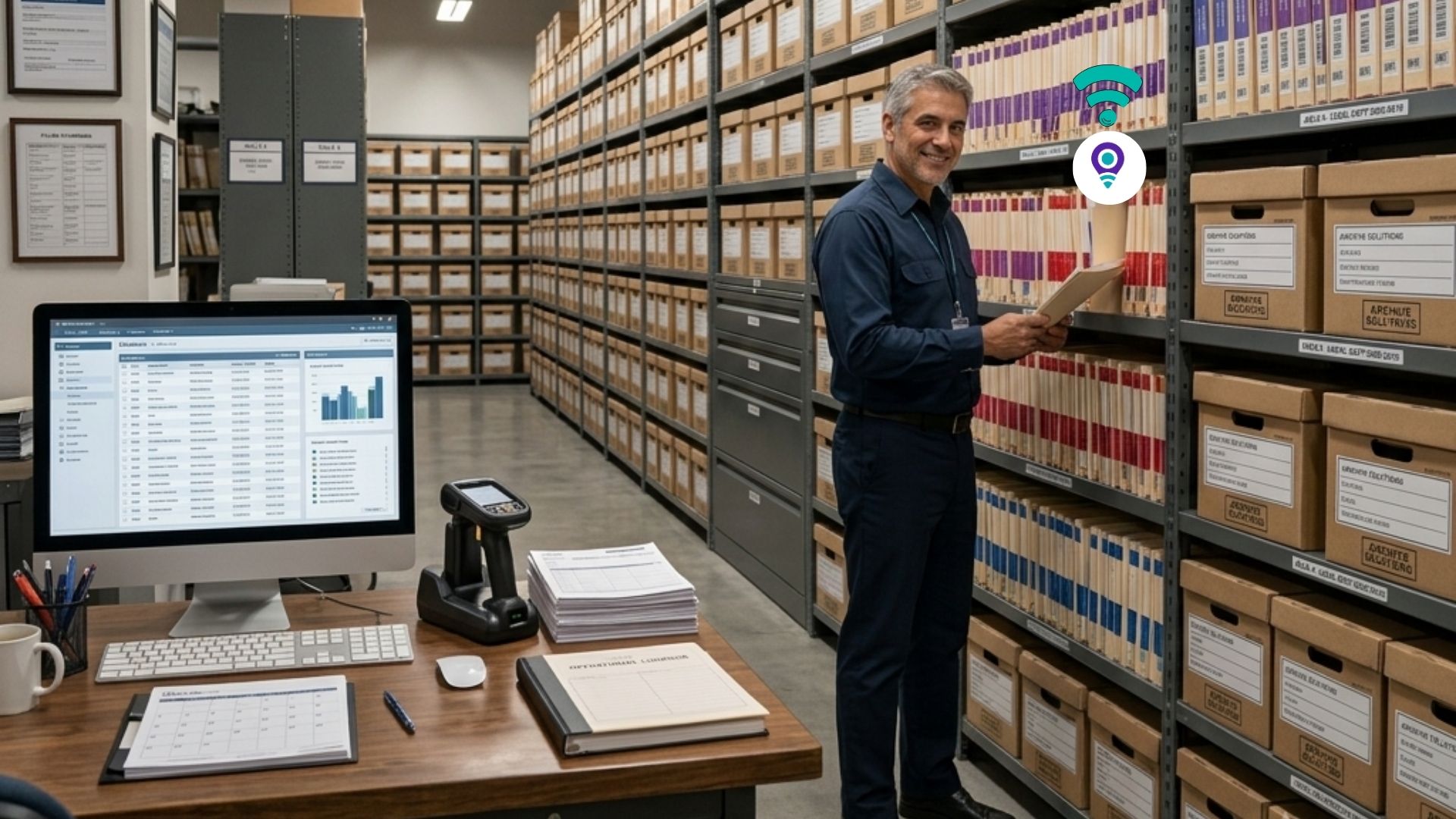
File tracking software replaces that gap with a system of record. It tags every file, folder, and archive with a barcode or RFID label, logs every movement automatically, and gives your team real-time visibility into where each document is and who’s responsible for it – without changing how your staff already work.





Why organizations trust IoTFileTracker's file tracking software
- Since 1984. IoTFileTracker’s team has built and supported physical records and file tracking systems for over 40 years – long before “digital transformation” was a category.
- Deployed in 18 countries. From county courts to federal agencies to hospital systems, our file tracking software has been implemented across government and commercial environments worldwide.
- ICRM-certified expertise. Our staff hold certifications from the Institute of Certified Records Managers, the industry’s standard for records and information management professionals.
- RFID pioneers since 2006. We were early implementers of RFID-based file tracking, and IoTFileTracker remains a single, continuously updated codebase – not a bolted-together stack of point tools.

Built for scale, built for security – built for your records.
What is a Document Tracking / File Tracking Software
A modern file tracking software system goes beyond storage. It combines file folder tracking and file access tracking into one platform, covering both physical and digital records without gaps. You get secure file sharing, granular document permissions, and real-time alerts every time a file is accessed or moved.
For organizations handling medical records, legal files, or financial documents, this isn't optional - It's the difference between a defensible audit trail and a compliance gap. As a document management and enterprise file management solution, file tracking software supports data security, retention policy enforcement, and audit-ready reporting, giving businesses stronger control and measurably better operational efficiency.
Technology Leverage
-
Dual-Technology Support: The file tracking software platform isn’t limited to a single technology; it seamlessly integrates both, allowing customers to use the most cost-effective and efficient method for different assets or locations.
-
Optimization: This integration ensures processes like check-in/check-out, inventory, and file location are rapid, accurate, and scalable across facilities of any size, from small file rooms to expansive warehouses.
Unified System with RFID and Barcode technology
-
Unified System: It provides a single point of truth for managing both physical and electronic documents, records, and archives. This eliminates the common records management challenge of using separate, siloed systems for paper and digital files.
-
Blending Records: The file tracking software attaches the electronic document to the corresponding physical file folder database record. This ensures that when a physical file is tracked or requested, the staff member simultaneously has access to its associated digital history or contents.
-
End-to-End Control: Offers complete life-cycle management, from document creation (physical or electronic) through active use, archiving, and final disposition.
Reporting and Oversight
-
Unlimited Reports: Users have access to both unlimited standard reports (e.g., Overdue Files, Destruction Candidates, Inventory Variance) and the ability to create custom records management reports.
-
Oversight: These reports provide the comprehensive oversight necessary for strategic decision-making, trend analysis, resource allocation, and proving compliance during internal or external audits.
How the IoTFileTracker Works
The IoTFileTracker system is designed to make file tracking software simple, accurate, and efficient without disrupting your existing workflows.
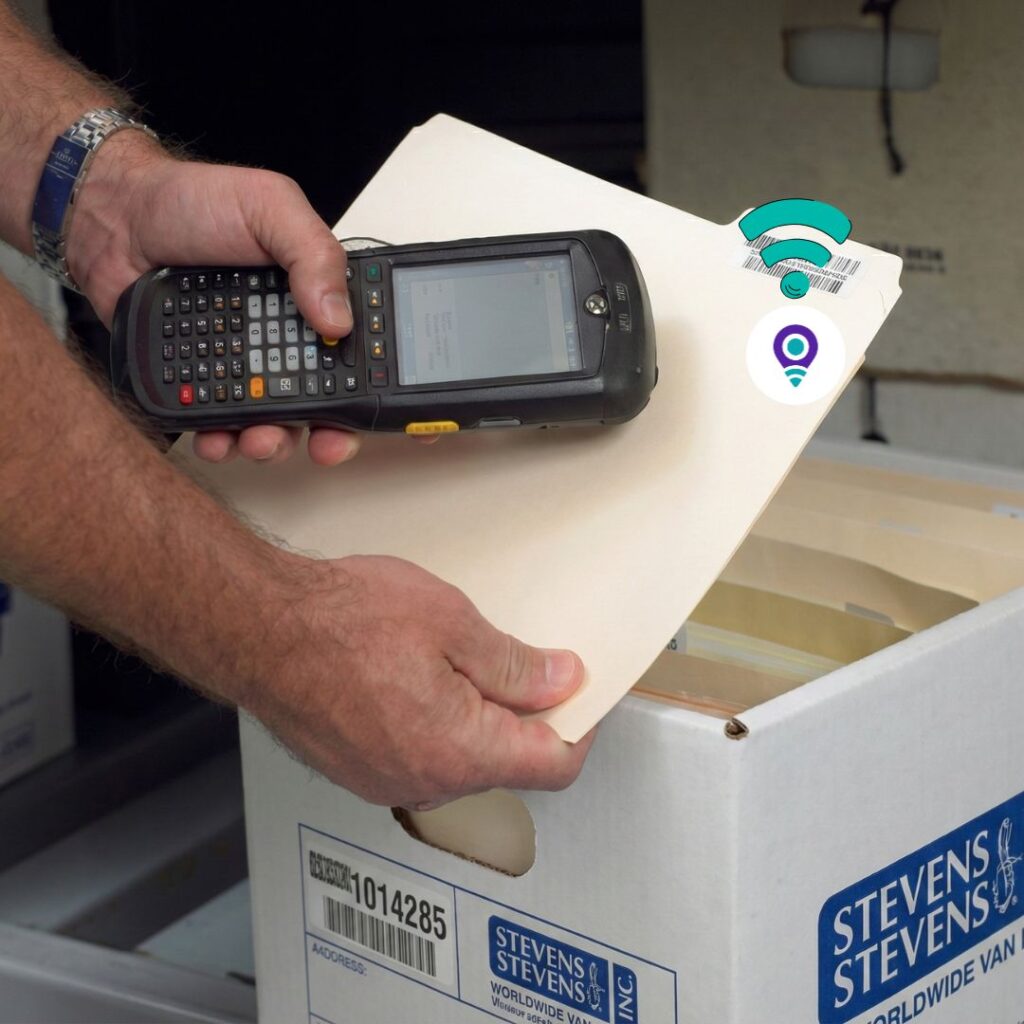
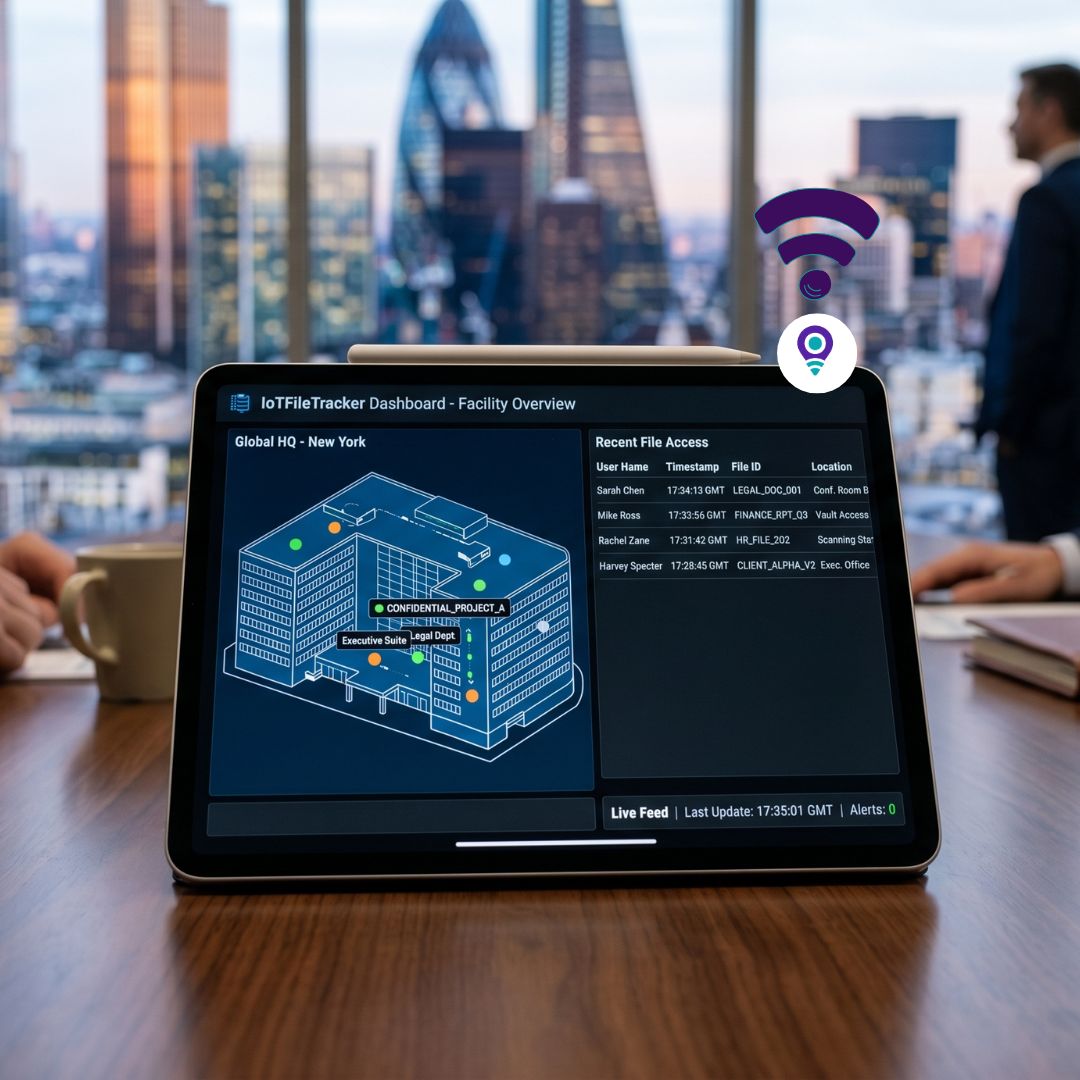
Files are tagged using barcode or RFID technology, and every movement is tracked within the system. When a file is accessed or moved, the system updates instantly. You get complete visibility along with real-time notifications when someone views your document. This makes it a reliable software to track file access, so you always know who accessed your files and when.
IoTFileTracker acts as the intelligence of your operation. It serves as a central command center for managing records across global government and commercial environments. This advanced File Tracking Software supports use cases such as government file tracking, legal document tracking, and corporate and logistics document tracking. It also enables secure workflows, including sharing sensitive documents and controlling access to documents with precision.
The platform provides complete document, file, and archives management. It can be quickly configured to match your data, tracking, workflow, security, and reporting needs. As a modern File Tracker Software, it helps you track documents in real time, monitor file activity, and automate documents without disrupting your workflows.
Features of IoTFileTracker File Tracking Software
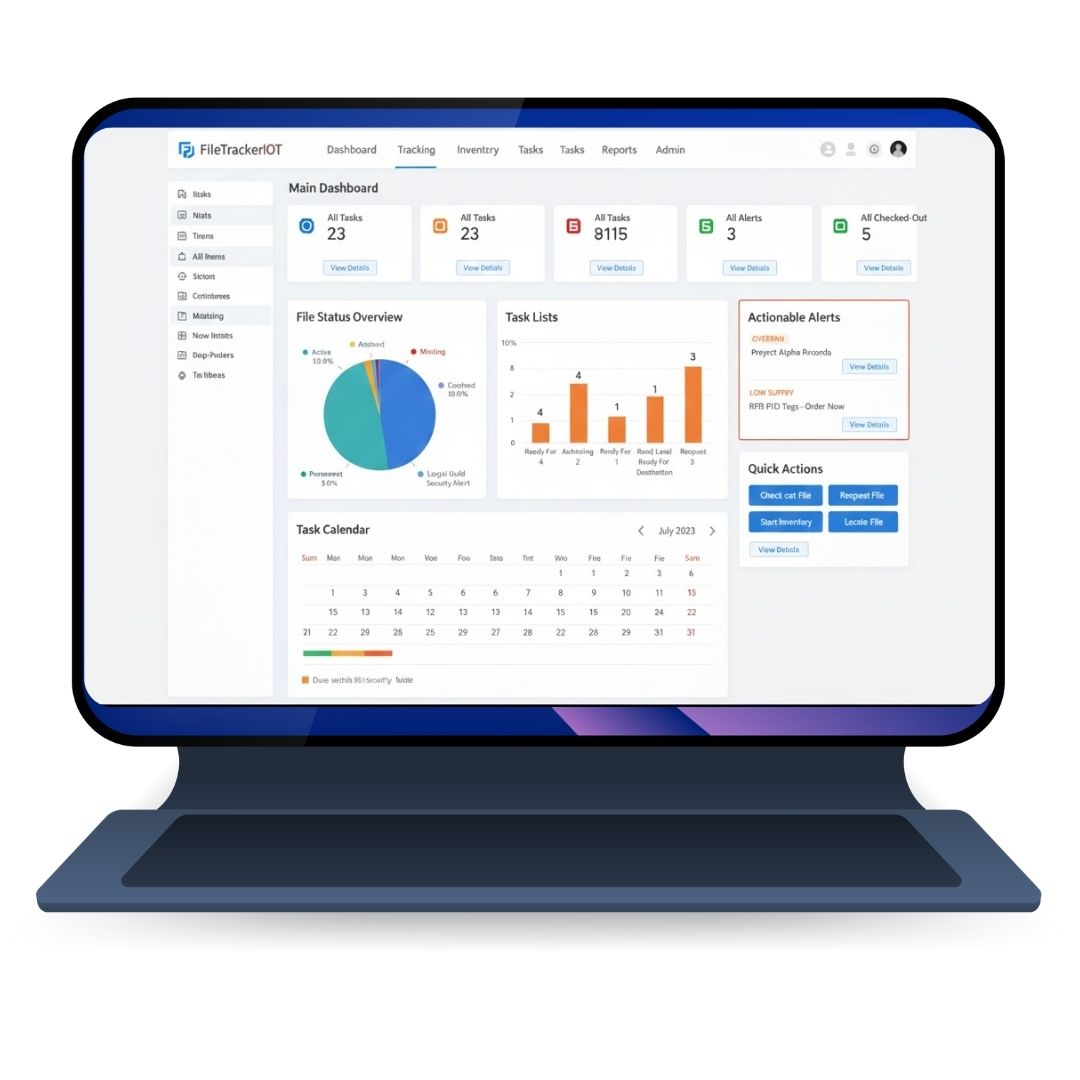
Dashboard Command Centre
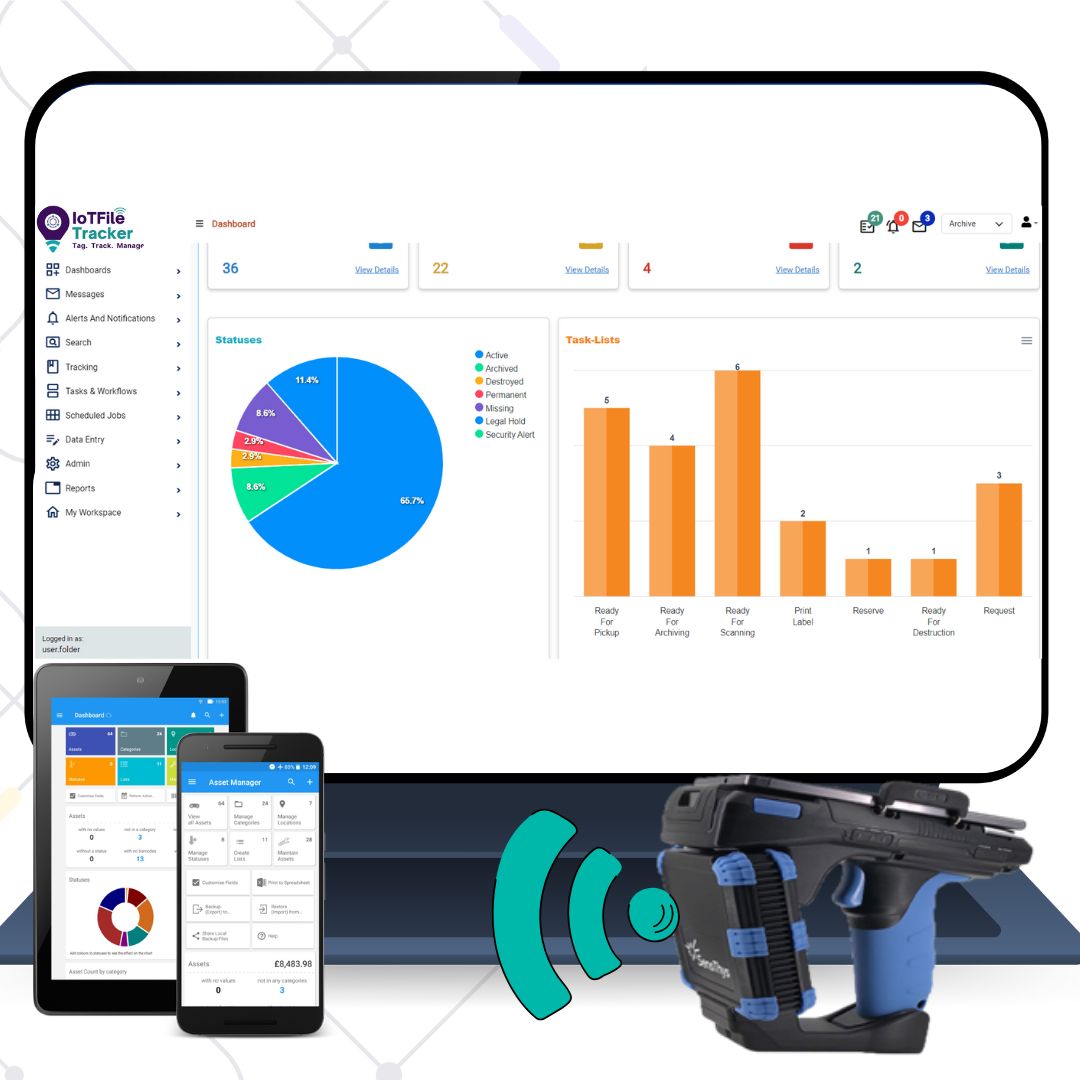
- IoTFileTracker includes a ‘command center’ dashboard that consolidates important records management information, including a snap-shot view of statistics, statuses and tasks.
- The dashboard is fully configurable according to each customer’s preferences, including multiple pie charts and graphs corresponding to the information that is of most interest to managers and Users.
- The dashboard also includes visual depiction any tasks, messages and alerts that are in-process and that require action.
- Clicking on the icons opens table-view rows for each message, task or alert. Users can then open specific messages, tasks or alerts and view the history and to perform actions
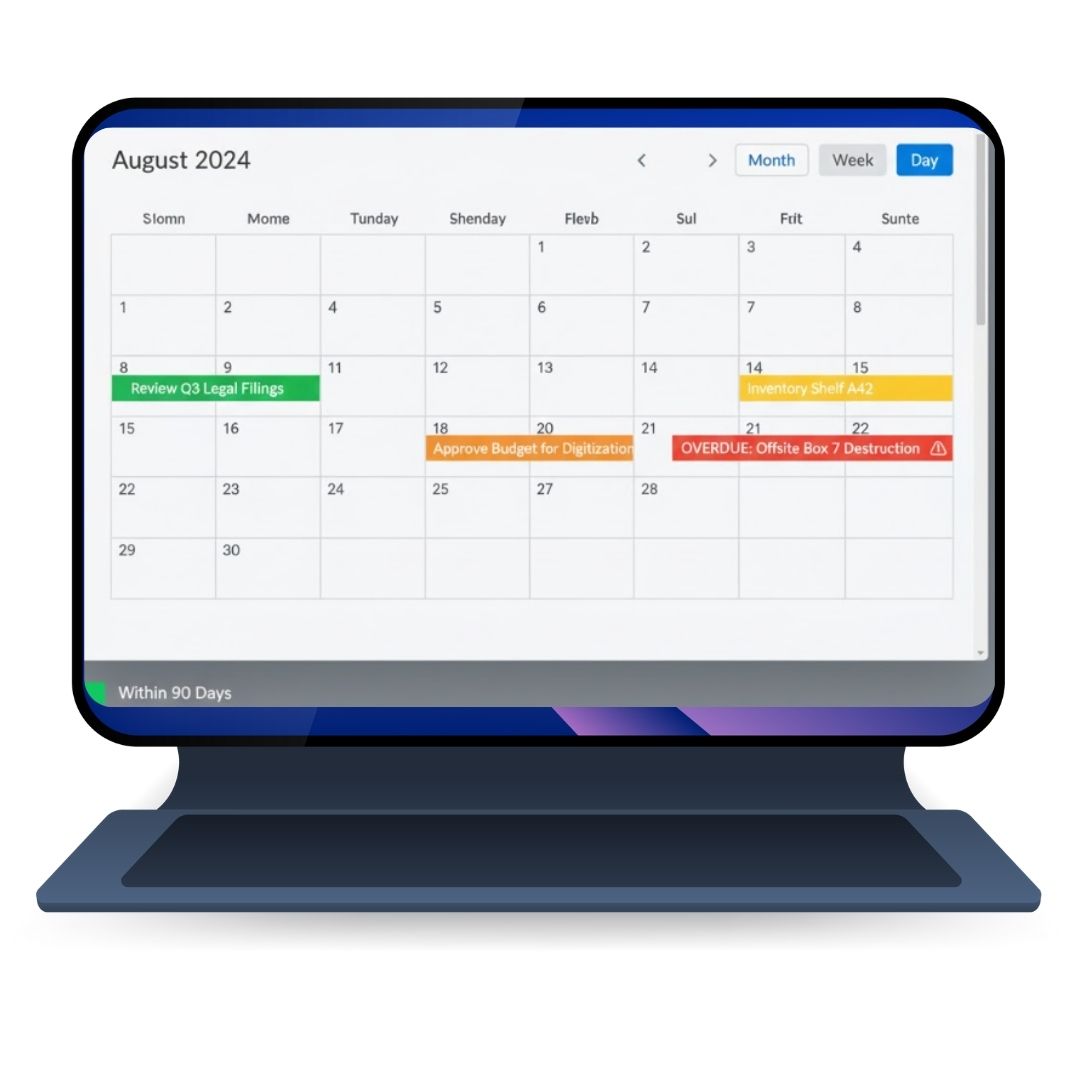
Dashboard Task Calendar
- IoTFileTracker’s Dashboard Calendar displays tasks and alerts corresponding to work that is planned or due by the records management department.
- Reminders display in green color on the calendar date based on scheduling of tasks and for action related to the tasks.
- Alerts display in red color to indicate overdue tasks that were not completed on an automatically generated schedule or a manually scheduled due-date.
- Each task or alert on the calendar can be clicked to display the details related to the task or alert.
- Staff can also see the complete history of the task, take action upon and update a task or move the task along a workflow process that monitors the flow of tasks and enables approvals, authorizations, and upon Task completion, the task is closed.
- Audit trail historical records are create for all details related to tasks and alerts.
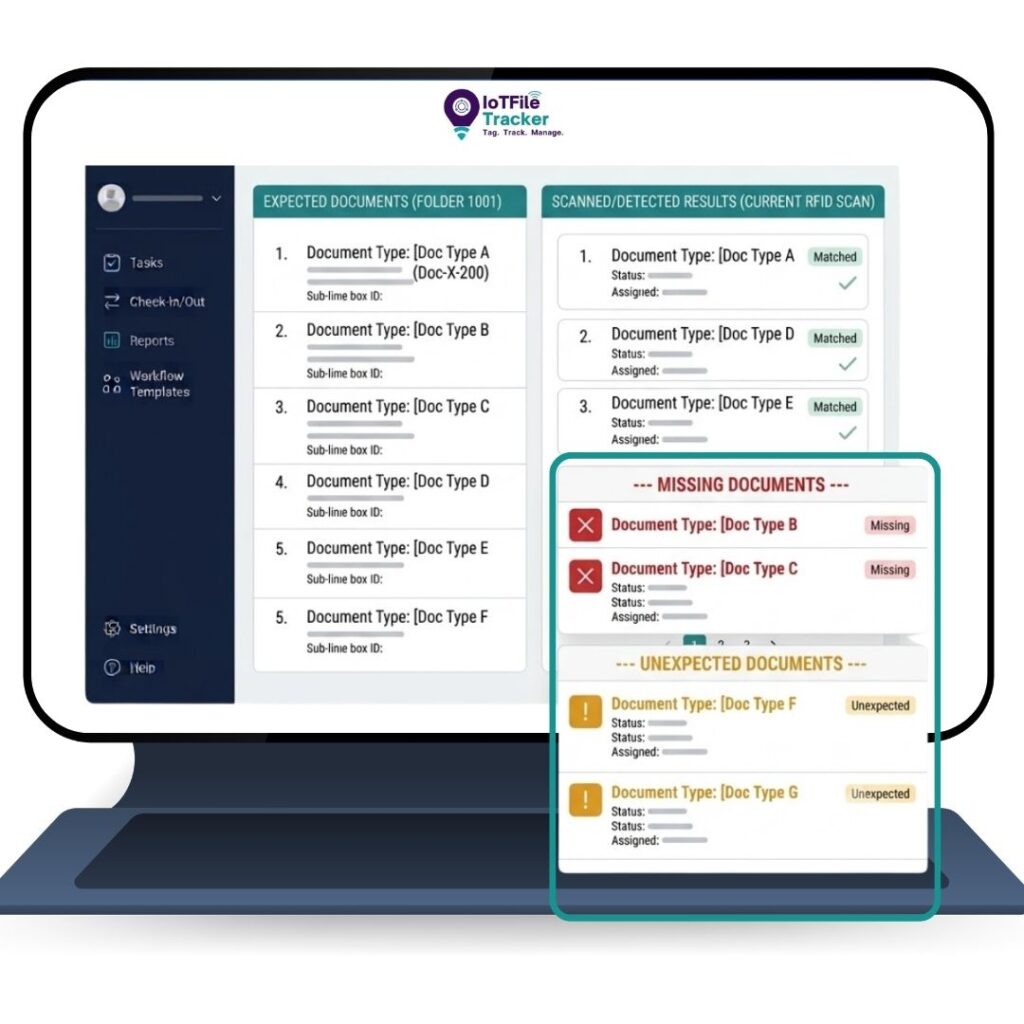
Documents / Folios / Correspondence
- IoTFileTracker offers software functionality to manage, track and secure folios-documents-correspondence, and add as a child database record to the file database record corresponding to the folder the document in within.
- As shown on the example, each document is assigned a Unique ID #. Critical data such as ‘Date of Document’, ‘Date Marked’, ‘Days Taken to Mark’, ‘Action Required Y/N’, ‘Date Action Assigned’, ‘Date Action Completed’ and ‘Days Required for Action’.
- Significant ‘audit’ data is produced with this data, including operational performance and the work being performed by each staff person. Correspondence can also be scanned and attached as an electronic document.
- Documents can be numbered with barcode and/or RFID (radio frequency) to track the # of folios in a file and to enable verify that all expected documents are in file folders.
- If correspondence has RFID, RFID scanners can be utilized to quickly identify all of the documents within a folder and to produce a list of ‘missing documents’ and/or ‘unexpected documents’ (document was misfiled into the record being scanned).
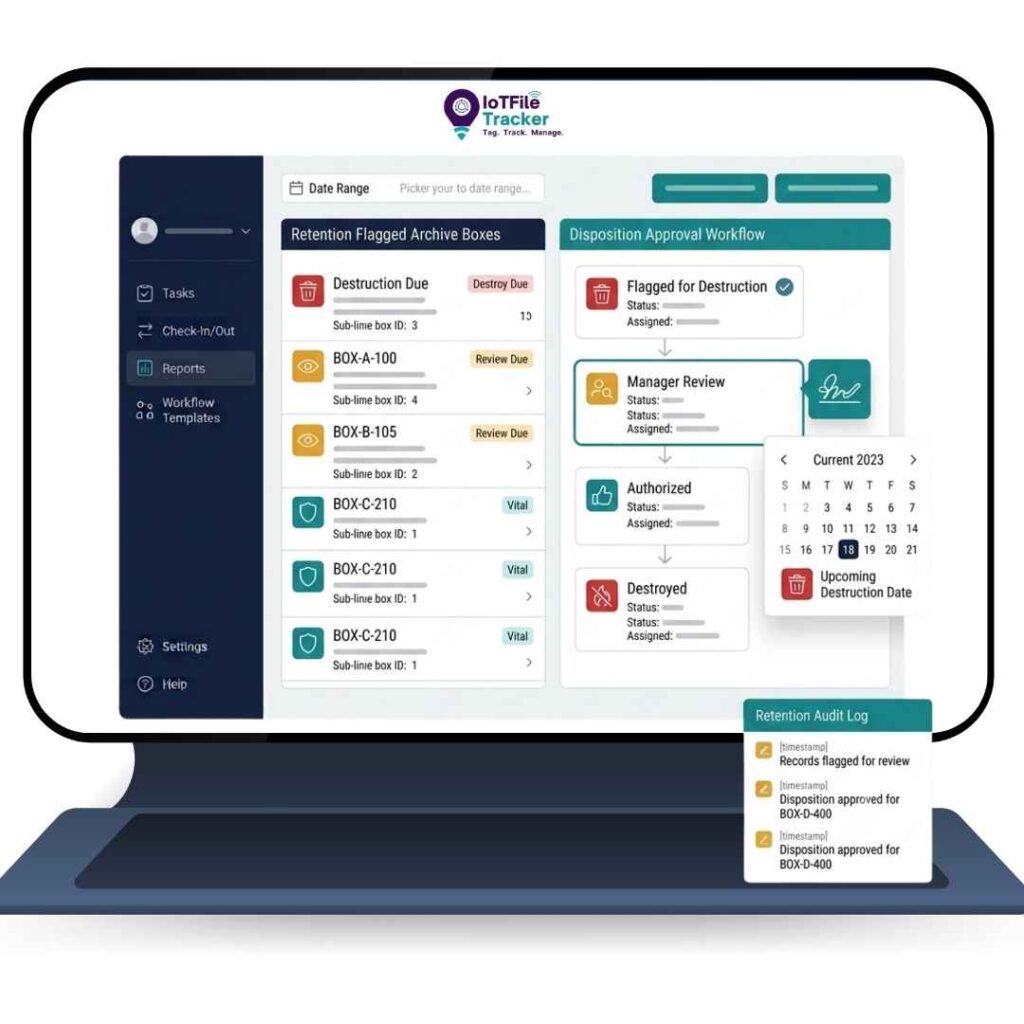
Archives management
- IoTFileTracker includes capability of managing documents-in-files and files-in-archive container. The data fields are fully configurable to enable customers to structure archives management operations according to their preferences and processes.
- Archives can be labeled with barcode and/or RFID and those #’s input to the archive database record matching the archive ID#.
- Start Date/End Date and From/To fields are typically included to identify the records within each archive.
- Archives shelf locations can be input to the software or IoTFileTracker mobile scanners can scan archive labels and shelf labels to indicate the specific location of archives.
- The status of archives are automatically monitored for auto-determination of when archives are due for destruction or designation as Vital Records.
- Final disposition of archives can be processed through workflow routines so that authorizations can be captured prior to archives being destroyed or change to permanent records status.
Search management
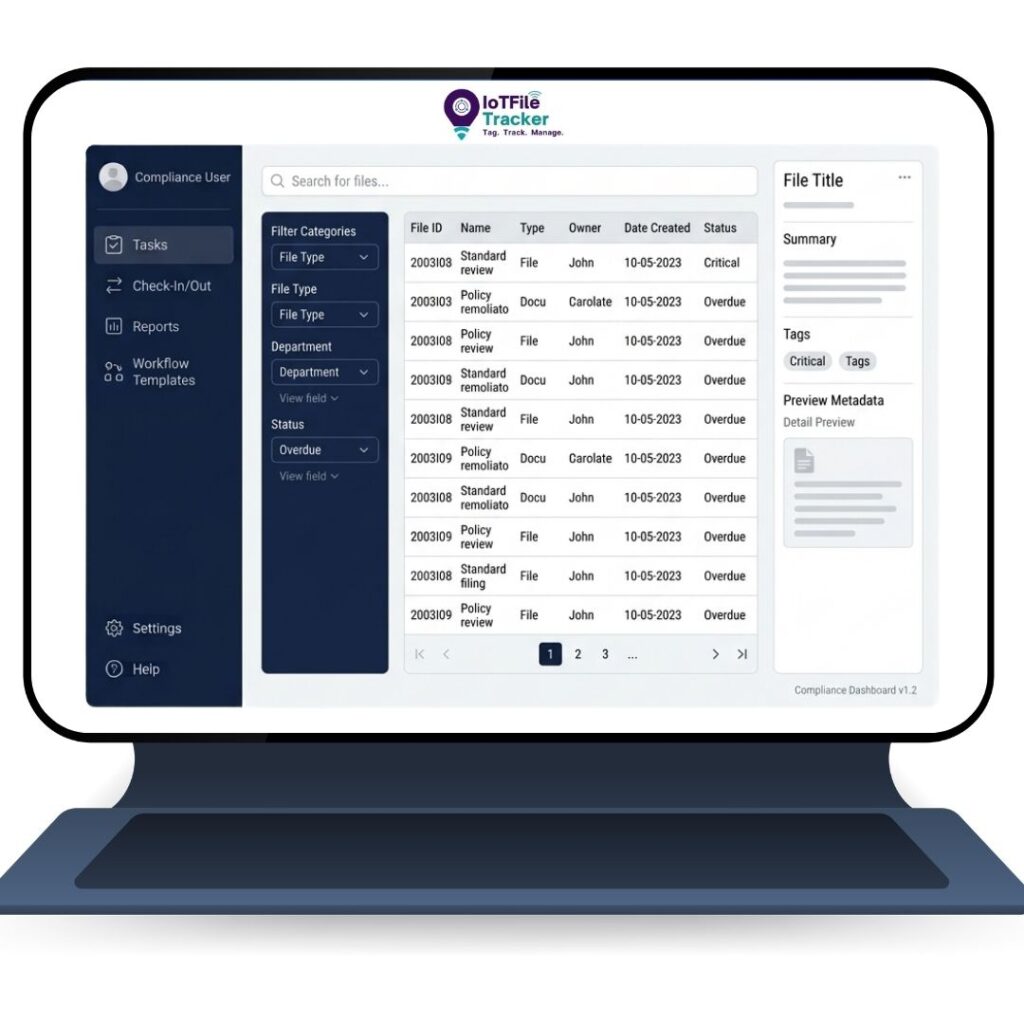
IoTFileTracker includes two (2) primary methods for Search/Query: 1) a Simple Search screen, as show immediately below, that enables scanning a barcode or RFID or input of search criteria to produce a Data Detail View of a folio, file or archive;
2) an Advanced Search screen that displays the same fields as the Data Entry screen so that all data and meta-data can be scanned, selected or input to produce Data Detail Views.
Based on the Search criteria, a single row of data will display if there are no parent-child relationships, or multiple rows will display based on parent-child relationships.
Each row of the table includes the ability to view the complete details of the document, folder or archive.
Single or multiple rows of the table can be selected, or ‘all rows’ selected to take action, including Update Status, Add to Print List, Add to Task List and Add to Workflow.
Proven Impact: How Industry Leaders Utilize IoTFileTracker
File Movement & Control (Check-in / Check-out)
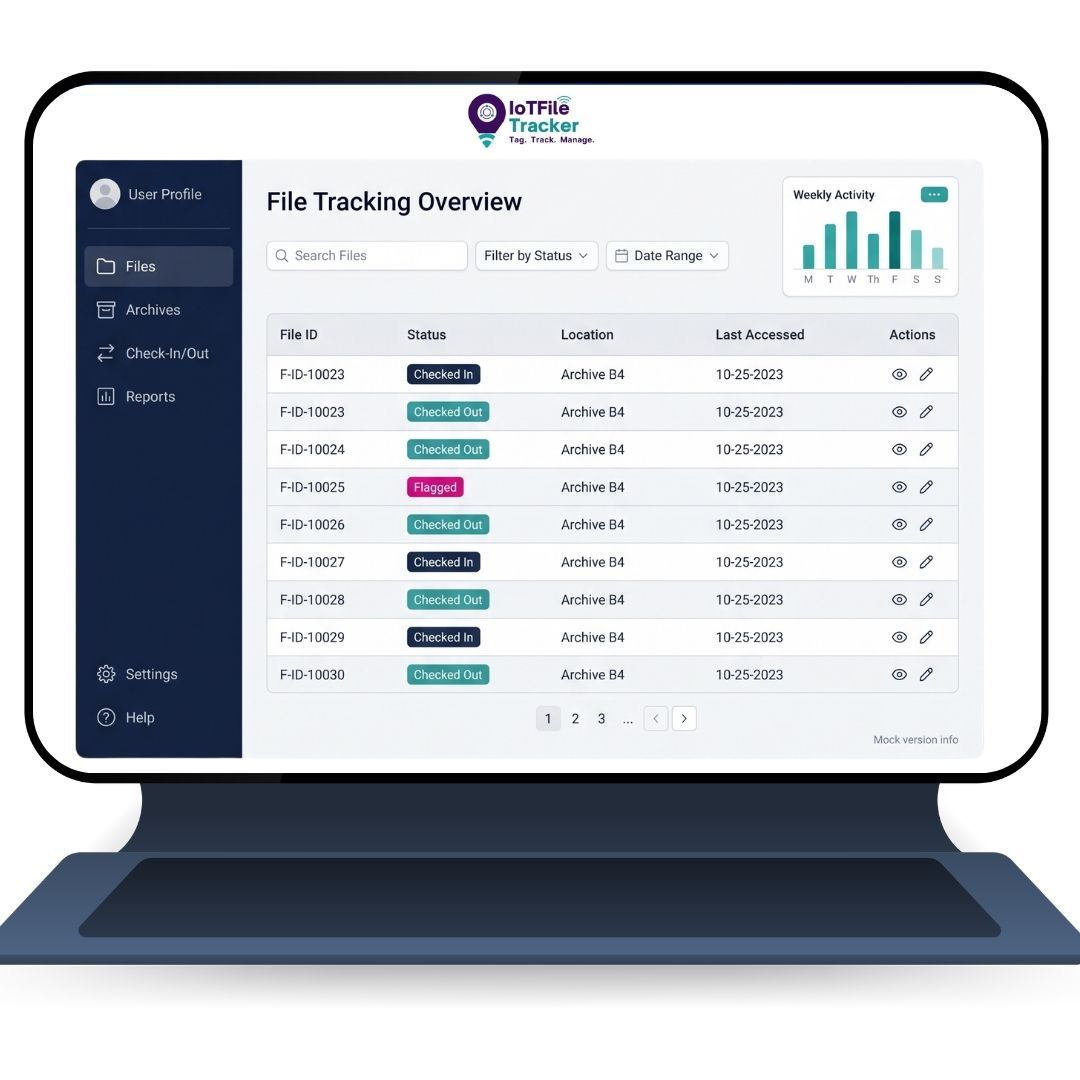
- IoTFileTracker includes screens for Check-Out and Check-In, that enable check-out of boxes, files and folios/documents to people or places, and check-in to a file or archive room and to specific storage locations within storage systems…such as a specific shelf.
- IoTFileTracker creates parent / child / grandchild relationships between archives, files and documents. If an archive is checked-out, all files and folios within the archive are checked-out. If a file is checked-out, all folios within the file are checked out. If a folio or file is removed from an archive, then the folio or file is then separated from the parent record in the database and is tracked discreetly throughout its use while in-circulation until returned to archive.
- IoTFileTracker Check-Out and Check-In screens enable a) the input of data, such as Personnel Name or Personnel # to indicate the destination of the document, file or archive, b) selection of the person or physical place that is the destination, or c) scan RFID or barcode.
- Once records are located in database, fields display on screen and the record can be added to the Check-Out or Check-In for batch processing.
Reports and History
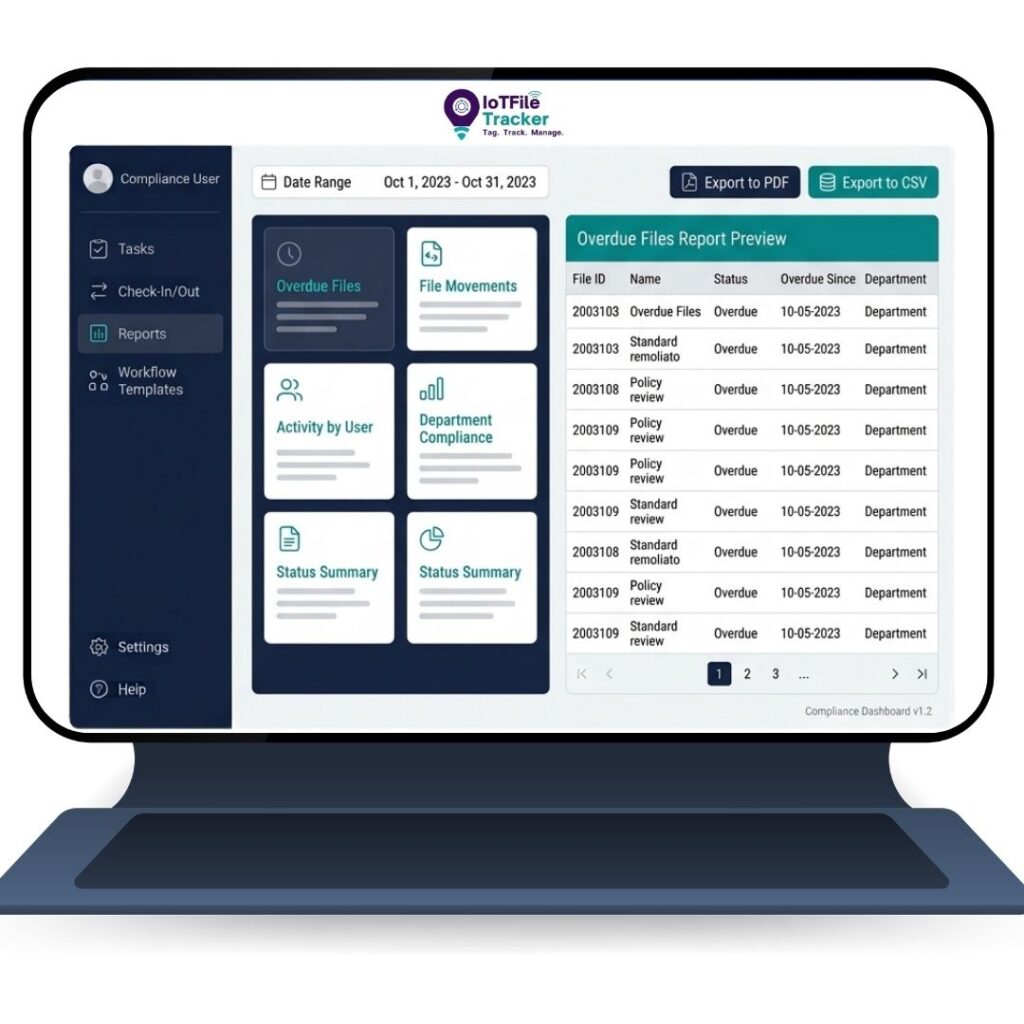
- IoTFileTracker’s Report section of the software provides common reports that are used to define database information based on the data that is desired for review purposes.
- For example, a Report of ‘All Records Out By Current Location’, or, ‘All Records Out by Current Location Overdue for Return’. Other reports are based on specific parameters, such as Tasks, which may be selection of ‘All Tasks Report’ or a ‘Specific Task-Type report’.
- In addition to Reporting being parameter driven, reports can be produced based on exact dates or From-Date / To-Date.
Mobile Computing
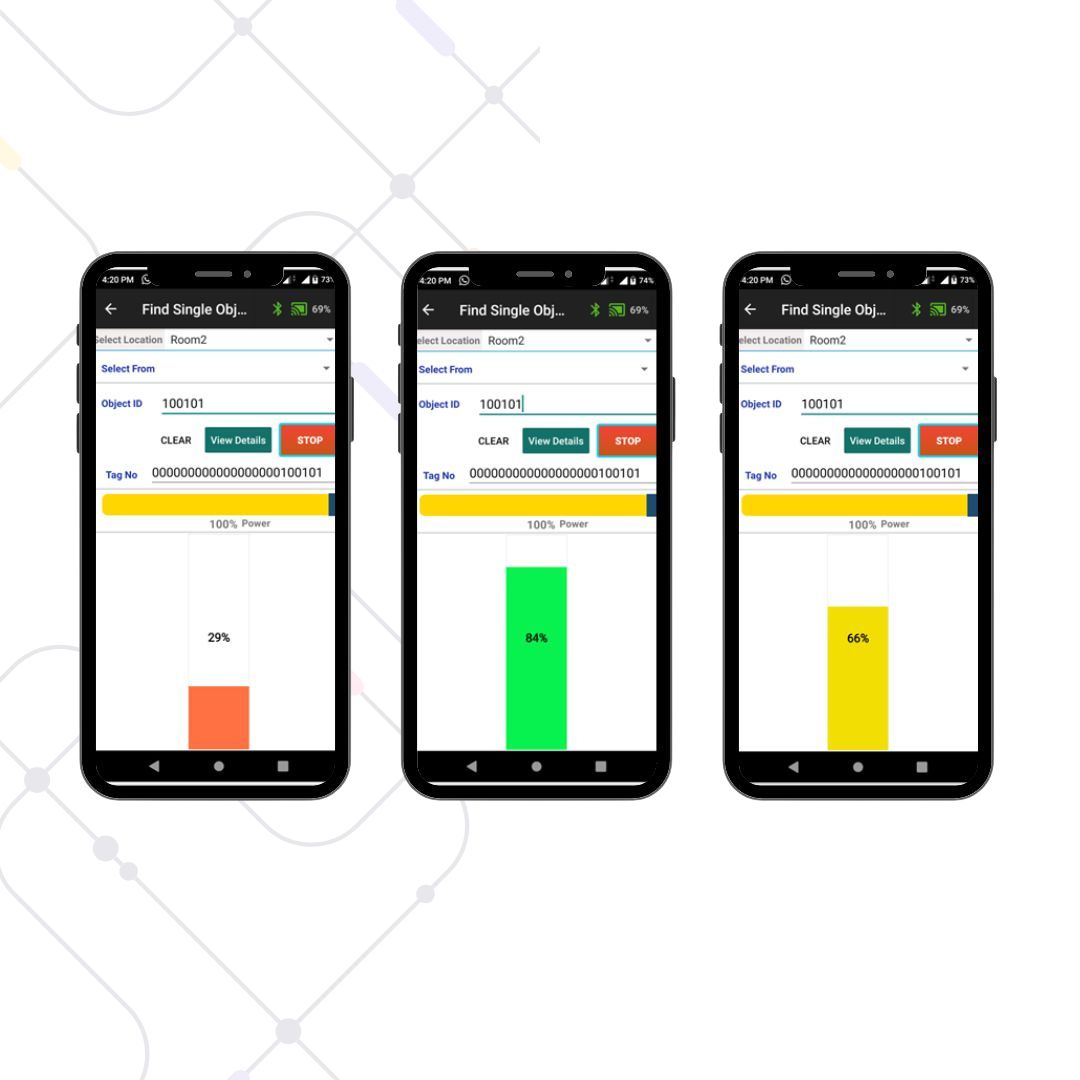
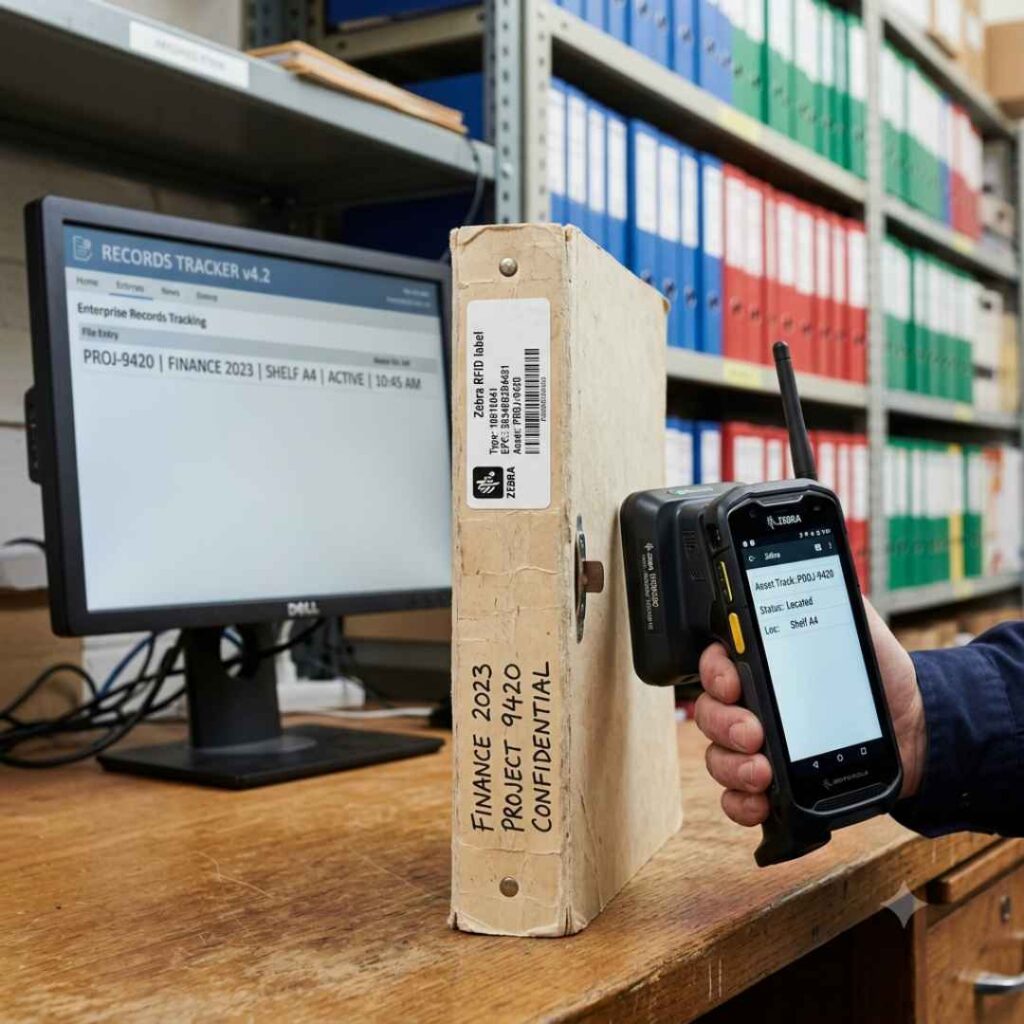
To achieve the most effective records management, scanner and tablet mobile computing is core to the system’s capabilities.
Inventory In-Circulation: Files move from person to person; the system ensures files-in-circulation are inventoried on an ongoing basis so staff know where files are located right-now.
Guided Mobile Tools: The mobile scanner software utilizes frequency of scanner beeps, a cold-warm-hot graph, and a 0 to 100 numeric index to guide Users right to needed files.
How to Choose the Best File Tracking Software
Choosing the best file tracking software is essential for improving efficiency, security, and document control. When evaluating options, understand what to look for in file tracking software and match it with your needs.
A reliable system should provide real-time visibility and track file movement across departments. It should also prevent access from users without authorized access. Moreover, it must support secure workflows for handling sensitive documents, contracts, and financial records. It should also help automate file tracking without disrupting daily operations.
When learning how to choose the right File Tracking Software, focus on scalability and ease of use. The system should work as the best document management system for any business size. It should also support enterprise file management as your operations grow. Many tools offer basic features but lack usability and control. IoTFileTracker goes beyond basics with automation, security, and real-time tracking. It delivers strong file access tracking, better visibility, and improved business efficiency.
FAQ's
What is file tracking software and how does file tracking system software operate in enterprise environments?
File tracking software is a centralized platform designed to monitor, control, and record the lifecycle of physical and digital files. The file tracking system software integrates RFID or barcode technology with a structured database to track file creation, movement, storage, and archival. It maintains metadata, user logs, and location mapping to ensure traceability and operational control.
What role do analytical dashboards play in file tracking software?
Analytical dashboards provide structured insight into file management metrics such as file status distribution (active, in circulation, missing), task completion rates, overdue items, and recent activity logs. These dashboards link visual KPI summaries to detailed record lists for investigation and operational review.
How does office file tracking software improve internal records management?
Office file tracking software manages file circulation within departments through automated check-in and check-out workflows. It logs borrower details, transfer locations, and expected return dates. The system also generates reports for overdue files and usage history, improving accountability and retrieval efficiency in office environments
How does file folder tracking software support structured indexing and retrieval?
File folder tracking software assigns unique identifiers to each folder and maps them to metadata fields such as case number, department, category, and retention period. Advanced search filters allow users to retrieve files based on indexed attributes, minimizing manual search time and misplacement.
How does file movement tracking software manage chain-of-custody processes?
File movement tracking software records each transfer event with timestamp, user ID, and destination location. Automated logging ensures a documented chain-of-custody trail. The system can generate alerts for unauthorized movement or delayed returns, supporting controlled file circulation.
Can file tracking software monitor user-level activity?
Yes. File access tracking software maintains logs of user actions such as viewing, editing, transferring, or closing a file record. Role-based access control (RBAC) restricts permissions according to user roles. All interactions are recorded in audit logs to maintain compliance and security.
What makes a solution the best compliance file tracking software?
The best compliance file tracking software provides audit trail generation, configurable retention policies, automated task reminders, and secure access control. It supports regulatory documentation requirements by maintaining complete historical logs and preventing unauthorized file manipulation.
How does file tracking software integrate physical and digital document management?
File tracking software links physical file records with associated digital documents stored in the system. This ensures synchronized tracking of both formats. When a physical file is located, related electronic documents can be accessed through the same record interface.
What reporting and analytics features are available in file tracking system software?
File tracking system software provides customizable reports including file inventory status, overdue files, archive records, and movement history. Analytical dashboards present structured data for operational monitoring and compliance review.
How does the file tracking software support automated check-in/check-out workflows?
The software includes dedicated check-in/check-out screens where users can scan file tags and select destination locations. It captures transfer details such as destination, reason, and expected return date; updates location information; and logs the user ID and timestamp to maintain precise chain-of-custody records

Why Choose IoTFileTracker File Tracking Software
IoTFileTracker is not just a standalone tool; it is an open platform designed to fit seamlessly into your existing digital ecosystem. We understand that new technology is only as good as its adoption. That’s why our dedicated support team works with you to ensure seamless integration, staff buy-in, and scalable growth across your organization.
Seamless Ecosystem Connectivity (API & Webhooks) Connect your physical files to your digital world. Don’t create data silos. Our platform features robust API hooks and modern integration capabilities. We sync effortlessly with your existing Enterprise Resource Planning (ERP), Hospital Information Systems (HIS), Legal Practice Management software, or HR platforms. When a file is created in your main system, it is automatically tracked in ours.
Expert Implementation & Workflow Mapping We adapt to your process, not the other way around. Our implementation specialists don’t just ship hardware; they analyze your current filing workflows. We assist in mapping your facility, configuring logical zones, and tagging legacy archives to ensure the system solves your specific bottlenecks from Day One.
Intelligent Search Engine
Search by metadata, data entry points, or perform a full-text search within the document content itself. Find what you need in milliseconds, not hours.
Bank-Grade Security
We offer role-based access control (RBAC) to strictly define who can view folders, document sets, or workflows. All bulk uploads are auto-encrypted to prevent unauthorized access at rest.
Smart Document Sets
The solution auto-links multiple documents to a single master record. Even if the physical files are stored in different warehouse locations, the digital “Document Set” presents them as a unified file for easy review.
Representatives Projects and Customers
United States Department of Labor
The United States Department of Labor’s headquarters has 100’s of offices and staff that utilize file folders and documents for their daily tasks related to federal, state, county and city Grants:
- Implemented color-code RFID filing system for all Grant records based on Grant #
- Installed USB RFID scanner to scan folders and personnel ID cards for file check-in and check-out
- RFID antennas and alarm at file room doorway to track files and prevent unauthorized file removals
- Mobile RFID-barcode scanners to inventory files-in-circulation, audit records and Locate records
Douglas County Nebraska Courts, Prosecutor and District Attorney Offices
RFID/Barcode file labeling and tracking system for over 100,000 records utilized by the Douglas County’s case file folders and archive boxes for the Prosecutor’s, District Attorney, Juvenile Division and District:
- Integrates with case management system to import records for printing color-coded file labels
- RFID antennas automatically and passively track files at file room and archive center doorways
- RFID detection zones within facilities track files real-time as they move
- Mobile scanner is used to inventory files-in-circulation and to rapidly locate missing/needed files
Supreme Court of Canada
RFID/Barcode file labeling and tracking system utilized by the Halifax Canada Supreme Court to track all case files throughout buildings and in Judges Chambers, and is also utilized to track ‘hot documents’:
- Files are labeled with RFID, barcode and text for workstation and mobile computing capabilities
- Documents received by the Court while file is in-circulation are tagged with RFID until in file
- USB RFID detectors are placed throughout building and chambers track files real-time as they move
- Mobile scanner is utilized to inventory, audit and Locate files
Middlesex County, NJ Prosecutor’s Office and Juvenile Court
Middlesex County, NJ initially implemented FileTracker over ten (10) years ago for the Prosecutor’s Office and has expanded the system over the years for the Juvenile Court and other uses within the County:
- The system implemented is centered around the use of USB RFID-barcode scanner to input RFID numbers to the file management database, print labels with color-coding, text fields, barcode and RFID for placement on the side tabs of folders and mobile RFID-barcode scanners to inventory and locate files
- The mobile scanner is utilized to inventory files-in-circulation to keep file locations current in the database, to locate files like a metal detector and for full system audit.
John Hopkins Medical Center
- Color-coded labels with text and barcode are printed based on digits of patient number
- USB barcode scanner is utilized for medical record check-out and check-in
- Mobile barcode scanner is used each day to inventory files-in-circulation
- File location report is placed on staff bulletin boards each morning so they know where files are located

United States Department of Transportation
When the U.S. Department of Transportation moved into new facilities, we implemented over 50 open-shelf storage systems for storing active file folders, along with file labeling and tracking system:
- Users enter folder data to software and print labels with RFID, barcode and text for each new file folder
- USB RFID/barcode scanner is utilized for check-in and check-out
- Mobile scanner is utilized to rapidly audit/inventory all files in-circulation and in file storage systems
- Mobile scanner functions like a metal detector to quickly Locate needed/missing files
One Tracking Ecosystem. Infinite Possibilities.
Whether you’re tracking weapons in an armory, files in an archive, assets in production, personnel in the field, or inventory in a warehouse, Tracker IoT unifies them all.
By combining precision tracking with real-time analytics, compliance assurance, and seamless integration, Tracker IoT becomes the central nervous system of your operations — helping you achieve greater visibility, efficiency, and control than ever before.