Automated Barcode File Tracking System & Record Management Solutions
Speed up operations, ensure absolute accuracy, and mitigate risk with the industry’s most advanced barcode file tracking and RFID ecosystem.
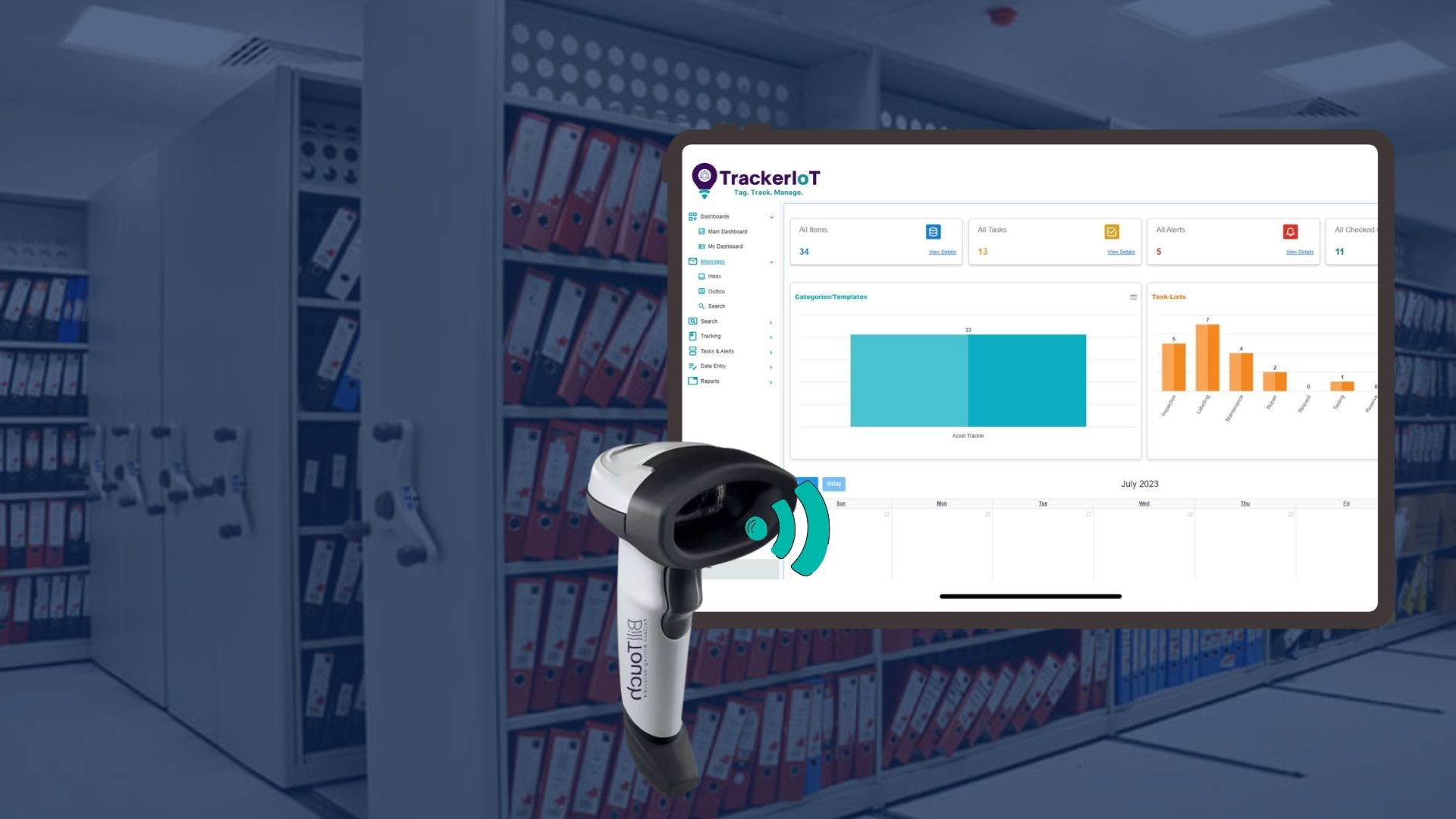
Barcode technology has evolved from standalone scanners into integrated, large-scale systems. Initially, Barcode File Tracking supported basic identification and inventory control. Early devices had limited speed, storage, and connectivity. However, advances in computing power and wireless networks improved performance. Moreover, cloud integration enabled better access and connectivity. Today, barcode tracking technology supports real-time monitoring and analytics. It enables Tracking files with barcodes across logistics, healthcare, and retail. In addition, automatic data collection improves accuracy and reduces manual effort. As a result, modern barcode tracking solutions integrate with enterprise systems.
However, many organisations still do not use these systems fully. Although companies install barcode tracking solutions, usage remains limited to basic functions. For example, predictive analytics and automation are not fully applied. Furthermore, system-wide visibility is often ignored. A barcode tracking system capable of tracking medical charts, law office files, insurance claims documents, school documents and more is available. Yet, businesses do not fully utilise these features. Consequently, they miss opportunities to improve efficiency, reduce errors, and gain operational insights.

Built for scale, built for security, built for your records.
What is a Barcode File Tracking System? and why is it Important
A Barcode File Tracking / Barcode Document Tracking Systems is a digital solution that manages physical and electronic records using barcode tracking technology. It assigns unique barcodes to files and captures movement through scanning devices. Each scan enables automatic data collection and updates file status in real time. This approach supports Tracking files with barcodes across departments and locations and strengthens barcode records management. Moreover, Barcode based file tracking system connect with enterprise platforms to maintain consistent records. It also helps organisations optimize filing systems with controlled access, accurate logging, and traceable file history. As a result, this barcode technology creates a structured and reliable method for managing documents, while barcode tracking software improves operational control.
Importance of barcode file tracking becomes evident because organisations handle large volumes of sensitive and operational records daily. However, manual processes often lead to Misplaced or lost files, delays, and errors. A barcode tracking system improves visibility and accountability. Furthermore, businesses Automate file tracking using barcode file tracking technology, which reduces dependency on manual entry. In addition, File inventory tracking and management becomes more efficient through digital scanning workflows. Barcoding automates file tracking and records management functions, improving accuracy and speed.
How Barcode File Tracking Helps
Barcode File Tracking helps organisations overcome common challenges with your records management by improving accuracy and control. Traditional methods often rely on manual entry, which increases errors and delays. Modern records management software uses Barcode labels such as Code 128, QR codes, and Data Matrix to identify and track files efficiently. This supports document management purposes by ensuring every file is captured and updated in real time. In addition, barcode tracking reduces Misplaced or lost files and improves retrieval speed.
The Benefits of Barcode File Tracking Systems include:
- Better visibility
- Reduced manual effort
- Improved compliance
- Stronger file inventory tracking and management across departments.
The DNA of Your Filing System
Comprehensive Record Management & Barcode Integration
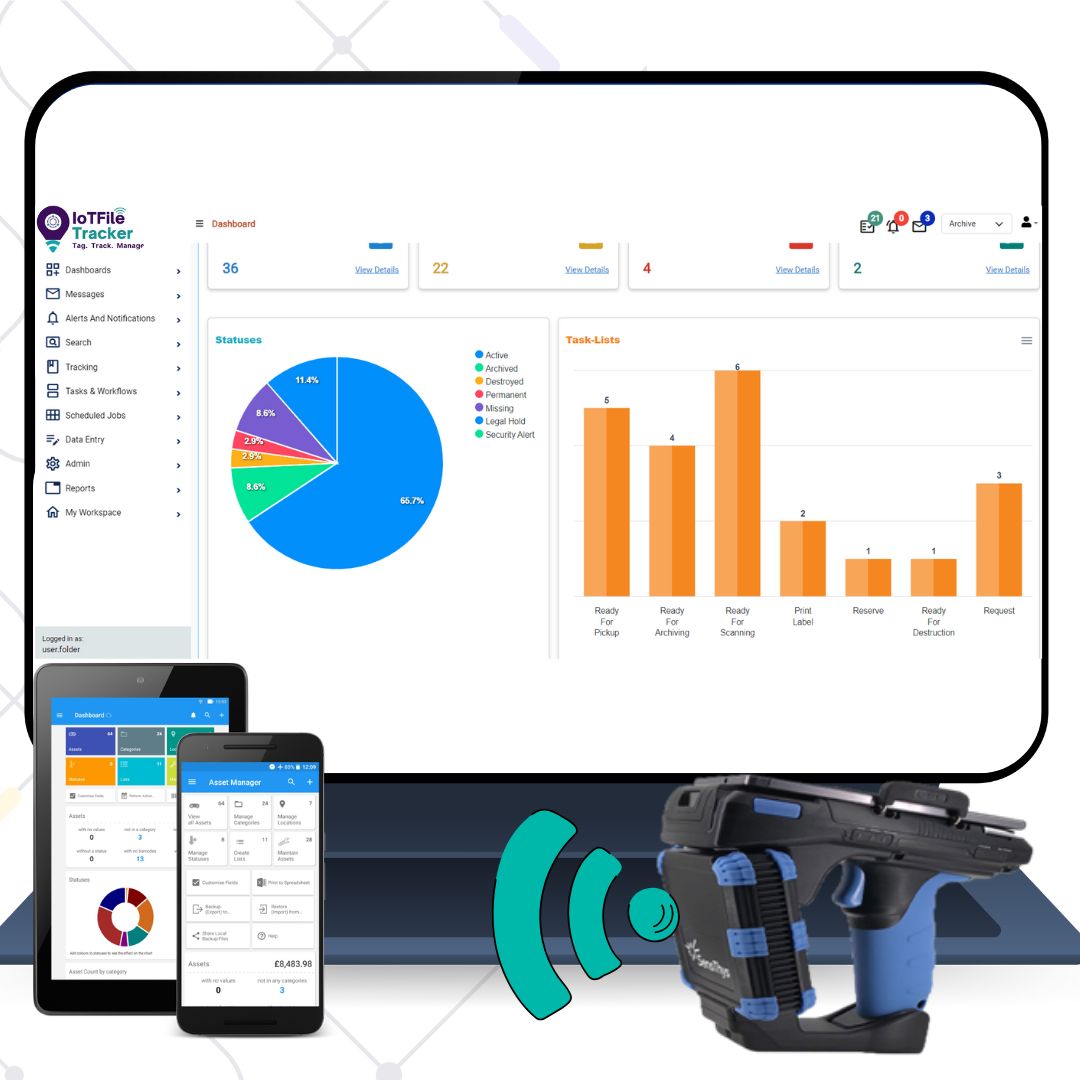
IoTFileTracker introduces a Barcode File Tracking System designed to help organisations manage documents with control and clarity. It applies barcode tracking technology to track file movement across departments through simple scanning. This enables Tracking files with barcodes in real time without complex steps and supports barcode records management. Moreover, barcode tracking software automatically collects data and reduces manual work. Teams can optimise filing systems by keeping records accurate and easy to access. In addition, Barcode Document Tracking Systems improve visibility across daily operations. Users can easily learn how to use barcode scanner and how to scan a barcode for quick updates. The platform helps answer what kind of barcode is this during scanning and supports file tracking system using barcode. It also allows users to track file location with barcode in real time.
Data Entry & Personnel Onboarding: Seamlessly import or manually enter critical data regarding documents, archives, and personnel into a centralized system to ensure every asset and user is accounted for from the start.
Hierarchical Structure Mapping: Establish sophisticated parent-child relationships between individual documents, larger file folders, and long-term archives to maintain a clear and logical organizational flow.
Physical Labeling & Identification: Apply unique barcode labels to every file and archive, providing a physical link between the tangible document and its digital record for standardized tracking.
Versatile Scanning & Lifecycle Oversight: Utilize USB scanners for rapid desk-side processing and mobile barcode scanners for on-the-go management, enabling efficient check-ins, check-outs, and audits across the entire record lifecycle.
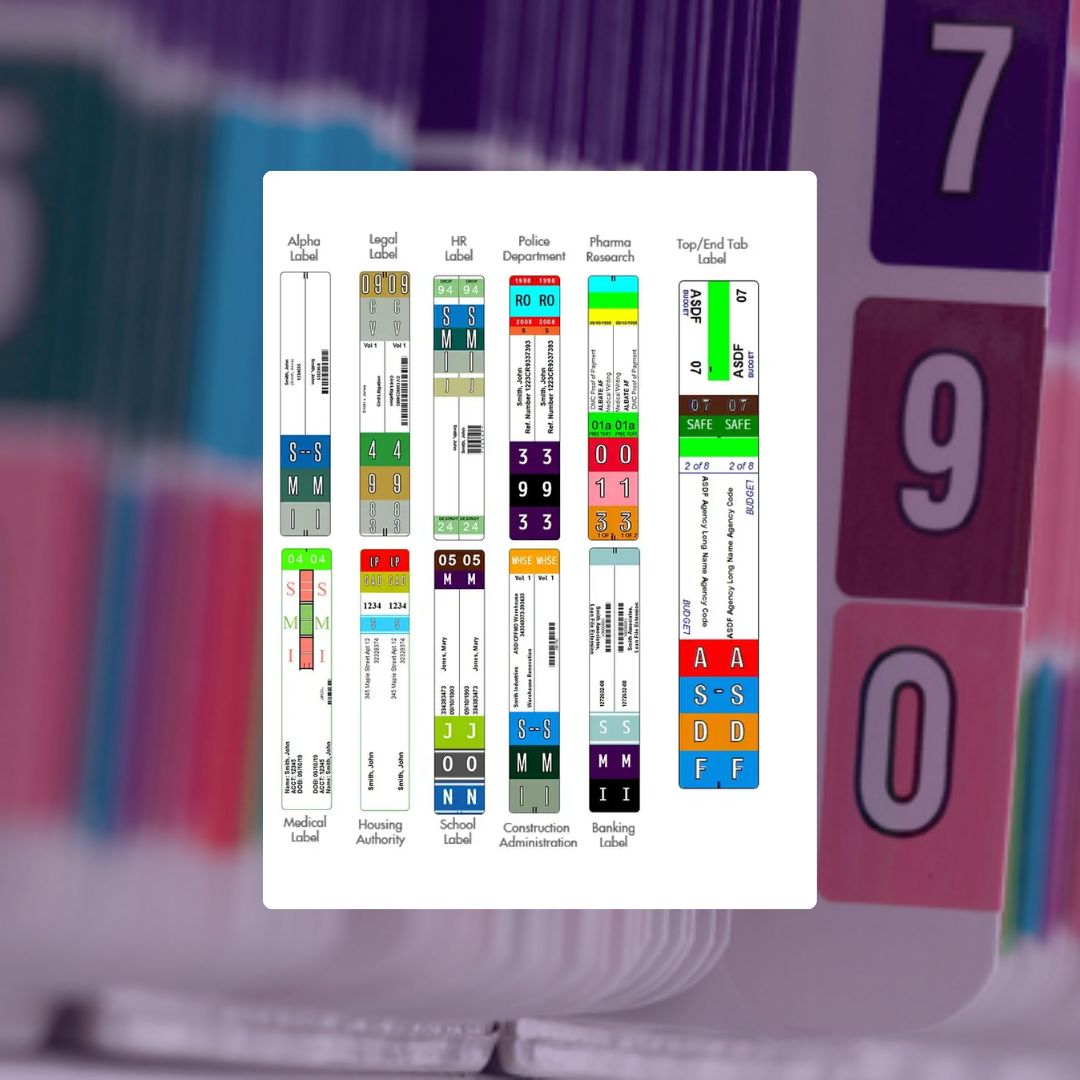
Barcode labeling of folders and archives
Customizable Labeling Solutions: Utilize sequential barcodes from rolls or generate labels using roll and sheet printers, with full support for customized text and color-coding to match your organizational needs.
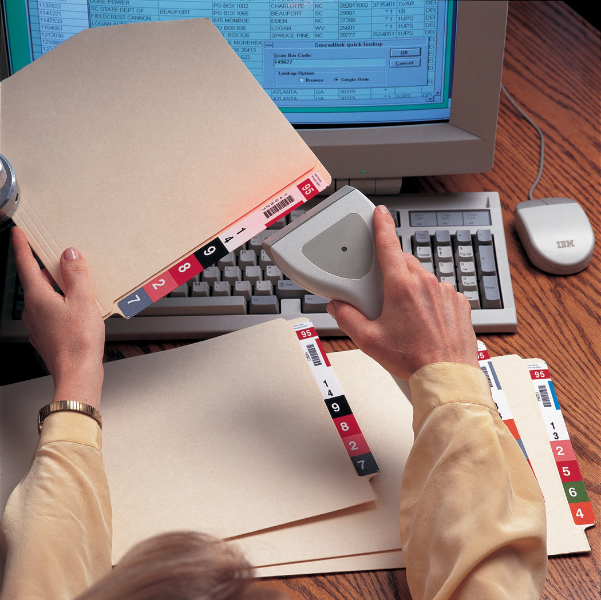
Strategic Tagging for Automation: Apply barcode labels to folder tops, side tabs, front covers, or sub-folders to fully automate essential record management functions and speed up processing.
Optimized Filing System Design: Leverage unlimited label design options to enhance system visibility, making it easier for staff to identify and utilize folders and archives efficiently.
Automated Archive Transfers: Streamline the transition of inactive records by scanning box and folder barcodes, ensuring a fast and accurate transfer from active office space to long-term storage.
Mobile Inventory Management: Maintain 100% accuracy of your file and archive inventories by performing rapid, on-the-spot audits using handheld mobile barcode scanners.
Strategic Placement & Sub-Divisions
- Ergonomic Placement: Configure labels for End Tabs (shelf filing), Top Tabs (drawer filing), or flat-front application.
- Granular Sub-Division: Complex files (like Medical or Legal records) often have multiple sections. We allow for “Sub-Folder” labeling (e.g., File 1001-A for “Labs”, 1001-B for “Insurance”). This allows you to track the movement of just part of a file if necessary.
Color-Coded Barcode File Tracking Systems
Enhanced Visual Efficiency: Color-coding filing system transforms filing from a slow, cognitive process into a rapid visual operation, significantly accelerating both file retrieval and refiling.
Dynamic Character Assignment: The system assigns unique colors to every alphabetic character (A–Z) and numeric digit (0–9), creating a distinct visual pattern on folder labels tailored to the specific filing system.
Proactive Misfile Prevention: Misfiled documents are immediately obvious because their colors clash with the surrounding sequence, making errors virtually impossible to overlook.
Automated Tracking Integration: Integrated barcoding automates the tracking process when users pull or return files and updates all records management functions instantly.
Proven Impact: How Industry Leaders Utilize IoTFileTracker
Chain of Custody with complete accountability
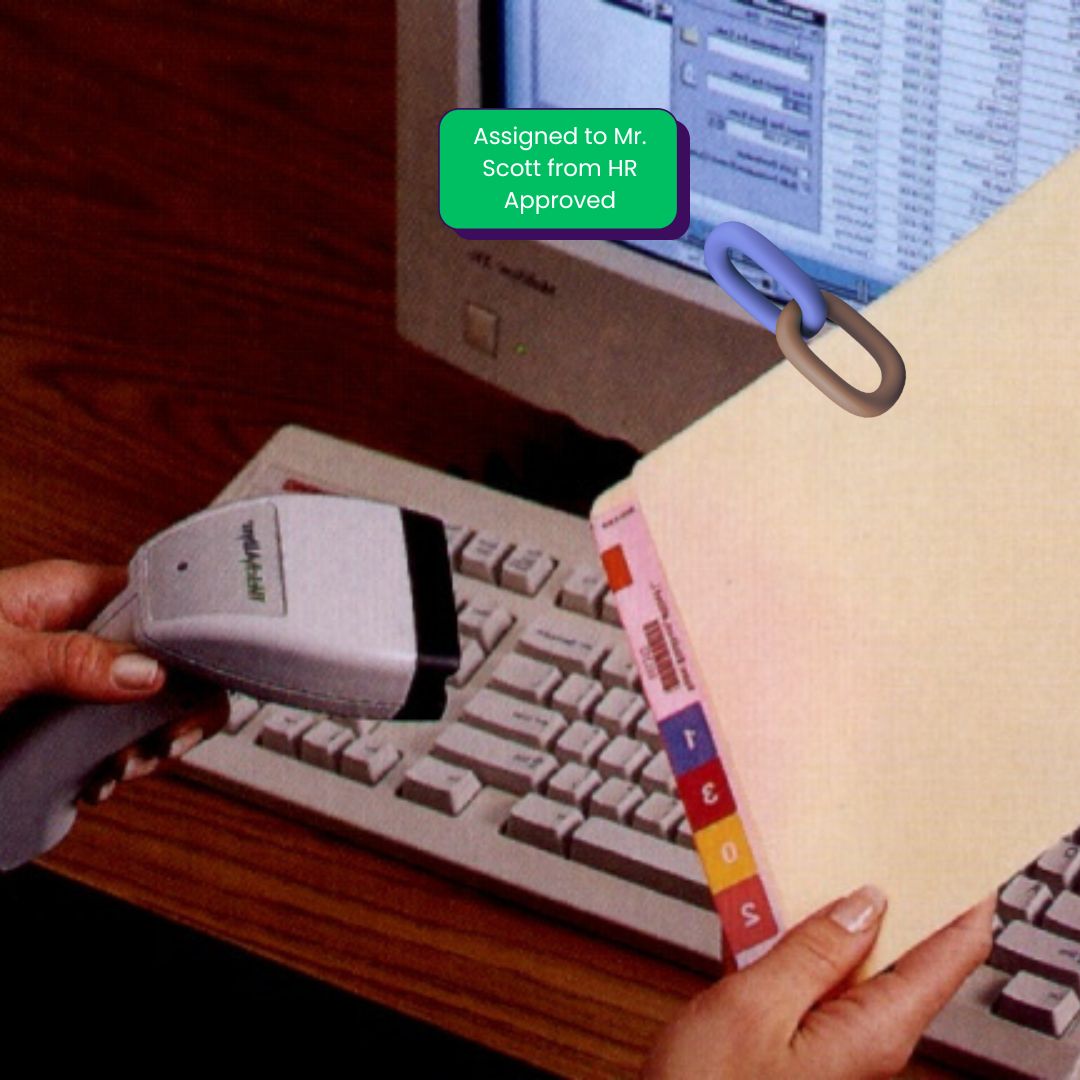
Check-In, Check-Out, and Chain of Custody
The integrity of any records management system relies entirely on accountability. If a system cannot prove where a file is, who has it, and when it moved, the system has failed. TrackerIoT tracking Software transforms this vulnerability into a strength.
We replace manual logbooks and spreadsheet inputs with an unalterable, forensic-level digital audit trail. The system timestamps and logs every interaction with a record—whether viewing, transferring, or permanently moving it—against a specific user ID. This ensures total transparency and meets the strictest compliance standards for chain-of-custody.
Streamlined Check-Out Protocols
When a file leaves the central library, it must be accounted for.
-
Scan: The user scans the folder barcode.
-
Assign: The user scans the “Destination Barcode” (a badge or location tag) or selects the user from a drop-down list.
-
Batch Processing: Need to check out 50 files for a court case? Scan them in rapid succession as a single transaction.
Streamlined Check-in Protocols
Returning files is just as fast. Scanning the folder automatically updates its status to “In Repository” or its specific shelf location. All transfers update the file locations in the database instantly, ensuring that if someone searches for the file five seconds later, the location data is accurate.
Trace and Inventory files, folder and archives
Precision Location Tagging: Apply unique barcode labels to office door frames, desk surfaces, or any specific work area where records are processed to establish localized tracking zones.
Verified Delivery Tracking: Use a mobile barcode scanner to scan the destination’s location label followed by the specific folder or archive, ensuring an accurate digital hand-off during delivery.
Rapid Room-Level Audits: Easily update the central database by scanning a location label and then each associated record in that area, providing instant visibility into current file and folio placements.
Seamless Mobility: Leverage mobile scanning technology to eliminate manual logging, allowing staff to update the “Total Tracking Visibility” system from any point in the facility.
Find. Retrieve and Archive.
Transferring files to archives
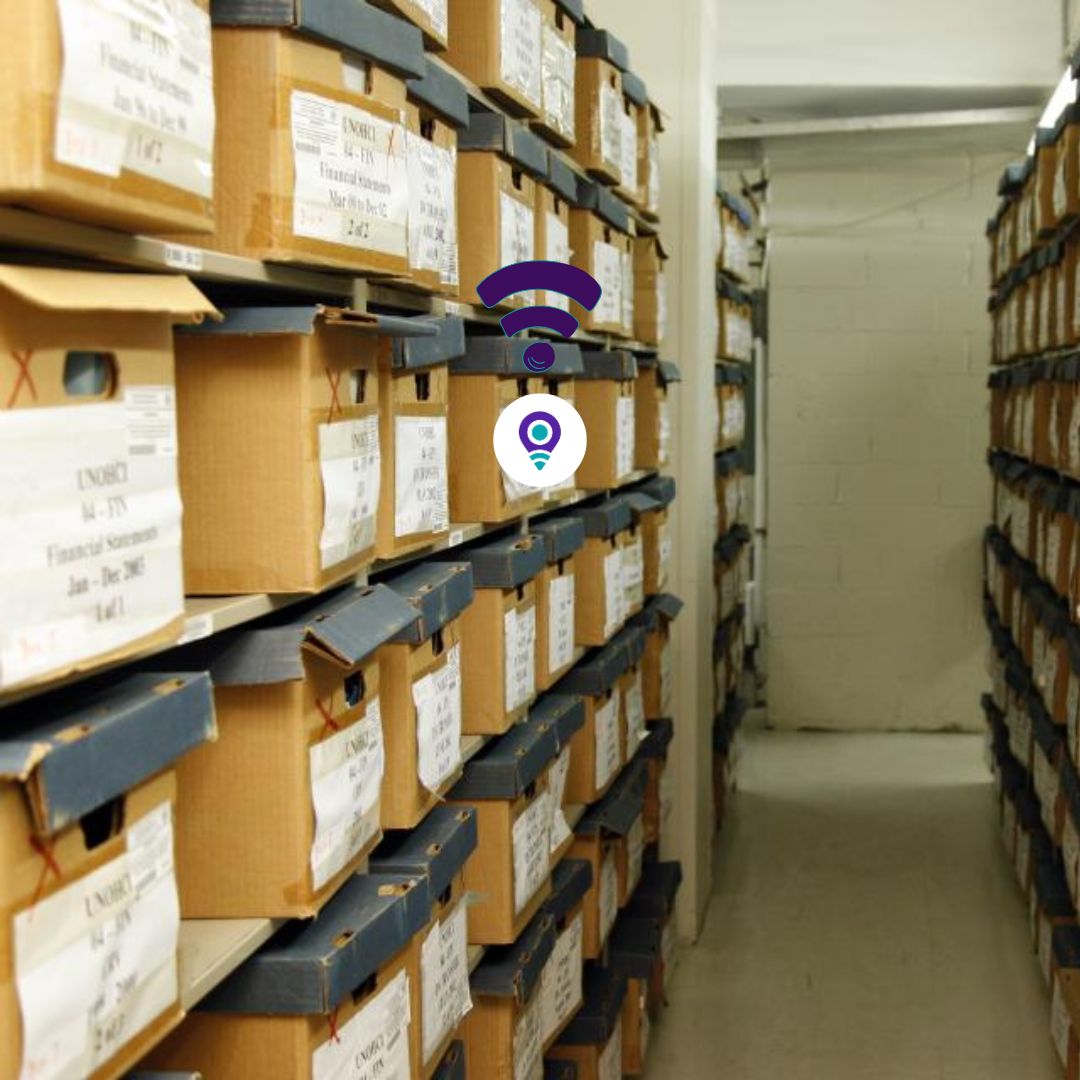
Records are living assets with a distinct lifespan. They begin as high-touch “Active” files, transition to low-touch “Storage” or “Archival” records, and eventually reach their end-of-life “Destruction” date. Managing this transition manually leads to disaster—files get lost in transit, storage costs increase due to obsolete records, and companies face liability for retaining data longer than legally allowed:
Integrated Archive Linking: Scan the barcode on the archive box or binder first, then scan the barcode of each folder placed inside to establish a direct digital link.
Synchronized Data Updates: The process automatically updates FileTrackingIoT folder records with the designated box number and populates the box data with a complete list of its contents.
Automated Parent-Child Tracking: The system manages file folders as dependent children of the archive box, ensuring they move as a single unit.
Individual Record Autonomy: If a folder leaves the archive, the system manages it as an individual asset until it is scanned back into its parent box.
Digitizing the Archive Transfer Process
Transferring files to offsite storage or a basement archive is the single most common point of failure in record management. “Box lists” taped to the side of cardboard cartons often don’t match the actual contents.
- Step 1: Box Association (The Container): The process begins by creating a digital container. Users scan a unique Archive Box Barcode. The system recognizes this as a “Parent” object—a vessel that will hold other records.
- Step 2: Rapid Association (The Fill): As users pack the box, they scan the barcode on each file folder they place inside.
- Step 3: The “Parent-Child” Link: This is the system’s most powerful logic. IoTFileTracker creates a permanent, dependent link between the box and the files.
The Benefit: You no longer need to scan 50 individual files to move them. You simply scan the Box Barcode, and the system understands that all 50 “Children” files inside have moved with it.
- Step 3: The “Parent-Child” Link: This is the system’s most powerful logic. IoTFileTracker creates a permanent, dependent link between the box and the files.
- Step 4: Precise Location Mapping: Finally, the box is placed in the archive. The user scans the Shelf Location Barcode (e.g., “Aisle 4, Shelf B”) and then the Box Barcode. The system instantly updates the database, allowing users to search for a specific file and locate the exact box on the exact shelf, not just the room.
Tracking and Managing Archives
Granular Location Mapping: Apply unique barcode labels to every shelf or specific shelf position to establish a high-resolution tracking grid within your storage facility.
Precision Inventory Syncing: Scan the shelf location barcode followed by the box barcode to instantly update the FileTrackingIoT software with the exact physical coordinates of every archive.
IoTFileTracker visibility: Leverage the system’s tracking capabilities to maintain a real-time digital record of all assets across your entire organization.
Automated Retention Oversight: The software monitors legal retention guidelines and automatically identifies which archives are due for scheduled destruction, ensuring ongoing compliance.
"Needle in a Haystack" Retrieval
The ultimate test of an archive is retrieval. When an audit urgently requires a 5-year-old file, the process cannot involve rummaging through hundreds of boxes.
Search & Retrieve: Users type the file name or number into the software.
Targeted Direction: The system provides the precise coordinates: Archive Room B > Aisle 12 > Shelf 3 > Box #9942.
-
Refile Logic: Once you return the file to storage, you can place it in any available box or open shelf space instead of the exact same spot, and a quick scan updates its new location. This “Chaotic Storage” capability maximizes shelf density and eliminates the need to keep empty spaces reserved for specific alphabetical ranges.
Representatives Projects and Customers







FAQ's
Can I mix barcode and RFID in the same file tracking process, and how does that affect system performance?
Yes — a modern barcode file tracking system can support hybrid deployments where barcodes handle routine check-ins/check-outs and RFID manages high-velocity tracking or real-time zone detection. In a barcode based file tracking system, barcodes provide reliable, cost-effective point scans (especially when human validation is required), while RFID accelerates bulk scans and automated zone detection without line-of-sight. The system synchronizes both technologies into one unified database, ensuring there is no data conflict — it simply updates file location and status based on the captured input.
What happens if a barcode label gets damaged or falls off a folder — does it break the audit trail?
No. A properly designed barcode file tracking system records each file against a unique database ID. If a label is damaged or unreadable, you can reprint a file label barcode generated with the same unique ID and reapply it. The system continues to maintain the full audit trail because the record identity remains unchanged in the backend database. This also supports Barcode labeling of folders and archives for long-term record control. Using durable synthetic or laminated labels is recommended for archival environments.
If I move a box with hundreds of files inside, do I have to scan every file individually?
Not necessarily. An advanced barcode file tracking system supports parent-child associations between files and containers. When you scan the parent container (e.g., an archive box), the system automatically updates the location of all associated files. This significantly reduces scanning time during bulk transfers while maintaining individual file traceability and historical movement records.
Can barcode systems handle hierarchical file structures (e.g., sub-sections within folders)?
Yes. A scalable barcode file tracking system supports multi-level hierarchies such as library > rack > box > folder > section. Within a barcode based file tracking system, unique barcodes can be assigned even to sub-folders or document sections, allowing granular tracking without disrupting the parent file’s lineage. This is particularly useful in legal, healthcare, and compliance-driven environments.
How does the system ensure accuracy when multiple users scan the same files concurrently?
IoTFileTracker operates on a centralized database with record-locking and timestamp sequencing. If two users scan the same file simultaneously, the system reconciles the transactions in chronological order and logs each event separately. This ensures accurate movement history without overwriting any activity.
How does the barcode system reconcile human errors like scanning the wrong destination?
In a controlled barcode file tracking system, scans are validated before final confirmation. The system prompts the user to confirm the destination by scanning a location barcode or selecting from predefined options. If the scanned destination does not align with configured workflow rules, the system alerts the user and requires validation before committing the update, reducing misplacement risks.
What if two files have the same name or similar identifiers — how does the system avoid confusion?
IoTFileTracker barcode tracking system does not rely on file names for identification. Instead, each file is assigned a unique barcode ID. In a barcode file tracking system, even if file names are identical, the backend database differentiates them through unique serial numbers or encoded metadata (including 1D or 2D barcode formats such as QR or DataMatrix). This eliminates ambiguity and ensures precise tracking.
How is location data captured when a barcode is scanned? Does it require GPS or extra hardware?
The barcode tracking technology captures location through predefined location barcode labels placed on shelves, rooms, cabinets, or desks. When a user scans the location barcode before scanning files, the system automatically updates the location field in the database. No GPS or additional hardware is required — the system relies entirely on structured barcode-based workflow logic.