
In the life cycle of a record, the file room is the start and end point, but it is rarely where the most critical work happens. Organizations create and store files for use, and that use typically involves moving a folder from a central repository to a desk, office, or shared work area. Historically, this is where file tracking system visibility begins to degrade.
Once a folder leaves the file room, it often enters a “black hole” of accountability. If the recipient forgets to manually log the file’s arrival, or if a messenger drops a stack of folders at a workstation without a digital check-in, the file’s location remains listed as the file room or “in transit.” At TrackerIoT, we solve this gap in visibility through the use of RFID tag detectors, desktop RFID reader and RFID work area detectors.
Organizations integrate these detection points with the IoTFileTracker platform to automate check-ins and update a file’s last known location in real time.
Why File Visibility Breaks Down Inside Offices and Work Areas
The primary reason for “lost” or misplaced records is not theft, but administrative friction. Most employees are focused on the task contained within the file, not the logistics of the RFID file tracking system. When staff members juggle multiple cases, patient charts, or contracts, they frequently overlook opening the software interface to click “Receive File.”
Without automated office file tracking, records managers spend hours on “email blasts” or physical walk-throughs to find a file needed for an urgent deadline. This inefficiency doesn’t just hurt productivity; it creates compliance risks. If an organization cannot track a sensitive document’s location at all times, it cannot maintain a defensible chain of custody.
What Are RFID Desktop Reader and Work Area Detectors?
These specialized desktop RFID readers monitor a localized zone rather than a large facility exit. While doorway sensors act as a perimeter, work area RFID zones act as internal “beacons.”
Detectors identify an RFID-tagged folder when it is placed on a desk or enters a specific room, then communicate with IoTFileTracker. The system then automatically updates the file’s location without any human intervention. This turns the physical act of “delivery” into a digital “check-in.”
Naming Work Areas as Locations in IoTFileTracker
To make a detection zone useful, the system must map it to a meaningful location in the software. IoTFileTracker allows administrators to define a hierarchy of locations.
- People as Locations: A desktop RFID detector can be assigned to “John Doe’s Desk.” When a file arrives there, John Doe becomes the current custodian.
- Places as Locations: A detector can be assigned to “Legal Department Intake” or “Processing Room 4.”
This granularity ensures that anyone searching for a file in IoTFileTracker sees more than just “Out of File Room.” They see “At Desk: Sarah Jenkins,” providing immediate, actionable visibility.
When Desktop RFID Reader / Work Area Detectors Are Needed
Not every desk in an organization needs a detector, but they are essential in specific high-traffic or high-risk scenarios:
- High-Volume Intake: Departments that receive hundreds of files daily from other branches or agencies.
- Messenger-Driven Workflows: Install these devices in locations where staff handle file movement without access to the tracking software.
- Shared Workspaces: Environments where files move rapidly between team members working on the same project.

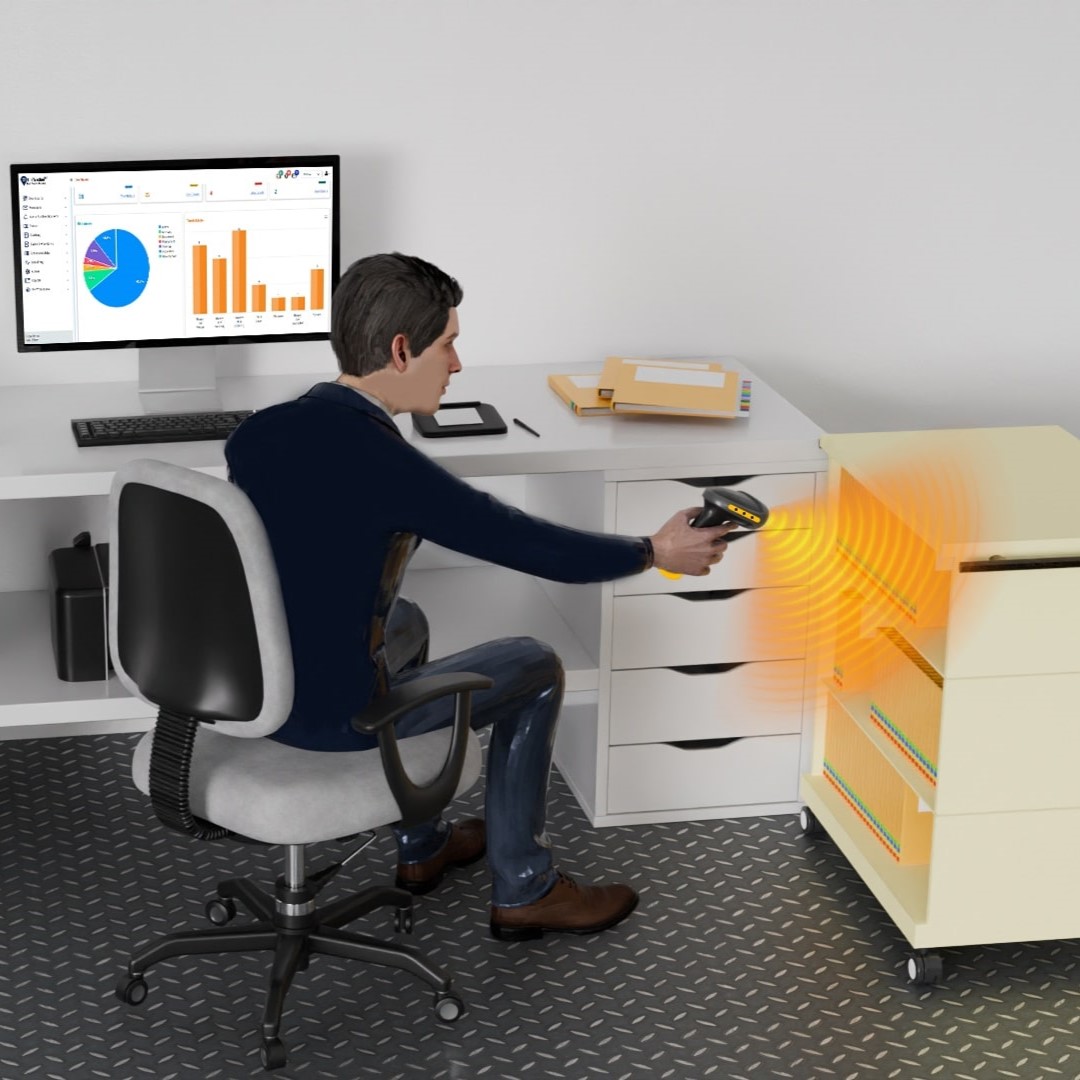
USB-Connected Desktop RFID Detector
The most common form of localized detection is the USB-connected desktop RFID detectors. These are small, low-profile pads that sit on a desk and plug directly into a workstation, laptop, or tablet.
Automatic Location Updates
As soon as a file is placed on the desk, the reader identifies the tag and sends the data to IoTFileTracker. Because the system uniquely assigns the reader to a specific computer or user profile, the file tracking software instantly knows that the file has changed hands. This is ideal for offices where “accountability” is the primary driver of the file tracking system.
Multi-Tag Read Desktop Detectors
Employees who handle stacks of files—such as clerks processing court records or medical coders—require multi-tag read desktop detectors. These devices have a higher “anti-collision” capability, meaning they can distinguish between dozens of tags placed in a single pile.
The detector continuously “polls” the desktop. If a stack of five files is moved onto the desk, the system checks all five files simultaneously. This is a massive productivity booster, as it eliminates the need for one-by-one barcode scanning or manual entry.
Single-Tag Read Desktop Detectors
In messenger-heavy workflows, single-tag read desktop detectors are often the best choice. These devices support one-at-a-time delivery confirmation.
Audible Confirmation for File Delivery
When a messenger drops a file onto the pad, the device provides an audible “beep” or a visual light cue. The IoTFileTracker system confirms to the messenger that it has successfully “seen” the file. This immediate feedback loop ensures accurate delivery recording before the messenger moves to the next stop.
Longer-Range Work Area RFID Detection Zones
Sometimes, a desktop pad is too restrictive. In larger offices or secure file registries, organizations may deploy longer-range work area RFID detection zones.
- Overhead Configurations: Antennas mounted in the ceiling can monitor a 10–20 foot radius. This is perfect for a small department where the system needs to know a file is “in the Legal Unit” even if it isn’t sitting on a specific desk.
- Under-Desk Placement: Antennas can be mounted under a worksurface to keep the desktop clear while still maintaining a 5–10 foot detection bubble.
These RFID detection zones provide a balance between the precision of a desktop pad and the broad coverage of a doorway monitor.
Balancing Desktop RFID Detectors with RFID Methods
A truly modern records management technology strategy uses a layered approach. IoTFileTracker integrates data from multiple sources to provide a unified view:
- Desktop Detectors: For real-time “active use” tracking.
- Facility Detection Zones (Doorways): To ensure files don’t leave the building or move between secure floors unauthorized.
- Portable Scanner Inventories: Organizations deploy these devices for periodic audits to locate files placed in areas without fixed detectors, such as breakrooms or storage cabinets.
How IoTFileTracker Uses Detection Data
IoTFileTracker is the engine that makes the hardware meaningful. When a detector sends a signal, the platform performs several automated tasks:
- Instant Status Change: The file moves from “Checked Out” to “At Destination.”
- Audit Trail Entry: The system creates a permanent, time-stamped record: [File ID] delivered to [User/Desk] at [Time].
- Compliance Alerts: If a “High Security” file enters a “Low Security” work area, the system can trigger an immediate alert to a supervisor.
Productivity and Accuracy Benefits
RFID file tracking at the desk level delivers ROI by saving hours of manual work.
- Reduced Search Time: No more hunting for folders; the software tells you exactly whose desk the file is on.
- Elimination of Manual Tasks: Staff no longer need to “Check-In” files, allowing them to stay focused on their core responsibilities.
- Reduced Lost Records: The system captures files the moment they arrive at a new location, significantly reducing the risk of them going “missing.”
Compliance and Accountability Advantages
For regulated industries, file tracking for compliance is non-negotiable. IoTFileTracker provides an airtight chain of custody. If an auditor asks where a file was on a specific Tuesday afternoon, the system can prove—with timestamped evidence from a work area detector—that it was at a specific employee’s workstation.
Industries That Benefit from Work Area RFID Detection
Government and Public Records: Agencies with high citizen-request volumes use these detectors to track files through multiple stages of review and approval.
Healthcare and Patient Documentation: Hospitals use work area RFID zones to track patient charts moving from the nurse’s station to a physician’s office, ensuring they always account for PHI.
Legal and Compliance-Driven Organizations: Law firms use desktop detectors to manage “Client-Matter” files on attorney desks, ensuring they never misplace discovery documents.
Best Practices for Deploying Desktop UHF RFID Detectors
- Strategic Placement: Focus on “Intake” desks and “Processing” stations first.
- Staff Training: Ensure employees understand that the system is automated and that they only need to place the file in the “zone.”
- Zone Tuning: Work with a TrackerIoT specialist to ensure the read-range of your RFID detection zones doesn’t overlap with the neighboring desk.
Conclusion
The goal of any modern records management program is to make the technology invisible. By using RFID desktop reader and work area detectors managed by IoTFileTracker, organizations achieve the pinnacle of real-time visibility. You no longer have to ask where your files are; the system tells you.
TrackerIoT’s IoTFileTracker transforms your active workspace into a smart environment, tracks every record, logs every movement, and ensures every audit succeeds.