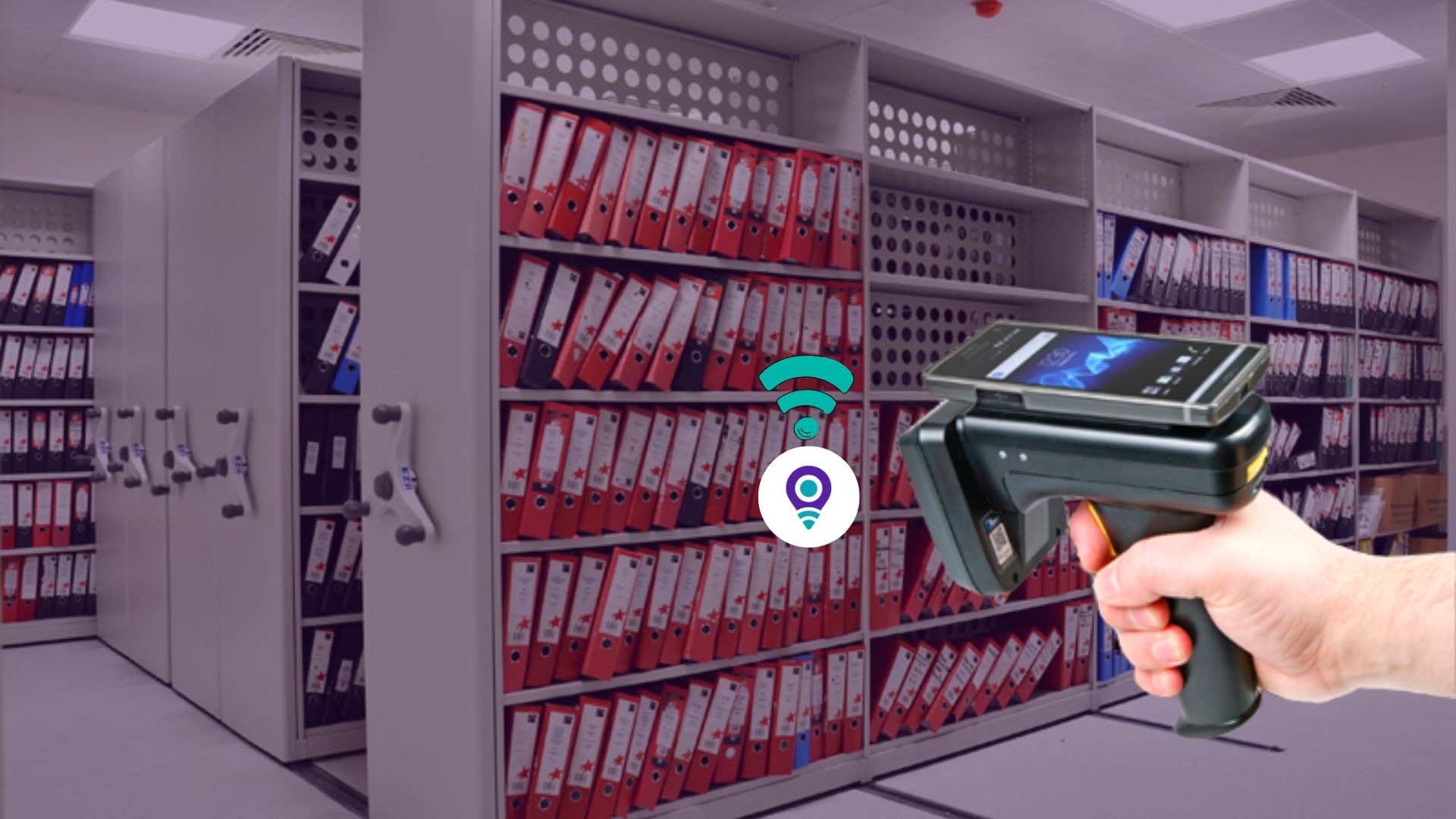
Most file tracking systems only update a record when someone remembers to scan something, and that single dependency is where accuracy quietly falls apart. A busy clerk grabs a folder on the way to a meeting and skips the scan. A file gets handed off in a hallway conversation instead of at the issue counter. Within a few weeks, the database says one thing while the shelf says another. Zone Tracking via Fixed RFID exists specifically to close that gap, and it does so without asking staff to change a single habit.
This is one of the more technical features inside a modern file tracking system, and also one of the least understood, since most of its value happens quietly in the background rather than at a visible checkout counter. Understanding how it works, and why it changes records accuracy so significantly, is worth a closer look.
The Problem With Transaction-Only Tracking
Every file tracking system, at minimum, logs check-out and check-in events. A staff member scans a barcode or RFID tag when a file leaves the room, and scans it again when the file returns. That model works well for the moment of the transaction, but says nothing about what happens in between.
Files rarely stay exactly where they were checked out to. A paralegal pulls a case file, walks it to a partner’s office for review, and the partner sets it on a side table before a meeting starts. A patient chart moves between a nurse’s station, an exam room, and a physician’s desk during a single visit. A permit file is handed from one government office to another during an internal review, with no formal transaction logged at any point along the way.
None of that movement shows up in a transaction-only system. The software still shows the file at its last checked-out location, even though the file itself may be three rooms away by the time anyone goes looking for it. This is the exact gap that Zone Tracking via Fixed RFID is built to close.
What Zone Tracking Via Fixed RFID Actually Is
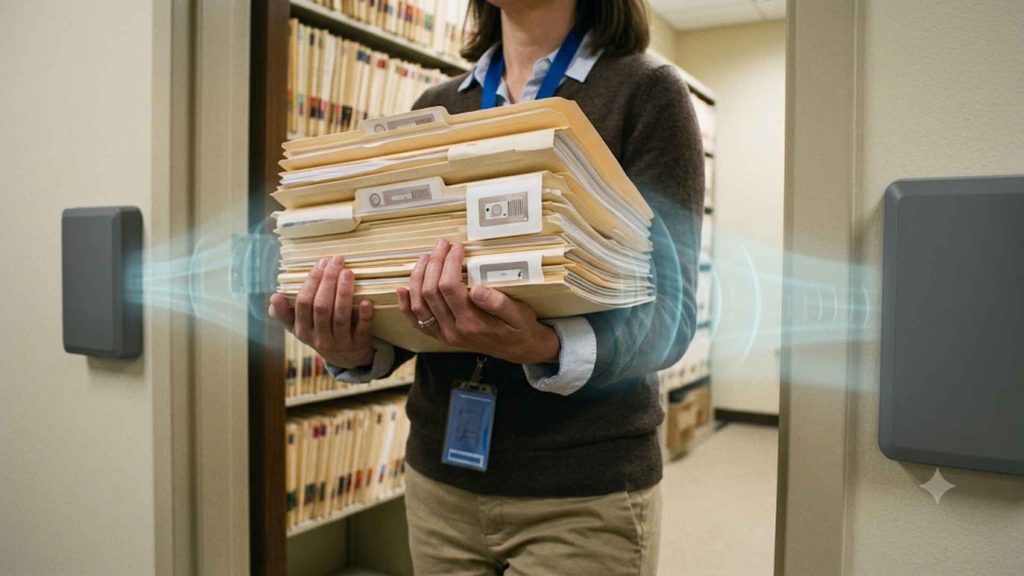
Zone Tracking places network-connected RFID antennas at the locations where files naturally pass through anyway: room entrances, hallway junctions, elevator lobbies, stairwells, and issue-and-return counters. Every file carries a small passive RFID tag embedded in its folder or archive box label. As that file physically crosses through an antenna’s field, the tag gets read automatically, and the file’s recorded location updates in the software within moments.
No one has to stop, pull out a handheld scanner, or type anything into a keyboard. The tracking simply happens as a side effect of normal movement through the building. A file passing through three tracked zones in an afternoon generates three location updates, all without a deliberate scan.
This is fundamentally different from both barcode tracking and even mobile RFID scanning, both of which require a person to actively initiate a read. Zone Tracking is passive from the staff perspective. The infrastructure does the work, and a file’s movement is captured automatically as it moves through a monitored space.
Why Direction-of-Travel Changes Everything
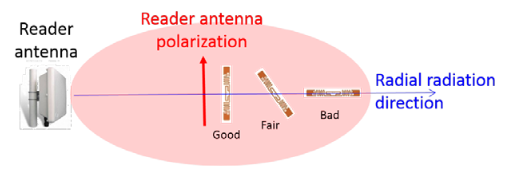
A basic RFID reader can confirm that a tagged file passed nearby, but on its own it cannot tell you which direction the file was headed. Was the file entering the archive room, or leaving it? Was it moving toward the exit, or simply passing through a hallway toward a nearby office?
Zone Tracking antennas solve this by being configured in pairs or short arrays that read the sequence of detection across two or more points. Because the system knows which antenna detected the tag first and which detected it a fraction of a second later, the software can calculate the direction of travel with a high degree of confidence.
That single piece of information turns a raw detection log into an actual movement history. Instead of a flat list of “file X was near antenna Y at time Z,” the software can describe a coherent narrative: the file left the archive room at 9:14 in the morning, passed through the second-floor hallway junction at 9:22, and has not been detected re-entering any tracked zone since.
Consider a records room with a single formal entry point that dozens of staff pass through every day. Without directional zone tracking, the system can only confirm that a file appeared near the door at some point, with no way to know whether it was heading in or out. With directional detection in place, the software can state plainly that a specific file left the room at a specific time and has not returned, which is a fundamentally more useful piece of information during an audit, an urgent search, or an internal investigation into a missing record.
The Security Layer Built Into Zone Tracking
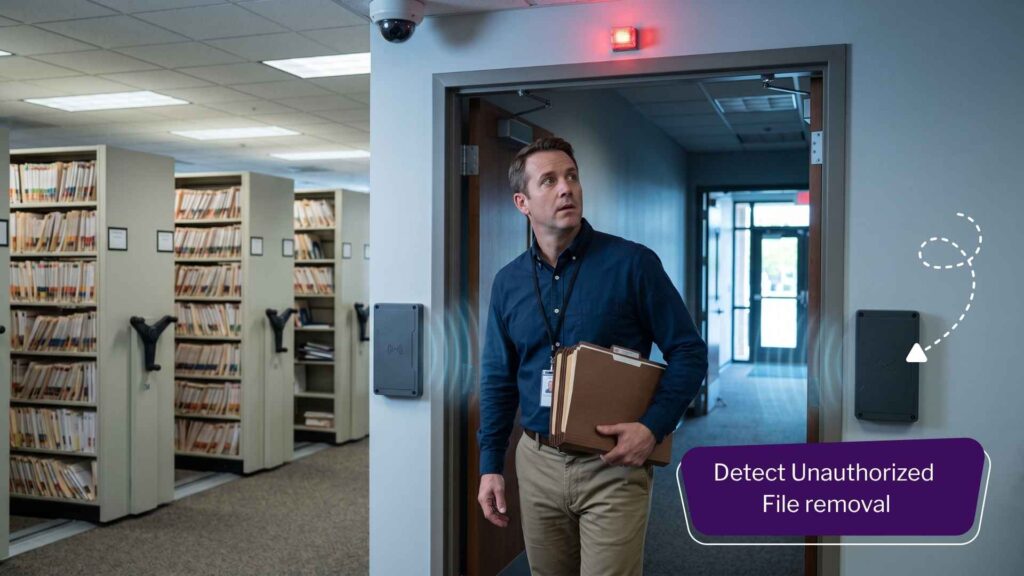
This is also where Zone Tracking quietly earns its keep on the security side of records management. Antennas placed at facility exits, loading docks, or restricted internal zones can be configured to trigger an alert the moment an unauthorized file crosses that boundary, since the system already knows which tags are cleared to leave a given area and which are not.
An audible alarm or a flashing light can be triggered instantly, well before the file physically leaves the building, giving staff a real chance to intervene rather than discovering the loss during a later audit, when recovery becomes far more difficult and the legal exposure has already accumulated. In many configurations, a motion-triggered camera near the exit point can also capture a timestamped image of the person carrying the file, adding an additional layer of accountability without requiring a guard to be posted at every doorway.
For organizations handling confidential legal files, patient records, or government documents governed by public records law, this exit-monitoring capability is often the single most compelling reason to invest in fixed RFID infrastructure in the first place. The cost of a confidential file leaving a building unnoticed, whether through carelessness or intent, is rarely just an inconvenience. It can mean regulatory penalties, reputational damage, or a compromised legal case.
Why It Doesn’t Depend on Staff Behavior
None of this requires a change in staff behavior, and that is precisely the point. Barcode scanning and manual check-in processes are useful and remain an important part of any file tracking program, but they are only effective when used consistently, and consistency is difficult to guarantee across a large staff over months and years of daily operations.
Zone Tracking removes that dependency almost entirely. The antennas do not get busy during a hectic afternoon, do not forget a step because a meeting started five minutes late, and do not decide that a particular file transfer felt too minor to bother logging. The infrastructure simply reads what passes through it, continuously, without judgment or fatigue.
This matters enormously for the long-term accuracy of a records program. Software adoption studies across many industries show that manual compliance degrades over time. A tracking layer that does not rely on manual discipline is, by design, far more resistant to that kind of gradual erosion.
Where Zone Tracking Delivers the Most Value
Organizations that manage dense file rooms, multi-floor records departments, or facilities with sensitive archive material tend to get the most value from this feature, since the number of untracked, informal file movements in those environments is naturally high compared to a small office with a handful of active files.
Courts and legal departments move case files, exhibits, and discovery documents between judges’ chambers, clerks’ offices, and courtrooms constantly, often under tight time pressure that makes manual scanning easy to skip. Zone Tracking keeps an accurate location history without adding a single step to that already busy workflow.
Healthcare facilities move patient charts between nursing stations, exam rooms, and physician offices dozens of times during a single patient visit. Antennas placed at key transition points keep the record current without asking already-stretched clinical staff to scan a chart every time it changes hands.
Government agencies handling permits, licenses, and case records governed by public records law benefit from the automatic audit trail that Zone Tracking produces, since transparency and accountability requirements often demand a defensible answer to “who had this file and when.”
Law firms and banks managing client-matter files, loan documentation, and signature records get the added benefit of exit-point security, particularly for files containing information subject to strict confidentiality or regulatory retention rules.
In each of these environments, physical files move constantly between people and rooms in ways that no manual log could realistically keep pace with, which is exactly the condition under which fixed RFID zone tracking delivers the clearest return.
Zone Tracking Compared to Other File Tracking Tools
It helps to be clear about what Zone Tracking is not. It is not a replacement for barcode check-out and check-in procedures, which remain the most reliable way to formally assign responsibility for a file to a specific person. It is also different from Find-A-File technology, the handheld RFID scanning feature used to actively search for a specific missing file using proximity beeps and a color-coded distance indicator.
Zone Tracking sits between those two tools. It does not require a deliberate transaction like check-out and check-in, and it does not require someone to actively go searching like Find-A-File does. Instead, it continuously and passively fills in the movement history that both of those other tools miss, so that when a search does become necessary, the software already has a far more complete picture of where a file has recently been.
Used together, all three capabilities form a complete file tracking program: barcode or RFID scanning at the counter for formal accountability, fixed zone tracking for continuous passive visibility throughout the building, and mobile Find-A-File scanning for the moments when a file still needs to be physically located despite everything else.
Planning a Zone Tracking Deployment
Implementing Zone Tracking well starts with identifying the choke points that matter most inside a facility, rather than attempting to cover every square foot of a building on day one. The highest return is typically delivered by doorways to file rooms, archive vaults, and issue counters, since the majority of meaningful file movement passes through those points naturally.
Hallway junctions, elevator lobbies, and stairwells are strong secondary additions once the primary entry points are covered, particularly in multi-floor facilities where files frequently move between departments. Exit points and loading docks deserve particular attention in any environment handling confidential or regulated material, given the security value described earlier.
Network connectivity is a practical consideration as well, since fixed antennas need to communicate updates back to the central software in real time. Most deployments integrate with existing building network infrastructure rather than requiring dedicated new cabling throughout, which keeps installation costs and disruption manageable for most facilities.
Frequently Asked Questions (FAQs)
No. Zone Tracking is designed to work passively in the background. Staff continue moving files as they normally would, and the antennas handle the detection and location update automatically.
A barcode check-out system captures a single transaction, the moment a file is formally issued or returned. Zone Tracking continuously monitors movement through fixed zones throughout the building, capturing activity that happens between those formal transactions.
Yes. The sequence of detection is read by antennas configured in pairs or arrays, allowing the software to determine whether a file entered or exited a monitored zone.
Yes. The same passive RFID tags used for barcode and RFID check-out procedures are detected by fixed zone antennas, so no additional tagging is required.
The system can trigger an audible alarm, flashing light, or notification the moment an unauthorized tag crosses a monitored exit boundary, alerting staff before the file leaves the building.
Zone Tracking via Fixed RFID does not replace check-in and check-out procedures, and it is not meant to. It fills the space between those transactions, capturing the movement that used to disappear entirely from the record the moment a file left the counter. For any organization that has ever discovered a file was “somewhere” but could not say exactly where or when it got there, that continuous layer of visibility is the difference between a location that is roughly known and one that is actually tracked, in real time, without a single additional scan.
The Bottom Line
Zone Tracking via Fixed RFID does not replace check-in and check-out procedures for the physical files, and it is not meant to. It fills the space between those transactions, capturing the movement that used to disappear entirely from the record the moment a file left the counter.
If the file that you are dealing with require real time tracking, it is important that you install Fixed reader across key door pathways. Ideally, you can configure Fixed readers only for key files stored like Evidence, Critical Hospital records, Banking files. If not, you can choose to go with RFID File Tracking where a “Admin personnel” can scan the file and manage the entire organizations document workflow.
For any organization that has ever discovered a file was “somewhere” but could not say exactly where or when it got there, that continuous layer of visibility is the difference between a location that is roughly known and one that is actually tracked, in real time, without a single additional scan.