Everything you Need to Know about File Management Systems

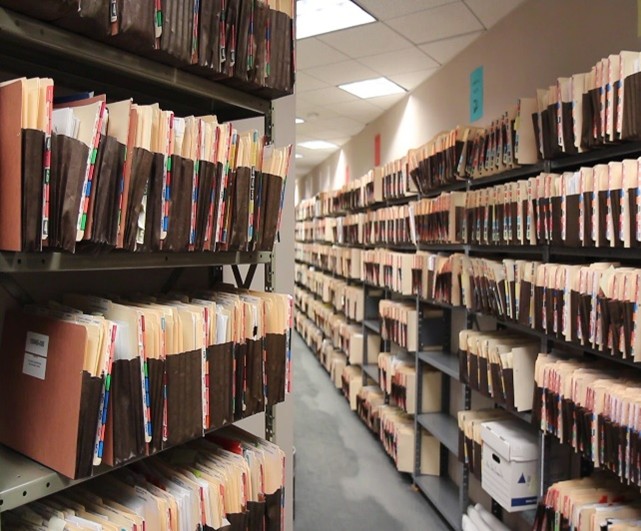
Analysts valued the global document management system market at USD 5.52 billion in 2022. Experts anticipate the market will grow from USD 6.23 billion in 2023 to USD 18.97 billion by 2030, highlighting the increasing importance of an efficient file management system. The need for data and documents drives all organizations to perform their duties and fulfill their missions. However, ineffective document management continues to risk business failure against competitors. This occurs through higher pricing, poor customer service, or weak record-keeping. These practices create legal, compliance, and certification risks. Such risks lead to financial loss and public relations challenges. You can learn more about these risks here: https://investorcom.com/wp-content/uploads/2014/08/IDC-White-Paper-It-s-Worse-than-You-Think-Poor-Document-Processes-Lead-to-Significant-Business-Risk.pdf.
Here are some startling statistics from leading consulting companies:
- At any given time between 3% and 5% of an organization’s files are lost or misplaced – Information Week
- US Managers spend an average of 4 weeks a year searching for or waiting on mis-filed, mis-labeled , untracked or “lost” files – Cuadra
- 400 hours per year the average employee spends searching for paper documents – Gartner Group
- 40-60% of an office worker’s time is spent handling paper, which translates to 20-45% of an organizations labor cost and 12-15% of an organization’s expenses – Inform Magazine
What is a physical file management system?
A physical file management solution is the blending of software, tracking and security technologies with traditional storage systems, file folders, file folder indexing/labeling and document organizers combined to establish efficient, best-practices filing systems. File folder records management systems, when properly designed and implemented, improve operational efficiencies by more than 50% in terms of personnel time while significantly improving customer service.
Yes, an organization can address their document management needs with an electronic record system, but an organization can equally meet efficiency needs with physical record systems that are affordable, that do not require intensive IT investments or networking, and that staff can easily learn and use, that staff want to use and that staff are able to use and master. It is all about rapid access to needed information, whether that information is in a physical file or an electronic file. Organizations require one or both physical and electronic document management to operate efficiently, appropriately provide service for customers and keep pace with competitors
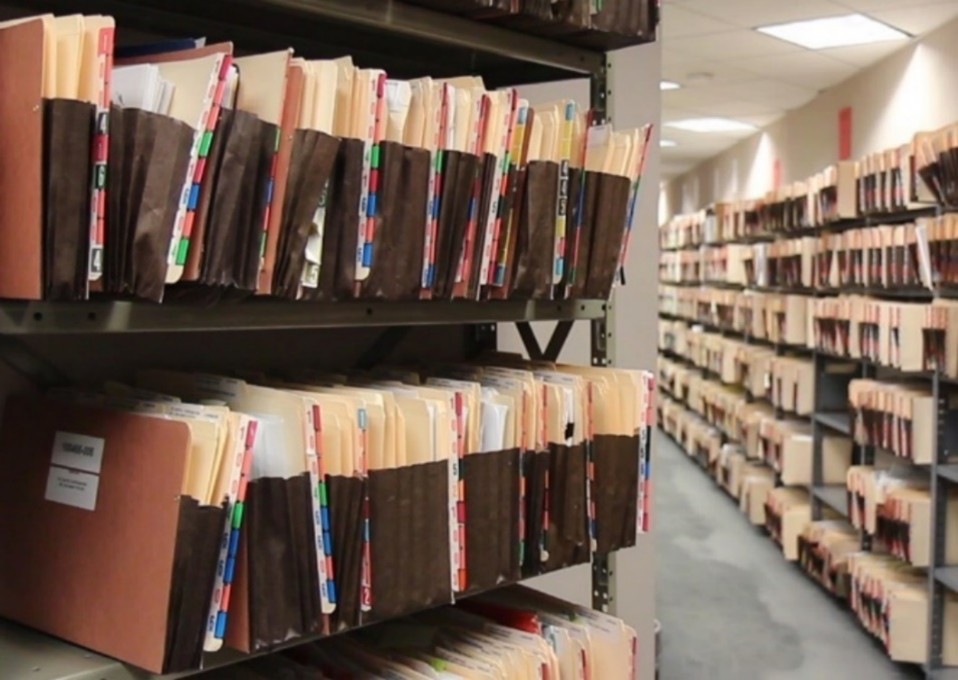
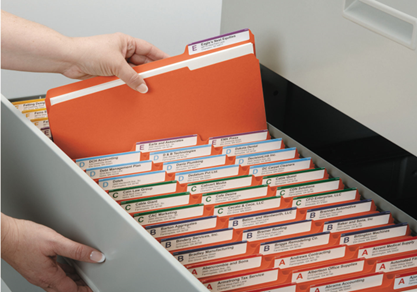
Electronic Records versus Physical Records
Many people mistakenly believe that commerce and government rely entirely on electronic documents and computer-based workflows. In reality, a vast number of government entities and businesses globally still function primarily on paper records. While many organizations implement electronic systems, staff still use physical documents during active work cycles. They only digitize these files after they complete the work.
It is rare that an organization gets close to being a paperless operation, this concept is rare in the real-world. A vast majority of organizations globally either have a paper-file intensive work environment, or, a blended environment incorporating both electronic and physical records.
Increasing Awareness of the Capabilities of Physical Filing Systems
Organizations worldwide struggle to complete work effectively and deliver high-quality service because required files and documents remain inaccessible. They recognize a problem requiring resolution, but marketplace solutions rarely present clear physical document management options. Few organizations understand traditional and technology-based tools that significantly improve operational efficiency through physical records management systems. Understanding modern physical records capabilities enables organizations to improve operations affordably with dependable long-term sustainability. These file tracking systems allow staff to learn processes easily and operate confidently without excessive complexity. Typical file management system components include the following essential categories.
- Software
- Barcode and RFID (radio wave) File Tracking Technologies
- Alarms, Fingerprint and Electronic Signature Pad Security Technologies
- File Folders and Accessories including Fasteners, Pockets and Document-Type Index Dividers
- File and Archive Storage Systems
- File Folder and Archives Labeling, Indexing and Color-Coding
- Installation Services and User Training
- Ongoing Support
Technical Schema for File Management System
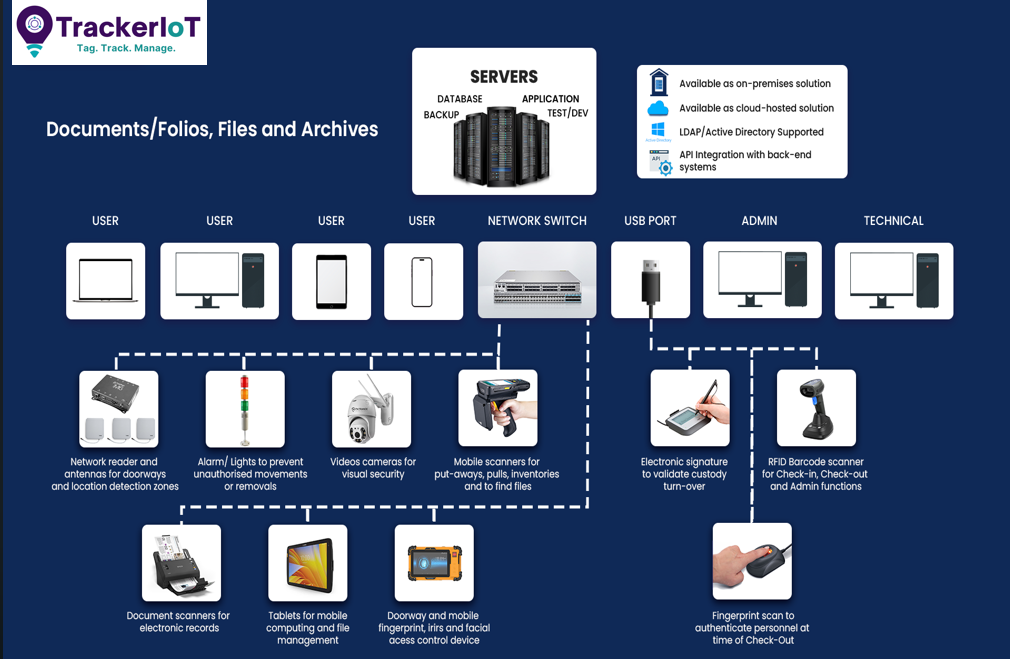
File Management System Software and Components
File management software best practices is COTS commercial-off-the-shelf software (https://en.wikipedia.org/wiki/Commercial_off-the-shelf) that is rapidly configurable to an organization’s exacting data, workflow, tracking, task management, security and reporting requirements. COTS software is the best approach to implementing a file management system, versus the development of custom-developed solutions.
The full features of the vendor’s software are provided by COTS file management solutions based on development over a number of years or decades. COTS software is continually updated and enhanced, and all features and functions provided for all prior customers are included and made available to each new customer out-of-the-box.
File Management System Software and Components
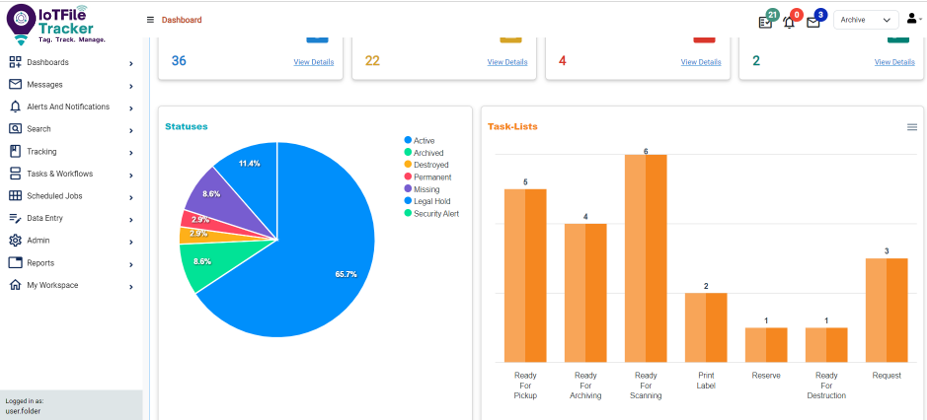
IoTFileTracker eliminate the risks and costs of a custom developed one-off solution. COTS software is continually developed and maintained over time. Custom-made solutions are at risk of key developers and technical staff turn-over and the ability to maintain and advance the system over time, and is at much greater risk of potential business continuity challenges. Further, most often, software developers are not experts in records management, meaning that the systems developed are lesser or much lesser than proven, mature COTS file management systems.
The vendor configures standard software screens and functionality to meet each client’s requirements. Additionally, the system includes the following:
- Diagnostic Dashboard: Provides instant view of folders, statues and tasks, and is fully configurable to any desired data and graphics.
- Calendar View Dashboard: Displays tasks due including folder setup, requests, reservations, ready-for-pickup, archive, destroy and similar tasks.
- Data Entry: Includes configurable data fields and drop-down lists, and enables keyboard data entry or batch import via .xls or .csv file.
- Search: Enables the use of any data field or combination of data fields to view current data and history about documents, files and archives.
- Check-out/Check-in: Enables keyboard entry, barcode scan or RFID scan to identify records going Out and In, and input of location transferred-to.
- Task Management: Displays tasks including database record details, tasks due, task performance history and indication of task completion.
- Reports: Unlimited standard and custom reports, including all records, all records/archives overdue for return, history of each record, etc.
- Office Worker Functions: Enables staff to quickly determine the location of a file and Request, Reserve or indicated ready-for-pickup.
- Admin Personnel Dashboards: The file management department wholly, and each staff person, can view their tasks, see history and take action.
- Software Integration: File management systems can be seamless integrated with a customer’s existing software applications for data interchange.
- Electronic Documents: Enables attachment of electronic documents and records for seamless physical and electronic records management.
- Software File Templates: A template collects data fields, drop-down lists, and software screens to meet an organization’s specific requirements. The system custom-configures these templates primarily by file type. The software also includes templates for documents and archives. Users can configure the file management software with a single template to define every file type. Additionally, the system provides document and archive templates if the user includes those components in their configuration.
Example types of records / templates include:
- Government Ministry and Agency Records
- Court Criminal and Civil Case Records
- Law Firm Client – Matter Records
- Bank Loan Records
- Healthcare Medical Records
- Insurance Policy and Claims Records
- Accounting Firm Client Records
- Personnel Records
- Benefits Administration Records
- Contracts, Procurements and Project Records
- Accounting and Finance Records
- Customer Records
- Vendor Records
- Job Jackets
- Any type of document, file or archive…
File Management Barcode Tracking Technology
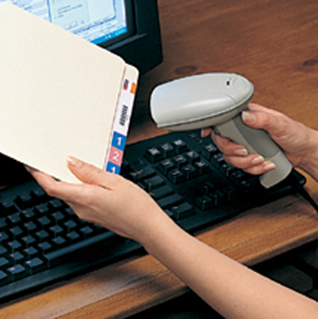
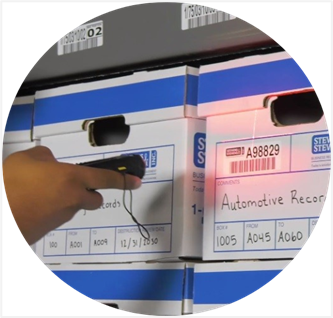
File Tracking and Records Management systems must support barcode and RFID radio wave technologies. This allows staff to perform work by scanning instead of typing data on a keyboard. This switch increases both speed and accuracy. Barcode technology facilitates any or all of the following functions:
- Printing barcode, text and/or color-coded labels for files, archives and/or documents-folios.
- Place barcodes on shelves and-or drawers and use mobile scanner to track files to specific storage locations.
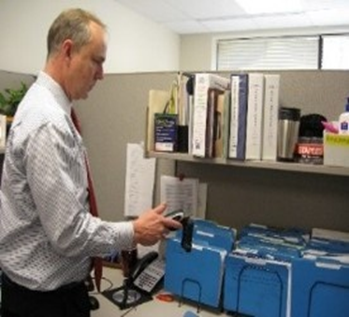
- Place barcodes on offices and work area doorways or in offices and work areas to track where files are being delivered or are located.
- Utilize USB barcode scanner to scan files at time of check-out and check-in, and for scanning archives and the folders being transferred to archives.
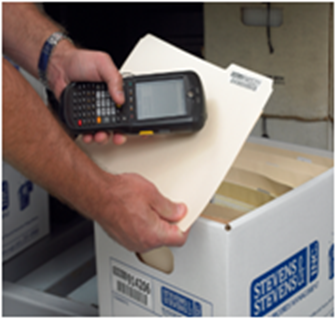
- Utilize mobile scanners and-or tablets for check-in and check-out, both online via WiFi or Bluetooth, or, in off-line mode with subsequent sync to the file management database.
- Scan archive boxes or binders and the files going into archives boxes or binder etc.
- Periodically inventory files-in-circulation so that file-location-data remains fresh and current in the file tracking software over time.
- Periodically perform complete file folder and archive audits.
RFID Radio Wave File Tracking Technology
Files, archives and documents can be labelled with barcode and-or RFID. Whereas barcoding is manually scanning one tag at a time from close proximity, RFID is scanning many tags at a time from a distance passively and manually. RFID-barcode systems support all of the capabilities of barcode-only solutions as mentioned above, including these additional benefits:
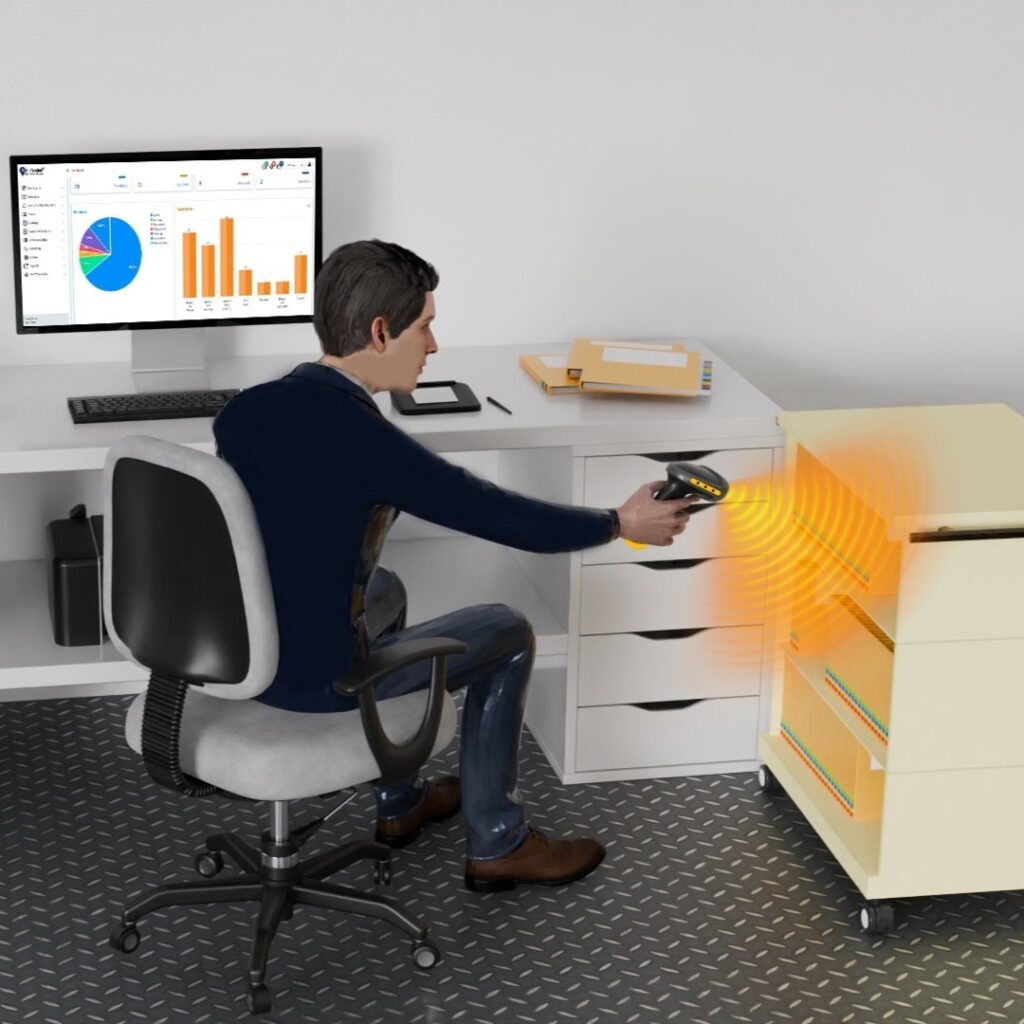
USB RFID-Barcode Scanner for Check-in and Check-out and Folders-to Archives
USB RFID-Barcode scanners feature a tag detection distance of approximately 4 feet. The vendor includes an extended cord so you can scan entire carts of files. You can also use the scanner hands-free on a desktop, where LED lights and beeps confirm each scan. The device scans individual files, stacks, bins, or boxes. This scanner also serves as an ideal tool for scanning archive box and file labels at a computer to transfer files to archive boxes.
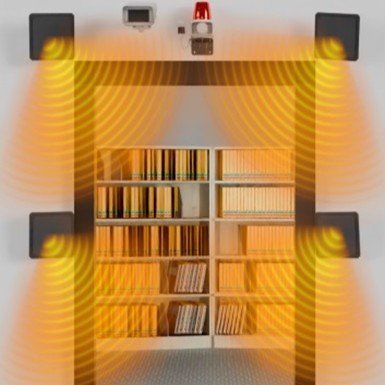
File and Archive Room RFID Doorway Auto-Tracking Zones
Check files and archives In and Out of file and archive rooms passively with antennas at doorways, to augment or replace manual file check-out/check-in. Track files during off working our when records management staff are not manning the file room, to identify file movements In and Out of the door by staff that are working during non-routine hours, like late night or weekends. Files are detected at RFID tracking doorways automatically so that the software and Users know when files exited and returned.

RFID Facility Tracking Zones
RFID antennas track files automatically in real-time throughout a facility. These antennas detect files and archives from up to 40 feet away. The software names each tracking zone to identify its specific location. This allows staff to see exactly where the system last detected a traveling file. Organizations commonly place these sensors at doorways, hallways, elevators, and stairwells. They install them anywhere they must track moving files or archives.

RFID Desktop Tracking Zones
Place USB desktop file detectors on desks or in work areas. These devices automatically detect files when they arrive or stay in the area. Standard antennas detect files up to 5 feet away, while high-powered antennas reach 10 feet. The software names each detector after the specific work area or employee. This allows the system to record exactly when files reach or leave a workspace.
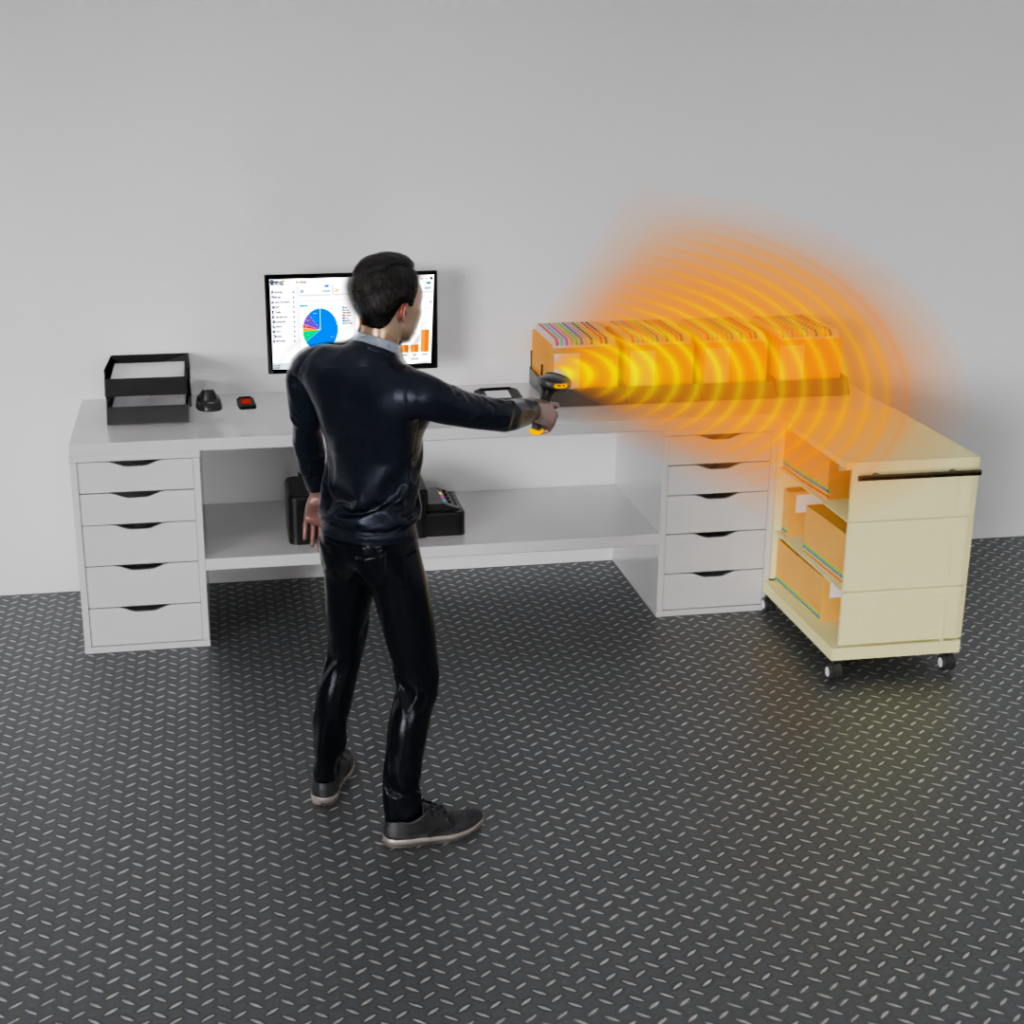
RFID Mobile Scanners for Inventory and Location of Files
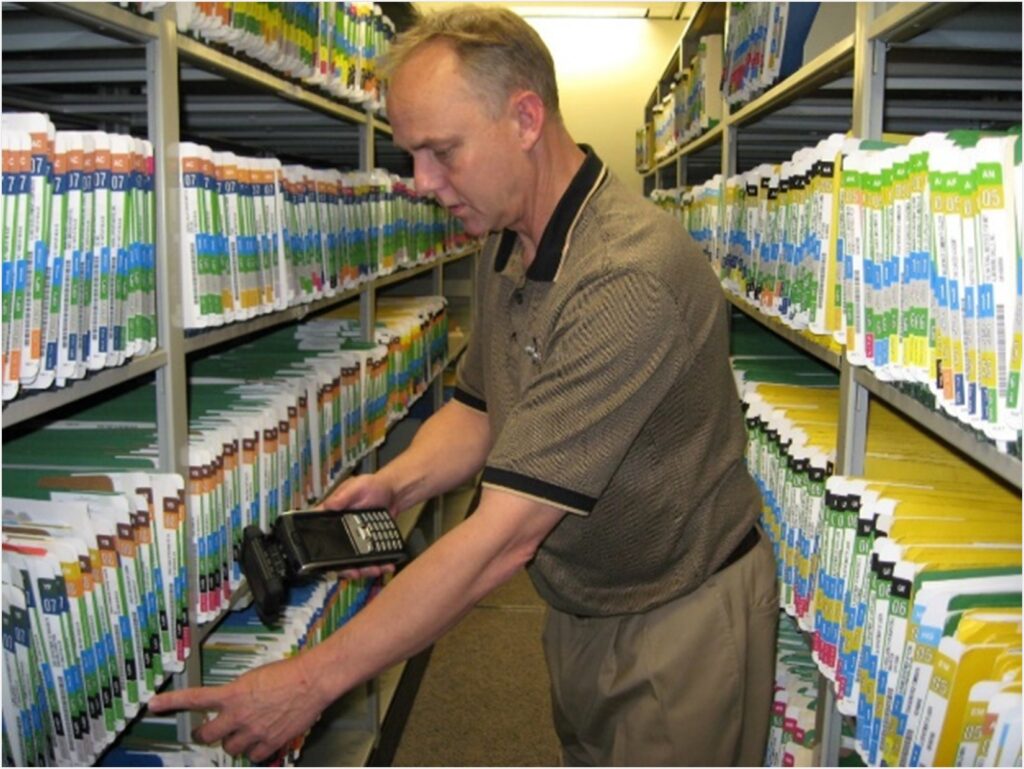
RFID-barcode mobile scanners have a file detection distance up to approximately 25’. Organizations primarily use these devices to inventory files-in-circulation. This keeps the software up to date with the most current file locations. Users can locate needed files via a cold-warm-hot color scale and beeps. The system also performs periodic full system audits. Mobile RFID-barcode scanners scan storage location barcodes and the files within each location. Furthermore, these devices facilitate the placement of files from storage into archive boxes.

RFID Building Exit Security Tracking Zones
RFID antennas can be placed at building exits so that files and documents are detected as an exit is approached. Once the system detects a file, it immediately transmits the data and location to the software. The software then determines if the file is authorized for removal. If unauthorized, the system triggers alarms and flashing lights. It also broadcasts voice commands, such as “file unauthorized for removal, return to check-out tracking station. Video cameras can also be equipped at these exits.
Records Accountability Technologies
In addition to the ability to utilize RFID to prevent unauthorized removals of documents, files or archives from buildings or from one area of a facility to another area of the facility, file management solutions support additional security and accountability technologies to protect files and the data that is in files. File security and accountability technologies can be important to many organizations, and are of highest priority when in environments where highly confidential or secret information is within the documents withing files.
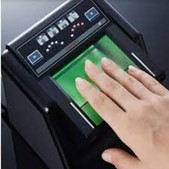
Personnel Authentication
File management software typically includes a data field = ‘personnel name’. Records management staff can enter or select a person’s name from a drop-down list and see their profile in the software to authenticate the person based on the photo and data in the software. Systems can authenticate staff by scanning the barcode on a personnel ID card. Alternatively, an electronic fingerprint scanner can authenticate staff, which adds a critical layer of security for highly sensitive files.
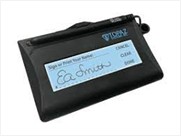
Validating Chain-of-Custody
One of the most important elements of a file management file tracking system is to keep track of every time a file or archive moves from one Location to another Location. When a file or archive is transferred to a person, an electronic signature pad can be utilized to capture a signature of the person receiving the file or archive. The records management staff person, the file recipient, the date and time are all saved to an Audit Trail record for the folder or archive, with link to the signature.
File Folders and Accessories
Having the right file folder types and file folder accessories is essential to records management best practices and operational efficiencies. File folders should be of a rigid material that are easy to handle and that do not ‘flop’ and risk documents falling out of the folder. It is important that staff can not only reliably access the file that they need right when they need the file to perform their job function, but also that they can efficiently access documents within folders, remove documents and re-insert documents at the right place. Significant staff time is consumed with the simple task of ‘finding the needed document’, and, removing and reinserting the document.
File folders can have a top tab and-or a side tab for labelling or writing file identification data, based on storage in open-shelving, drawer files or boxes. Manufacturers design folders with different expansion capacities and various fasteners or organization tools. You can choose file folders in different colors or print custom designs on them.
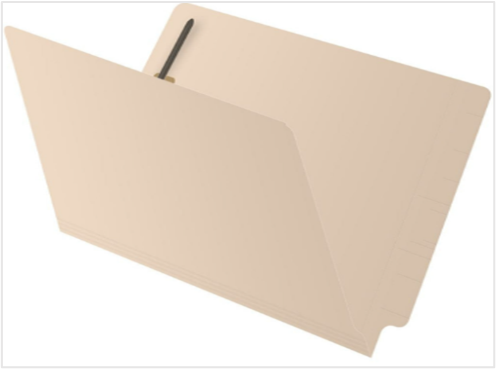
Manila File Folders
In some global markets, businesses use thin, rectangular folders that lack stability. These folders often omit side or top tabs, forcing staff to pull files out just to identify them. To solve this, vendors offer Manila file folders with top or side tabs for easy indexing. These folders come in multiple colors, support custom printing, and include document-folio fasteners. Standard expansion is approx. 1”.
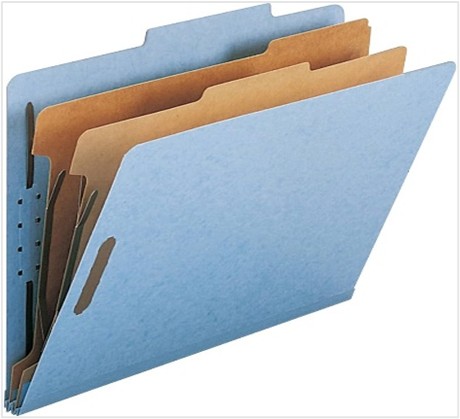
Pressboard Expandable File Folders
Pressboard folders are the sturdiest file folder material available in the marketplace. Pressboard folders are available are available in multiple colors and can be printed, and, can have top and-or side tab(s). Pressboard folders have an expansion of up to approximately 3”. Within pressboard folders, ‘dividers’ and can be included to establish file sections. The folder and the file dividers can include document fasteners to secure documents within the correct section of the folder.
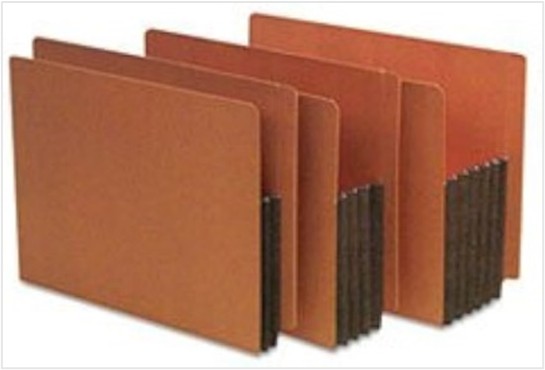
Pocket Expandable Folders
These type of pocket folders are available with top and-or side tabs. Pocket folders allow you to place document folios within files without using fasteners. You can file documents loosely, then remove and return them without the hassle of fastening, unfastening, or refastening. Pocket style file folders are available with varying expandability, with the most typical expandability of pocket folders being 1.75”, 3.5” or 5.25”.

Metal Style Document Fasteners
Manufacturers place metal document-folio fasteners within manila and pressboard folders to secure folios in place. These fasteners lock documents down so they do not inadvertently fall out when staff move or use the folders. You can install fasteners to secure documents that you have hole-punched along the top, the side, or both. File folder fasteners keep documents in place.
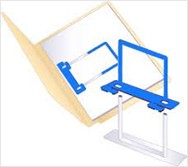
Extension-Clip File Folder Fasteners
Removing or re-inserting a document using a typical metal fastener or string requires significant effort. You must first remove every document sitting in front of the one you need. After pulling the target document, you then return the remaining pages onto the fastener. It is difficult to keep the hole punching lined up with the fastener and takes time. Extension-clip fastener enable moving documents in front of needed document so documents never have to be removed or re-positioned on fastener, saving much time.
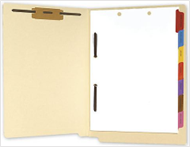
Document-type File Dividers
Document-type file dividers include printed titles and different color tabs for each type of document, so that staff can quickly access the correct section of documents that contains the document that they are wanting to retrieve. File dividers tab can be along the side or the bottom of the divider sheets, and file dividers can be placed on either or both sides of the inside of a file folder. Using fasteners and file dividers makes filing process faster and more accurate.
File and Archive Storage Systems
The type of storage system utilized impacts the efficiency and accuracy of removing and refiling records or archives, and impacts the amount of floor space required for file and archive storage. Experts recommend open “library style” shelving. This setup keeps files visible so staff can readily retrieve and insert them. This storage system also stores more files in less space. To further maximize capacity, you can install open shelving on rolling mechanisms for “high-density” storage.
Match your file folder style to your specific storage system. Use side-tab folders for open shelving and top-tab folders for drawer file cabinets. Many organizations also place hanging file folders within drawer cabinets.
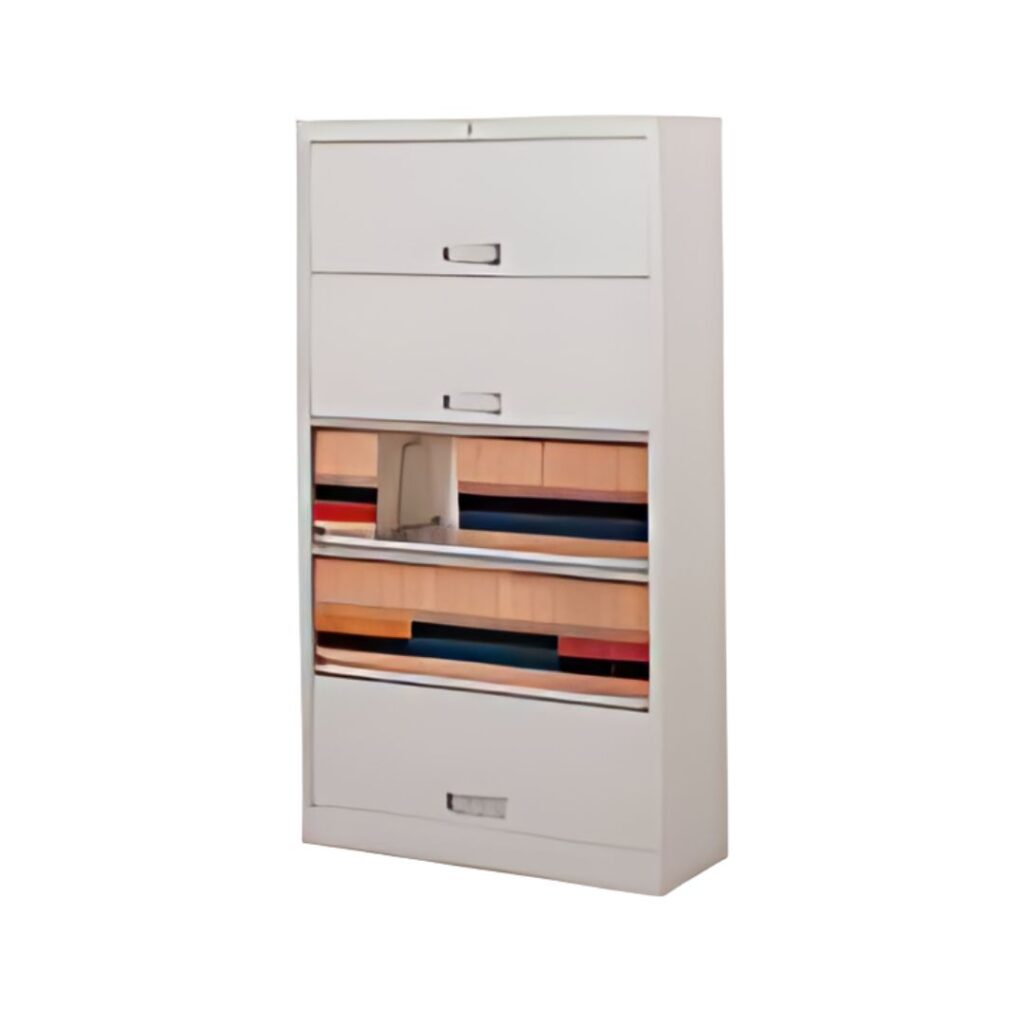
Drawer File Cabinets
Traditional vertical file cabinets store drawers front-to-back, while lateral cabinets generally store them left-to-right. These drawers feature either a “fixed front” that pulls out like a typical drawer or a “retracting” front that allows file access without pulling the drawer outward. Generally, vertical or lateral cabinets reach only five drawers high; otherwise, staff must use a ladder or step-stool to access higher levels.

Open Shelving
Open file shelving is best-practice for storing files. Side tab folders should be used with open file shelving, and file index information should be along the side tab with label or hand-writing so that files can be accessed without pulling files out to read what is on the front of the folder or within the folder. Many sizes, widths, depths and heights are available for single-side or double-side filing of various sizes of and styles of file folders and file jackets.
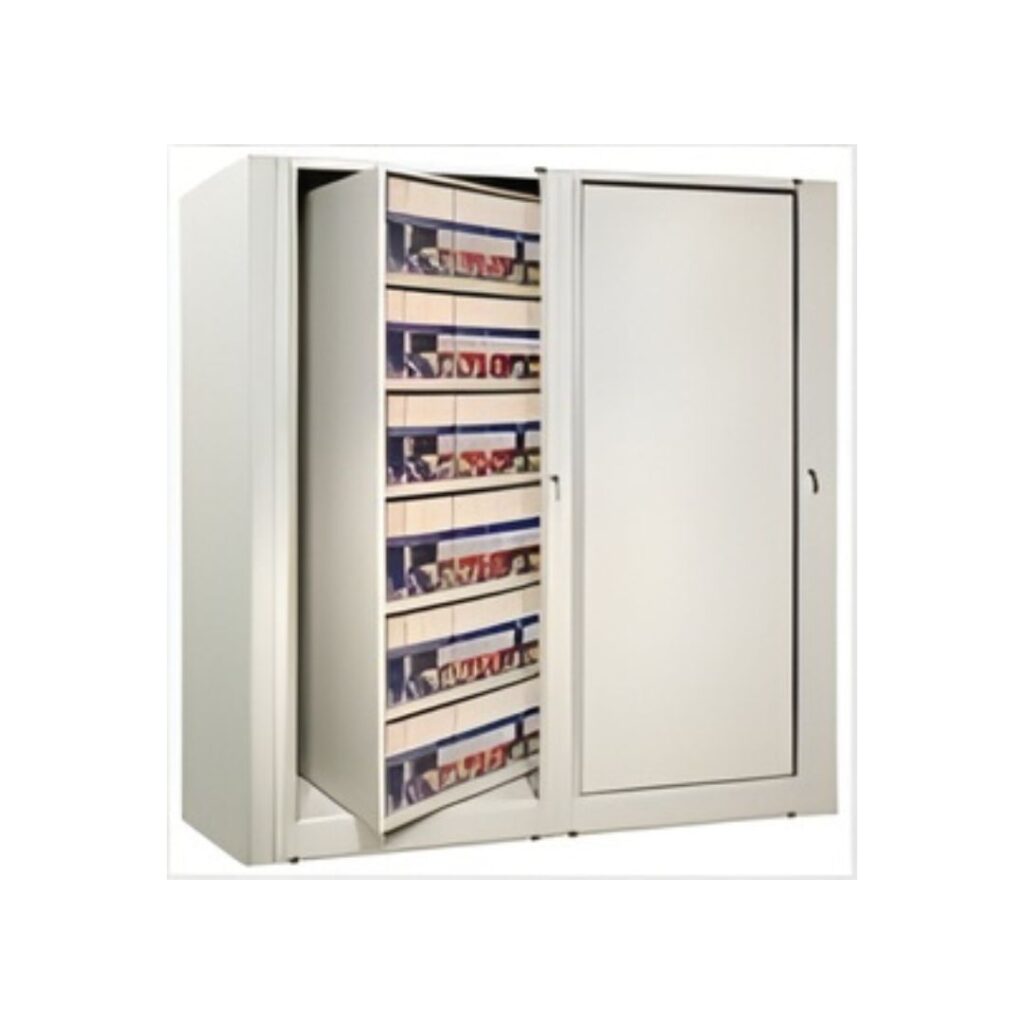
Rotary File Cabinets
These type of file cabinets rotate 360˚ so that files are on both sides of the rotating shelves, enabling the storage of more files in less floor space. Rotary file cabinets allow you to rotate the shelving units sideways to hide all files from view. You can then lock the cabinet to prevent unauthorized access. These cabinets work perfectly for in-office storage or centralized file rooms.
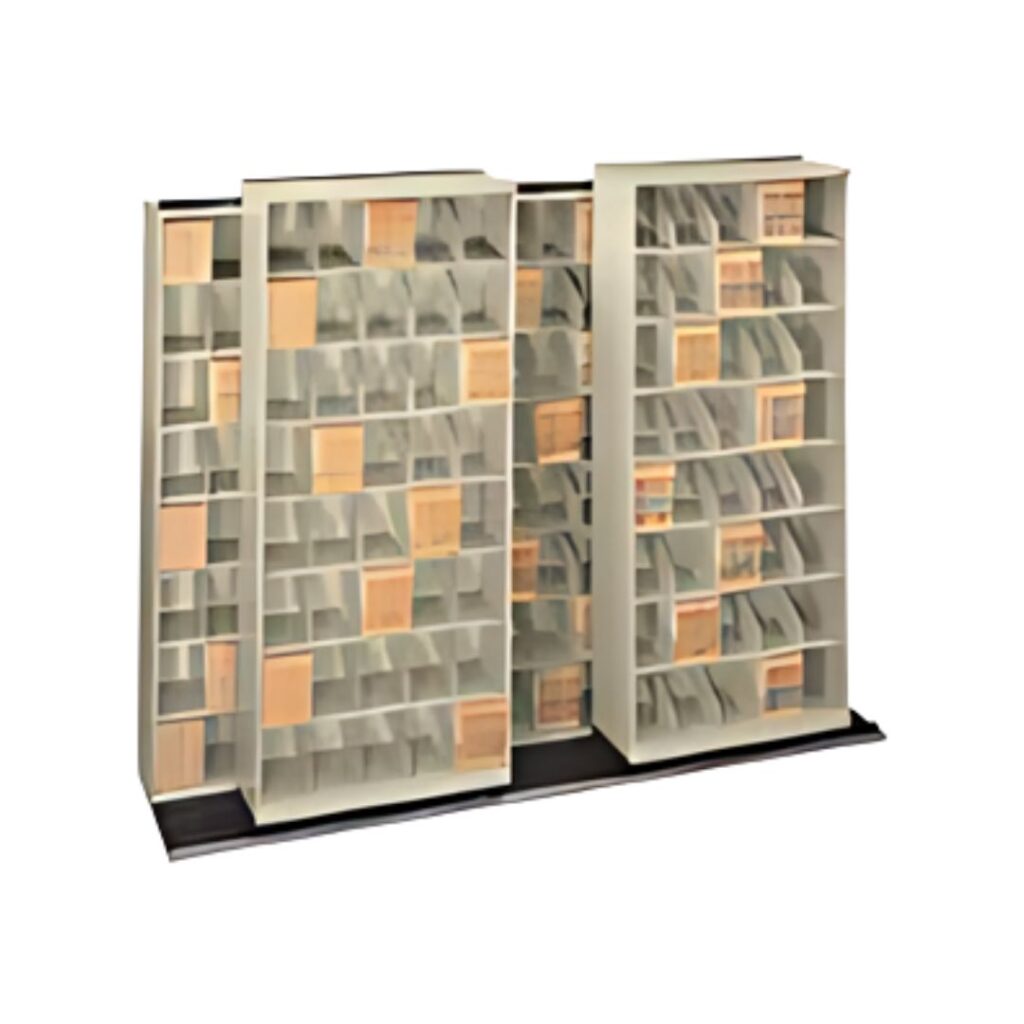
Slide-Aside File Storage Systems
Manufacturers design slide-aside storage systems with metal rails on a base. This setup allows two or three rows of shelving units to sit directly in front of one another. The front rows always contain one fewer shelving unit than the back row. This gap allows you to roll the units left or right to access the rear shelving. By using rolling tracks, these systems store more files in less floor space and offer higher capacity than rotary file cabinets.
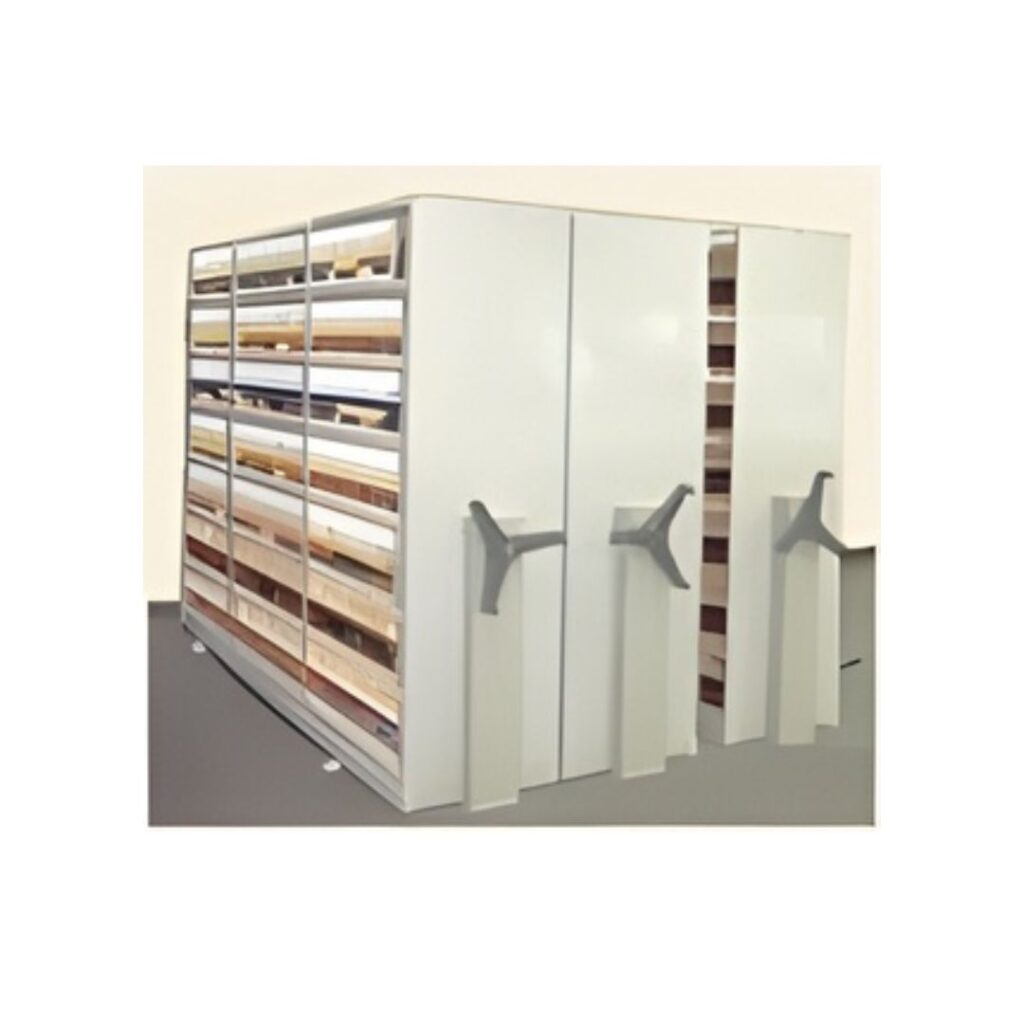
High Density File Storage Systems
Manufacturers design slide-aside filing systems—often called “mobile” or “high-density” systems—to eliminate extra aisles between rows. This design dramatically increases the number of files you can store in your available floor space. Workers place tracks on the floor and cover them with flooring. They then install wheeled carriages underneath the shelving units, allowing the shelves to move left or right as needed. High density file storage systems are available mechanical or electrical.
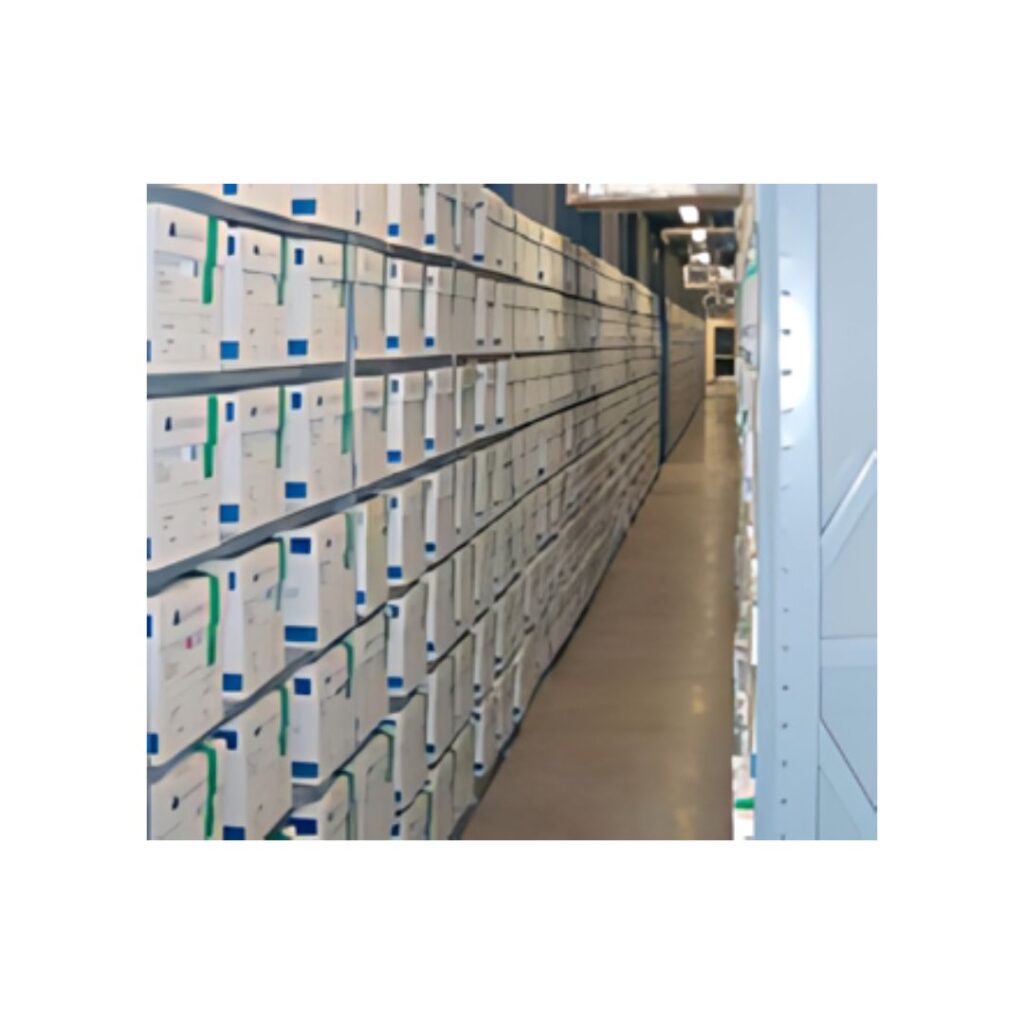
Archive Storage Systems
Archive box or binder storage systems are typically open-shelving, open-rack systems. Open storage systems enable the storage of a higher capacity of boxes or binders in available floor space versus other types of storage systems. Shelving/racks can be placed on carriages with wheels that enable elimination of unnecessary aisles that underutilize floor space. The carriages can be operated with a hand crank or electronic buttons to move shelving left or right to provide access to needed archives.
File Folder Indexing, Labeling and Color-Coding
File folders typically have a file # and a file name / description, and are setup in a centralized filing system that is organized in either numeric or alphabetic sequence. File #, file name, description and other data can be printed on a label and applied to the folder’s front, top and-or side, or the indexing data can be handwritten on folder front or interior. It this indexing data that enables staff to verify that they have Located a file correctly and have the correct file.
Labels can include text fields, barcode and RFID, and can include an organization’s logo. Essential digits of the file # or characters of the file name / description can be rendered as color-codes. It is highly important and best practice to place the label along the top of the folder if folders are filed in boxes or drawer-style storage units, or, along the side of the folder if folders are stored in open ‘library style’ shelving. Having file index information on the visible edge of the folder prevents the need to have to pull-up or pull-out files to read information on the folder front or inside of the folder, saving quite significant staff time, while reducing staff-time and errors. Effective filing system design is just as important to effective records management as is software and tracking technologies.
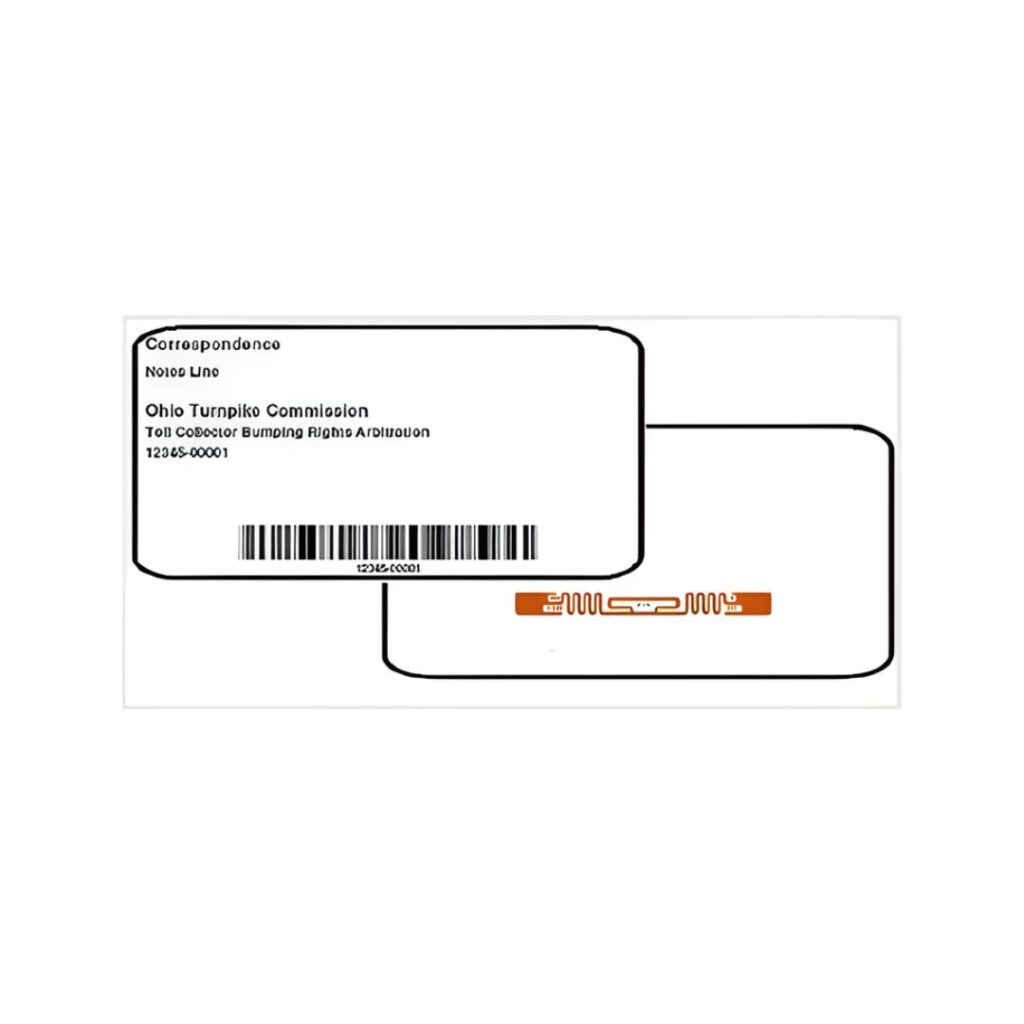
Standard File Folder and Archive Labels
Standard file folder/archive labels are available in many sizes, for example 1 x 2”, 2 x 4”, 3 x 5”, 4 x 6” etc. Typically labels include File/Archive #, File/Archive Name and File/Archive Description, and additional data/indexing fields as needed. We custom-format labels to meet your requirements. These labels often include a barcode or RFID number that matches the specific file number. Staff typically place these labels on the sides or tops of folders and on the fronts of archive boxes or binders.
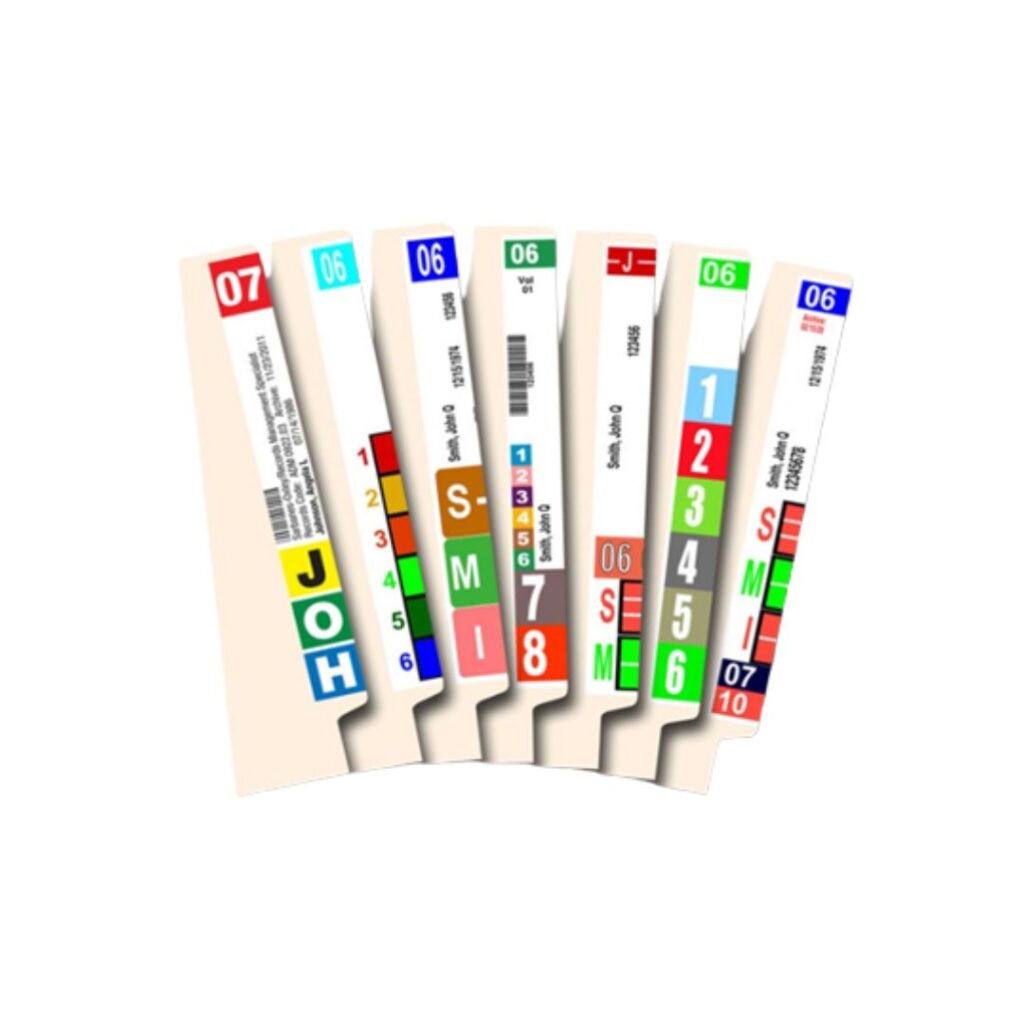
Color-Code Labels
Color-coding of files is fundamental to an efficient records management department. Without color-coding there will be significant difficulty avoiding misfiles and being able to find files in filing systems or in offices. Color-coding enables staff to file VISUALLY versus COGNITIVELY, dramatically increasing efficiencies, while preventing or identifying misfiles because colors clash. Color-coding is achieved by color-coding digits of file # or primary alphabetic characters of file name.
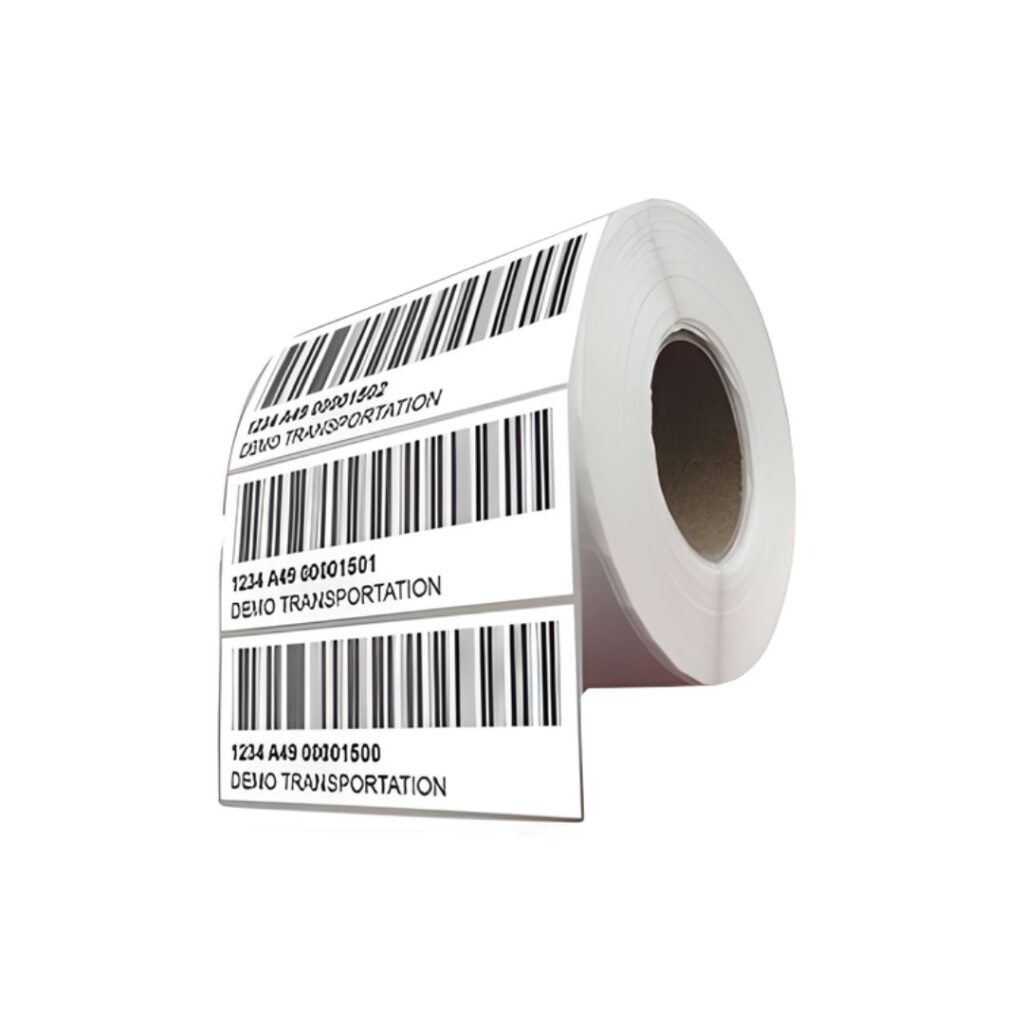
Barcode Labels with or without RFID
You can place barcode labels on folders to support barcode scanners, or include RFID technology to support both types of scanners. Vendors can preprint labels for existing folders and archives with indexing fields, barcodes, or RFID tags. For new files, you can print sheeted labels using standard office inkjet or laser printers. Alternatively, you can use roll printers to print labels that match the barcode and RFID numbers during the printing process.
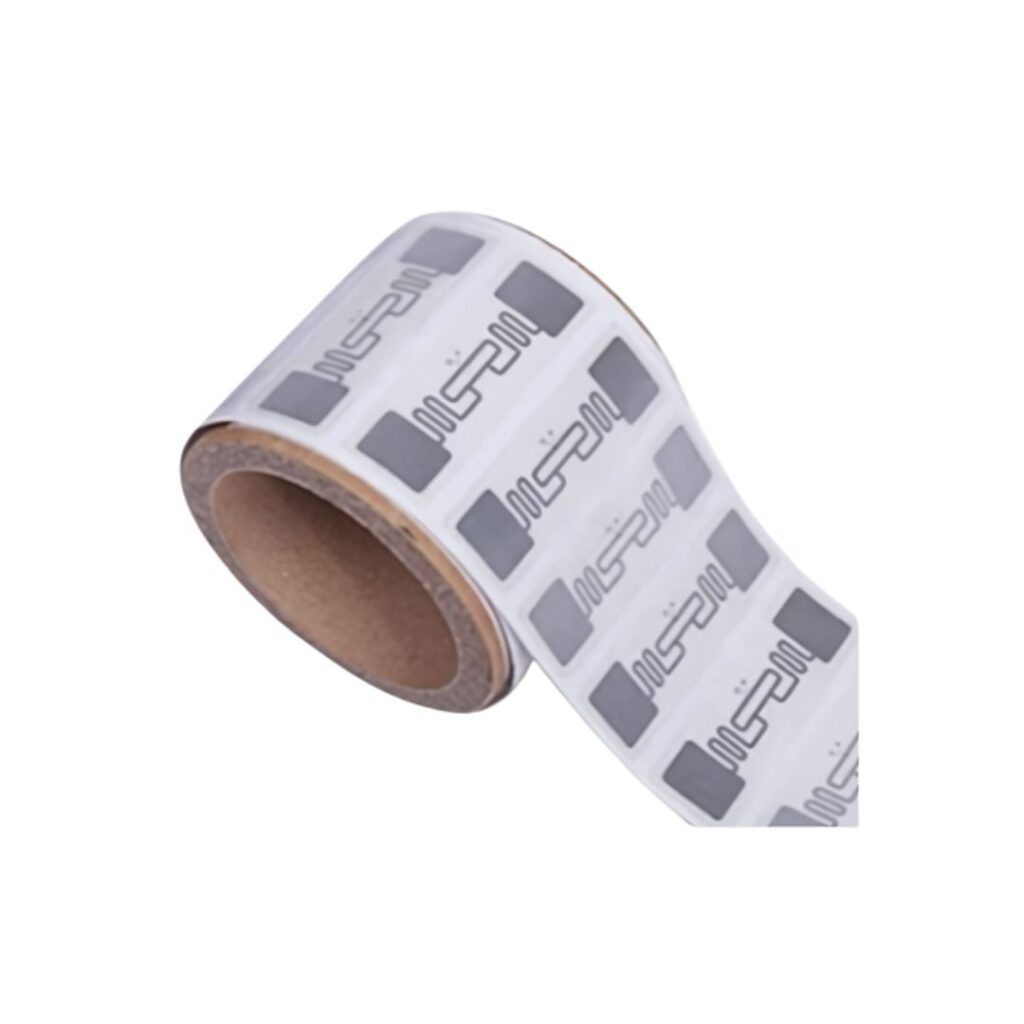
RFID Self-Adhesive Inlay Labels
If folders are already setup and will remain as they are currently setup, indexed and labelled. You can then place an RFID inlay on the folder to enable RFID tracking and locating technologies. Staff typically place these inlays inside file folders, positioning them near the top for better detection. Use a USB RFID scanner to scan the inlay and input the RFID number into the file management software to tag the record.
File Labeling and Filing System Organization Services
File management system vendors can provide labelling and filing system services to update existing files with labelling and organization so that when the software and technology is implemented, the system is fully functional day-one. These available services include:
- Labels can be preprinted in the same sequence as existing files and/or archives, and provided to customers for application to existing files and archives.
- Files and/or archives can be re-sequenced, for example, changing filing systems from alphabetic to numeric sequencing, or, transitioning straight numeric filing systems from straight numeric to terminal digit sequencing. File re-sequencing can be performed by vendor or by customer staff, or a combination of vendor and customer staff.
- New styles of file folders can be implemented, such as transitioning from top tab folders to side tab folders. Documents can be moved from existing folders to new folders by vendor or by customer, or a combination of customer and vendor staff. Folders can be provided pre-labeled or the new folders can also be labelled during the process of moving documents from old folders to new folders.
- As a dedicated process or during other processes, as described, inactive folders can be removed from the system for scanning, archiving or destruction.
Vendors can provide and install new storage systems, such as open-shelving to replace drawer files, or installation of high-capacity storage systems like rotary, slide-aside and rolling high density storage systems. Files can be moved to the new system, labelled or implementation of new folders by vendor, customer staff, or a combination of vendor and customer staff
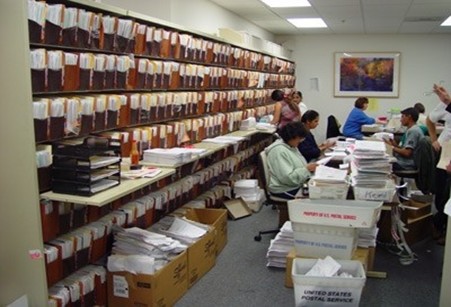
Development and Enhancement of Records Management Programs
A Records and Information Management (RIM) Program is a structured framework of policies, procedures, and practices that organizations use to systematically manage their records. This lifecycle includes the creation, receipt, maintenance, use, and eventual disposition or archival of records. RIM programs ensure that information is organized, accessible, secure, and compliant with legal and regulatory requirements.
Key Components of a RIM Program include:
Policies and Procedures: Establish rules for handling records, including such framework tools as:
- Information Governance.
- Business Classification.
- Retention and Disposal
Training and Awareness: Educate staff on proper records management practices.
Compliance: Ensure adherence to laws, regulations, and industry standards.
Security and Privacy: Protect sensitive information from unauthorized access or loss.
Audit and Monitoring: Regularly review and improve records management processes.
Why a RIM Program is Recommended as a Precursor to Digital Transformation
Implementing electronic software solutions or digital transformation initiatives requires a clear understanding of organizational information management practices. A well-established RIM program mitigates risk, improves project success, and serves as a necessary precursor for multiple strategic reasons.
1. Foundation for Organization and Structure
- Without a RIM program, information within an organization may be scattered, inconsistent, or poorly classified.
- A RIM program provides the structure needed to organize data, making it easier to migrate to digital platforms.
2. Ensuring Compliance and Risk Management
- Legal and regulatory requirements often dictate how long certain records must be kept and how they should be protected.
- A RIM program ensures compliance with these requirements, reducing the risk of legal penalties or data breaches.
3. Streamlining Digital Implementation
- Electronic software solutions, such as document management systems, require clear rules for file naming, categorization, retention, and disposal.
- A RIM program defines these rules in advance, facilitating smoother implementation and minimizing confusion for users.
4. Supporting Change Management and User Adoption
- Any digital transformation initiative involves significant changes in how employees work with information.
- A RIM program prepares staff by setting expectations and providing training, which supports user adoption and reduces resistance to new technologies.
5. Maximizing the Value of Digital Investments
- The effectiveness of electronic software solutions depends on the quality and organization of the underlying data.
- A RIM program ensures that only valuable, relevant, and accurate information is migrated. This helps in maximizing the return on investment in digital technologies.
Process for Developing and Deploying RIM Program
| No | Phase |
| 1 | Mobilisation & Initiation Develop a project plan outlining objectives, resources, and timelines.Review any existing documentation. |
| 2 | Current State Assessment and Planning Conduct a comprehensive needs assessment to evaluate current processes, volumes, and pain points.Engage stakeholders from all geographic units to gather requirements and document challenges specific to each location. |
| 3 | Policy and Procedure Development Draft records management policies addressing retention, access, security, and disaster recovery. Standardize filing, indexing, and transfer protocols to ensure consistency across all units. |
| 4 | Training and Change Management Develop and deliver training programs for staff across all locations on new policies and procedures. Establish a helpdesk or support mechanism to address questions and support adoption. |
| 5 | Implementation and Pilot Pilot the new records management practices in select locations to test workflows and make adjustments.Gather feedback and refine procedures as necessary. |
| 6 | Full Rollout and Monitoring Deploy the standardized records management program across all units.Monitor compliance, address emerging issues, and update policies as needed.Plan for ongoing evaluation and future transition to digital solutions. |
System Deployment and User Training Services
File management software must align with organizational records, workflows, tracking infrastructure, security requirements, and appropriate labels, folders, and shelving selections. Selecting the right configuration requires a collaborative, iterative process between the organization and its chosen vendor. Organizations should review and approve their specific software configuration before approving full system implementation.
Any vendor that an organization uses should setup the software and all hardware in their lab prior to shipment, to ensure that all aspects of the system are working properly prior to deployment and installation. Once the vendor’s deployment team reaches your organization, the solution must be physically installed and all aspects of the software and the hardware tested to ensure that the system is performing fully to expectations.
Administrative, power, and casual users must receive training to confidently perform daily tasks using the system effectively. Installing a system differs from ensuring staff understand and optimally use its full capabilities. Vendors must train users while preparing internal IT and facilities teams for first-line hardware support continuity. Although organizational requirements vary, installation and training components remain critical for successful system implementation.
Below is the checklist one must follow:
Vendor should provide an organization with critical documents and guides for defining the system implementation:
- Technical schematic displaying the system’s technical architecture and implementation schema
- Bill-of-Materials indicating all hardware, tags and labels that are required for the system implementation
- .xls that provides guidelines and specific tabs for capturing the data to be populated within the software database
System should be fully setup by vendor in vendor’s lab to ensure that all software and hardware are performing properly
Install software on designated server or servers, or, deploy the solution to a cloud-based platform such as Azure or AWS
Set up the required network infrastructure to support RFID and network-connected security devices.
Install hardware, test and benchmark performance metrices to ensure proper system operations
Train staff on making-up new folders and indexing folders properly and-or provide services for change-over of existing files
Train software administrators, power uses and casual Users on all aspects of system and software usage, and ensure that Users are confident and fully capable of using the system to its intended design.
Provide first-line support for the system and handle periodic software updates over time for IT and/or facilities staff.
Ongoing System Maintenance, Support and System Updates
It is not enough for a vendor to deliver a system, train Users and then expect the system to continue to perform and for staff to continue to effectively use the system over time without ongoing monitoring and assistance. An organization’s vendor should be in periodic contact proactively to ensure to identify and remedy challenges with how the system functions or how Users are using the system. Any such challenges must be identified and resolved as quickly as possible to prevent deterioration of system performance and utilization.
The components of an effective support system include:
- The vendor providing a file management system should always provide full 1st year maintenance and support agreement on all system hardware and software, and this support agreement should be updated annually
- For all products where hardware manufacturers over extended warranties and-or onsite hardware support, the vendor providing the file management system should include such extended coverages within the provided maintenance-support agreement
- After system implementation, the vendor and organization must coordinate weekly working sessions. These teams discuss system performance, user experience, and overall operations. These meetings ensure an effective system roll-out. Later, the teams use automated email and phone follow-ups monthly or quarterly. These check-ins continue until the system performs at expected standards and reaches 100% stability.
- Systems are not static, they evolve over time, and Users should communicate to vendor any challenges that are being experienced with the system’s design and usage, and any envisioned modifications to the system that would improve performance, and the vendor should make any reasonable modifications or additions to improve the system and to ensure Users can best utilize the system…such enhancements should be provided at no cost and be covered by the support agreement
- Technology changes rapidly, requiring regular software updates. The software must be periodically updated to apply patches and updates from underlying components installed on the server(s). These updates ensure ongoing system performance and maintain system security.
- Vendor should be able to provide an organization with ongoing supplies, hardware and labels to support the systems ongoing continuity
Types of File Management Systems
Government File Management Systems
Government, miliary and police records are often quite sensitive as to the documents and information within files and archives. IoTFileTracker provides full life-cycle management of documents, files and archives from origination through final disposition. All documents, files, and archives are identified in the software database using labels, tags, or handwritten identifiers. Documents, files, and archives are tracked from origination through final disposition within the IoTFileTracker software. The system maintains complete chain-of-custody histories for all documents, files, and archives.
- Vital Records: Birth certificates, death records, marriage licenses, and divorce decrees.
- Property Records: Land deeds, mortgages, property tax assessments, and plat maps.
- Court & Legal Records: Case files, transcripts, court rulings, dockets, and criminal records.
- Administrative/Executive Records: Policy documents, executive orders, emails, memorandums, reports, and manuals.
- Financial Records: Budgets, audit reports, and expense records.
- Legislative Records: Bills, resolutions, and committee reports.
- Other Formats: Photographs, maps, audio/video recordings, architectural drawings, and social media content.
- Personnel Records: Personnel and benefits administration records for staff and contractors.
- Procurement Records: Tenders, tender responses, contracts, purchase orders, amendments and change orders.
- Government Agreements: Government-to-government treaty records, including ratified treaties and international agreements.
- Project Files: Contracts, correspondence, and technical data.
Court System File Management Systems, District Attorney File Management Systems and Prosecutor / Solicitor General File Management Systems
Court records are official documents generated during legal proceedings, broadly categorized into civil, criminal, bankruptcy, and probate files. Key records include complaints, answers, motions, trial transcripts, dockets, and final judgments or verdicts. Access is often public, managed through federal or local court clerks, though some records may be sealed.
- Criminal Records: Arrest warrants, indictments, charges, plea agreements, trial transcripts, and sentencing orders.
- Civil Case Files: Lawsuits involving contract disputes, personal injury, property, or civil rights.
- Family Law/Domestic Relations: Divorce decrees, child custody, adoption records, and protective orders.
- Probate and Estate Records: Wills, letters testamentary, guardianship documents, and administration of estates.
- Bankruptcy Filings: Petitions, schedules of assets/liabilities, and discharge orders.
- Court Dockets and Minutes: Chronological summaries of filings, motions, and hearings (e.g., progress dockets).
- Naturalization Records: Historical or legal documentation of citizenship acquisition.
Military File Management Systems
Military records include Official Military Personnel Files, separation documents, draft/conscription cards, pension files, unit histories, and service medical records. These documents are typical maintained by a countries National Archives and cover enlistment, duty stations, awards, and casualties.
- Official Military Personnel Files: The primary record, including enlistment, duty stations, assignments, awards, performance, and separation/discharge papers.
- Separation Documents (DD Form 214): A critical document showing the exact dates of service, rank, and type of discharge, often used for benefits.
- Draft/Selective Service Records: Registrations for men aged 18–45 during major conflicts, which list physical traits, address, and next of kin.
- Pension Records: Files created when veterans or widows applied for federal support, often including extensive family information, marriage certificates, and testimonies.
- Medical/Clinical Records: Records of physical exams, injuries, or hospital treatment during service.
- Unit Histories and Muster Rolls: Documentation of a specific unit’s movement, activities, and casualties during a conflict.
- Personnel Credentials: Records of classes taken, class grades (pass / fail), remedial training if needed, test firing grades, weapon certifications and Arm / Do-not-ARM status.
- Weapons, Gear and Ammo: Records corresponding to the procurement and utilization of weapons, gear and ammo. Including records related to weapon test firings, cleanings and inspections, personnel certifications to carry specific weapon-types, weapon assignment reports, weapon Issue and Turn-in reports and similar documents and forms related to military weaponry.
Law Enforcement File Management Systems
Law enforcement agencies generate official records. These include police, sheriff, and corrections departments’ incident reports, arrest reports, investigative files, and administrative logs. Common types include accident reports, crime reports, booking logs, and, in some cases, officer disciplinary records. These documents serve for legal, investigative, and public information purposes.
- Incident Reports: Briefly document a call or event, including time, location, and responding officers.
- Crime/Offense Reports: Detail specific crimes (e.g., theft, assault) for investigation and prosecution.
- Arrest/Booking Records: Document individuals taken into custody, including personal info, charges, and booking photos.
- Warrants: Arrest warrants, Search warrants and Bench warrants.
- Orders of Protection: Documents / files related to domestic or sexual violence, stalking and related offenses.
- Traffic Accident Reports: Specific to motor vehicle accidents, detailing events for insurance or legal use.
- Investigative/Case Files: Comprehensive records of ongoing or completed investigations, often confidential.
- Administrative Records: Internal records, including personnel files, HR data, and business plans.
- Police Officer Disciplinary Records: Documents regarding officer misconduct or actions, often public in certain jurisdictions.
- Personnel Credentials: Records of classes taken, class grades (pass / fail), remedial training if needed, test firing grades, weapon certifications and Arm / Do-not-ARM status.
- Weapons, Gear and Ammo: Records corresponding to the procurement and utilization of weapons, gear and ammo. Including records related to weapon test firings, cleanings and inspections, personnel certifications to carry specific weapon-types, weapon assignment reports, weapon Issue and Turn-in reports and similar documents and forms related to military weapons, gear and ammo.
Law Firm File Management System
Law firms manage client case files (pleadings, evidence, transcripts, discovery), administrative records (billing, retainer agreements), and internal documents (memos, research) using legal file management software. Organizations store these in digital formats such as PDF, Word (.doc), and Excel (.xls), along with physical documents, emails, and multimedia evidence. Law firms maintain physical files for clients – matters. Law firms use physical paper-based file folders for real-time work, even when electronic files are available.
- Case/Matter Files: Documents specifically for client legal matters, including:
- Pleadings & Court Submissions: Complaints, motions, answers, and orders.
- Discovery & Evidence: Interrogatories, requests for production, admissions, deposition transcripts, and police reports.
- Correspondence: Emails, letters, and memos with clients, opposing counsel, and third parties.
- Trial Materials: Trial briefs, exhibits, witness statements, and jury instructions.
- Administrative & Financial Files:
- Client Intake & Agreements: Retainer agreements, conflict checks, and onboarding forms.
- Billing & Invoicing: Time entries, invoices, and expense reports.
- Legal Research & Knowledge Management:
- Internal Memos: Legal research, analysis, and strategy documents.
- Templates & Forms: Standardized legal forms (deeds, wills, contracts) for efficiency.
- File Formats:
- Digital: PDFs (often scanned), Microsoft Word (.docx), Excel spreadsheets (.xlsx), and email data files (.msg, .eml).
- Physical: Original signed documents, photos, or physical evidence, requiring secure, organized, and often confidential storage.
Effective file management in law firms relies on document management software to store, utilize and manage documents, files and archives, often using metadata tags for quick retrieval. Ultimately, staff require rapid and dependable access to paper-based physical file folders and the documents within physical file folders. Electronic records are often for permanent records purposes, whereas for day-to-day work, law firm staff often use paper-based file folder records.
Banking File Management System and Credit Union File Management System
Banks maintain extensive, highly structured file folder systems (physical files/documents) supported by document management system for banks to manage customer data, comply with regulations, and document financial transactions. Typical banking document types include Customer Identification, account opening, loan files, transactions records and audit/compliance logs. Documents are often categorized according to customer, transaction and compliance files. Organizations must maintain signature documents related to financial transactions in physical format and present physical files in court during legal proceedings, even when electronic records exist.
- Customer Information (KYC/CIP): Identity proofs (passports, IDs), address validation, signature cards, and application forms.
- Transaction Records: Monthly statements, deposit slips, payment logs, check copies, and fund transfer records.
- Loan & Credit Files: Sanction letters, promissory notes, collateral documents, appraisal reports, and repayment schedules.
- Compliance & Risk Management: Suspicious Activity Reports (SARs), Currency Transaction Reports (CTRs), BSA monitoring, internal audit reports, and policy updates.
- Trust & Investment Files: Powers of attorney, conservatorship papers, and asset management records.
- Administrative Records: Corporate files, employee files, and vendor contracts.
Healthcare File Management System
Healthcare facilities maintain diverse, confidential file folder records to manage patient care and regulatory compliance. Key types of files include patient clinical charts (histories, exam results, progress notes, medication records), administrative/operational files, financial/insurance documents, and specialized records like radiology jackets, CTG envelopes, and child health folders.
- Patient Medical Records (Clinical): Patient charts (medical records) are the primary records containing personal health history, doctor notes, lab results, X-rays, imaging reports, and medication lists.
- Administrative and Operations Files: These files support facility management and operational documentation.
- Financial and Insurance Records: Documentation related to billing, insurance, and payment processing.
- Legal and Compliance Files: Specialized files that store legal documents like living wills, medical power of attorney, and regulatory compliance documents, which often require high-security storage.
- Specialized Subject Folders: These include radiology jackets (for imaging), CTG envelopes (for fetal monitoring), and child health folders, which often use specific, durable materials and color-coding for identification.
Insurance File Management System
Insurance companies maintain extensive, confidential file folder records—both physical and digital—focused on policy management, claims processing, and regulatory compliance, typically retained for five to six years. Key records include policy applications, declarations pages, coverage endorsements, premium payment history, incident reports, and detailed client correspondence.
- Policy & Underwriting Files: Applications, contracts, declarations pages, endorsements (changes), and coverage summaries.
- Claims Files: Incident reports, photos of damages, accident reports, police reports, and repair estimates.
- Financial & Legal Documents: Premium payment history, billing records, income statements, and loss calculations.
- Customer Information: Personal ID, driving records, medical histories (for health/life), property appraisals, and credit reports.
- Correspondence Logs: Notes from conversations, emails, and letters with agents, brokers, and insureds.
- Regulatory & Compliance Files: Marketing materials, complaint data, and licensing records.
- Workers’ Compensation: Employee payroll records, wage details, and medical reports.
- Life Insurance: MIB (Medical Information Bureau) reports, medical exams, and beneficiary information.
Accounting File Management System
Accounting companies maintain organized, often categorized, digital or physical file folders for clients, typically covering Tax Returns (supporting docs, returns), Payroll (W-2s, 1099s, contracts), Banking (statements, reconciliations), Accounts Payable/Receivable (invoices, receipts), and General Ledger records. These are essential for auditing, compliance, and financial analysis.
- Tax Records: Federal, state, and local returns, supporting documentation, depreciation schedules, and previous years’ filings.
- Financial Statements: General ledgers, balance sheets, profit and loss statements, and cash flow statements.
- Banking and Treasury: Monthly bank statements, check registers, bank reconciliation reports, and loan/mortgage documents.
- Payroll and Employee Files: Timesheets, pay stubs, employment contracts, W-2s, 1099s, and employee information.
- Accounts Payable/Receivable: Vendor invoices, receipts, purchase orders, client bills, and payment records.
- Corporate/Client Records: Contracts, agreements, insurance policies, licenses, and permit documents.
- Audit/Working Papers: Documentation prepared during an audit, including trial balances and adjusting journal entries
Ongoing System Maintenance, Support and System Updates
The “paperless office” remains a concept rather than a reality. Organizations rarely digitize documents immediately upon receipt. Staff seldom use purely electronic routes to perform their duties without physical paper. Even with successful digital systems, employees still prefer paper documents during active work cycles. They usually scan these files later to create an electronic “copy of record.” We still live in a world of physical documents and archives. These records form the essential backbone of every organization’s daily operations.
Most global organizations remain unfamiliar with traditional physical records management solutions. They often overlook products that meet best-practices standards. These entities frequently do not know which solutions are mature, proven, and available. This lack of knowledge covers side tab folders, fasteners, and document dividers. It also includes file management software and tracking tools like RFID radio wave technology.
Conclusion
Active records and file management drives an organization’s performance, customer service, and viability. Every business must understand and follow specific compliance and legal standards. Many organizations fail to set adequate destruction policies. They store vast volumes of records in archive centers long after the legal requirement expires. This practice creates massive, unnecessary legal liability for the organization.
It is beneficial to periodically engage vendors or consultants to review systems, ensure performance targets, and recommend best-practice records management improvements. Research file management system vendors and invite several providers to deliver analysis, feedback, and proposals for system enhancements. Evaluate their insights carefully and implement practical improvements to increase efficiency, reduce costs, strengthen workplace engagement, and enhance customer satisfaction. These improvements support customer retention and ultimately strengthen long-term competitive performance.
We wish you every success. Travel the path of learning about records and file management and be transformational in how your organization functions.

About the Author
Eric Collins has been designing and implementing filing systems along with records management solutions since 1984. Primary file management consultant for 1,000’s of file management systems implemented globally. Extensive experience in local, state and federal governments, police and military, and many commercial industries and applications. Twice certified by the prestigious Institute of Certified Records Managers (www.icrm.org). Holder of U.S. patent for ‘novel records management solution’. Inventor of the file management industry’s first Internet file and archive label printing system, released in 1998, and which gained #1 global market share for file labelling solutions. Currently founder and CEO of TrackerIoT, a leading global tracking system vendor specializing in file management solutions. Contact eric@trackeriot.com or +1 941.375.9437.